




Here's how it works

01. Edit your liberty tax hub online
Type text, add images, blackout confidential details, add comments, highlights and more.

02. Sign it in a few clicks
Draw your signature, type it, upload its image, or use your mobile device as a signature pad.

03. Share your form with others
Send liberty tax client data sheet via email, link, or fax. You can also download it, export it or print it out.
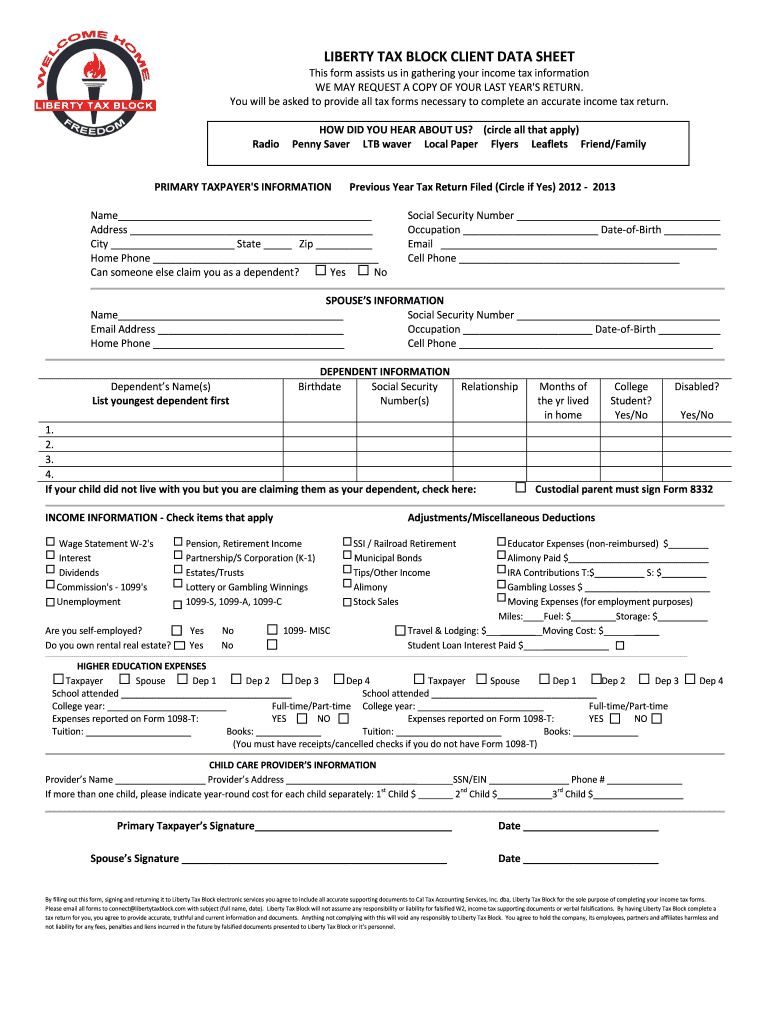
How to use or fill out liberty tax client data sheet with our platform

- Click ‘Get Form’ to open the Liberty Tax Client Data Sheet in the editor.
- Begin by filling out the 'Primary Taxpayer's Information' section. Enter your name, address, phone number, and Social Security Number. Be sure to indicate if someone can claim you as a dependent.
- Next, provide your spouse’s information if applicable. Fill in their name, Social Security Number, email address, occupation, and date of birth.
- List your dependents in the 'Dependent Information' section. Include their names, birthdates, Social Security Numbers, and relationships to you.
- In the 'Income Information' section, check all applicable income sources such as W-2s or 1099s. Indicate if you are self-employed or own rental real estate.
- Complete the 'Higher Education Expenses' section for yourself and any dependents attending school. Provide details about tuition and books.
- Finally, sign and date the form at the bottom before submitting it electronically through our platform.
Start using our platform today to easily fill out your Liberty Tax Client Data Sheet for free!
Fill out liberty tax client data sheet online
It's free
It's free
See more liberty tax client data sheet versions
We've got more versions of the liberty tax client data sheet form. Select the right liberty tax client data sheet version from the list and start editing it straight away!
| Versions | Form popularity | Fillable & printable |
|---|---|---|
| 2012 | 4.3 Satisfied (47 Votes) |
Security and compliance
At DocHub, your data security is our priority. We follow HIPAA, SOC2, GDPR, and other standards, so you can work on your documents with confidence.
Learn more


