
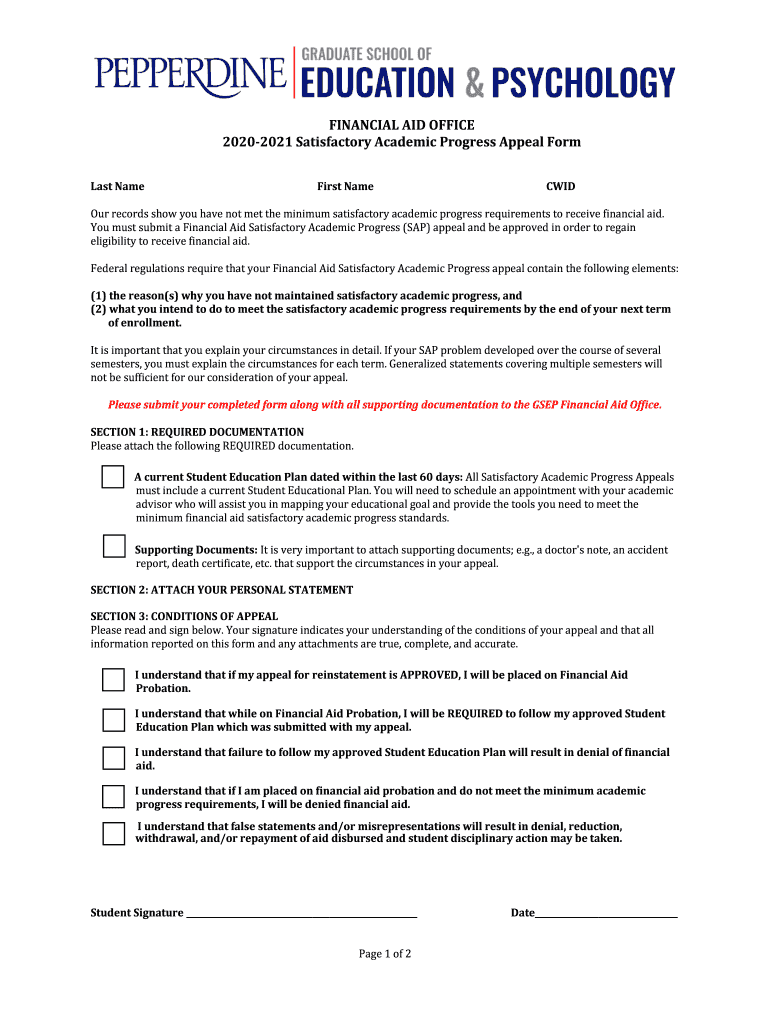



SAP: Frequently Asked QuestionsStudent Financial Services 2026

Get Form
SAP: Frequently Asked QuestionsStudent Financial Services Preview on Page 1

Here's how it works

01. Edit your form online
Type text, add images, blackout confidential details, add comments, highlights and more.

02. Sign it in a few clicks
Draw your signature, type it, upload its image, or use your mobile device as a signature pad.

03. Share your form with others
Send it via email, link, or fax. You can also download it, export it or print it out.

How to use or fill out SAP: Frequently Asked Questions Student Financial Services with our platform

Form edit decoration
9.5
Ease of Setup
DocHub User Ratings on G2
9.0
Ease of Use
DocHub User Ratings on G2
  1. Click ‘Get Form’ to open the SAP: Frequently Asked Questions Student Financial Services form in the editor.
  2. Begin by entering your Last Name, First Name, and CWID in the designated fields. Ensure that all information is accurate to avoid processing delays.
  3. In Section 1, attach the required documentation, including a current Student Education Plan and any supporting documents that explain your circumstances. Use the editor's upload feature for convenience.
  4. Move to Section 2 and provide your personal statement detailing why you did not maintain satisfactory academic progress. Be specific about each term's circumstances.
  5. In Section 3, read through the conditions of appeal carefully. Sign and date the form to confirm your understanding of these conditions.
  6. If applicable, have your academic advisor review and sign the form in the designated area before submission.
  7. Finally, submit your completed form along with all attachments via email or fax as instructed at the bottom of the document.

Start using our platform today to streamline your SAP appeal process for free!

See more SAP: Frequently Asked QuestionsStudent Financial Services versions

We've got more versions of the SAP: Frequently Asked QuestionsStudent Financial Services form. Select the right SAP: Frequently Asked QuestionsStudent Financial Services version from the list and start editing it straight away!
Versions Form popularity Fillable & printable
2022 4.6 Satisfied (25 Votes)
2020 4.8 Satisfied (86 Votes)
2019 4.2 Satisfied (39 Votes)
be ready to get more

Complete this form in 5 minutes or less

Get form

Got questions?

We have answers to the most popular questions from our customers. If you can't find an answer to your question, please contact us.
Contact us
If a student attempts more than 150% of the credits required for their degree then they will fail SAP and become ineligible for any further federal financial aid. Appeals for exceeding the 150% maximum time frame are only granted in very extenuating cases. Example: 120 credit Bachelors degree x 150% = 180 credits.
SAP is evaluated at the end of each academic year, after spring semester grades are posted. All students are evaluated on the three eligibility requirements. Students who fail to meet SAP will be notified via email in June.
Please note that the SAP policy applies to financial aid eligibility and is separate from the academic standards required by the University for continued enrollment. However, if a student is academically suspended or placed on academic probation, the student is also considered to have failed SAP.
If your Pace percentage is below 66.67%, you will be considered to not meet the Pace of Progress. The first time you fail to meet any either the Pace or GPA Standard, you will be placed on Financial Aid Warning for your next semester of enrollment.
W and EW grades earned before or after the exemption period will still count against you when SAP is calculated.

Security and compliance

At DocHub, your data security is our priority. We follow HIPAA, SOC2, GDPR, and other standards, so you can work on your documents with confidence.

Learn more
ccpa2
pci-dss
gdpr-compliance
hipaa
soc-compliance
be ready to get more

Complete this form in 5 minutes or less

Get form

People also ask

Applicants will be reviewed for SAP at the end of every semester when all student body grades are posted. This typically occurs 2 weeks after the close of each semester. (Winter Term is considered part of the Spring semester and is evaluated along with Spring grades.)
How and when will I be evaluated for SAP? The Financial Aid Office will evaluate your Satisfactory Academic Progress annually at the end of the spring payment period. All student records are reviewed to ensure students are meeting the minimum requirements for SAP and financial aid eligibility.
If you fail to meet SAP standards, you will be placed on financial aid restriction. Students on financial aid restriction are not eligible to receive Federal, state, or institutional financial aid. However, you may be eligible to receive private (alternative) loans, which can be found here.

Related links

