




01. Edit your move out condition checklist online
Type text, add images, blackout confidential details, add comments, highlights and more.

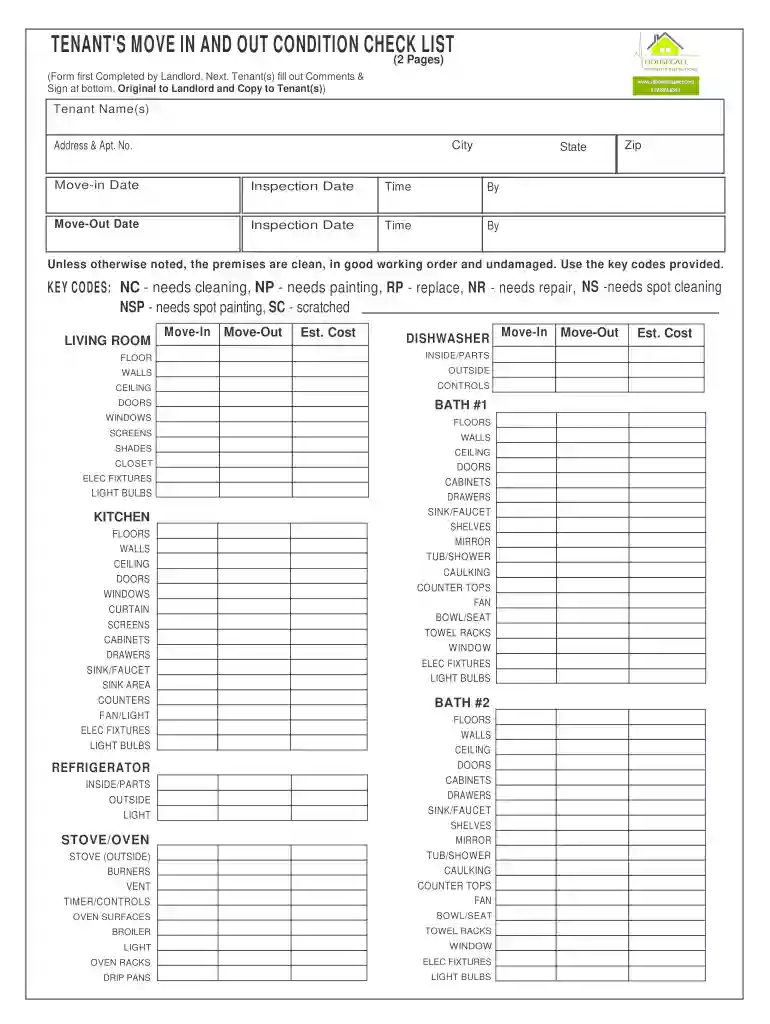
Type text, add images, blackout confidential details, add comments, highlights and more.

Draw your signature, type it, upload its image, or use your mobile device as a signature pad.

Send it via email, link, or fax. You can also download it, export it or print it out.

Start using our platform today to streamline your document editing and signing process for free!
At DocHub, your data security is our priority. We follow HIPAA, SOC2, GDPR, and other standards, so you can work on your documents with confidence.
Feb 23, 2015 Users with ServicePRO Administrator privilege can update System Options to select default settings and other options for their Service Desk.Read more
Before you move-in and upon moving-out, be sure to carefully complete this check-list. Tenant Name(s):. Address Apt. No.: City: State: Zip:.Read more
The owner/management agent and tenant together conduct a move-in/move-out inspection to document the condition of the unit at the time of move-in/move-out.Read more


