




01. Edit your retroactive premium assistance online
Type text, add images, blackout confidential details, add comments, highlights and more.

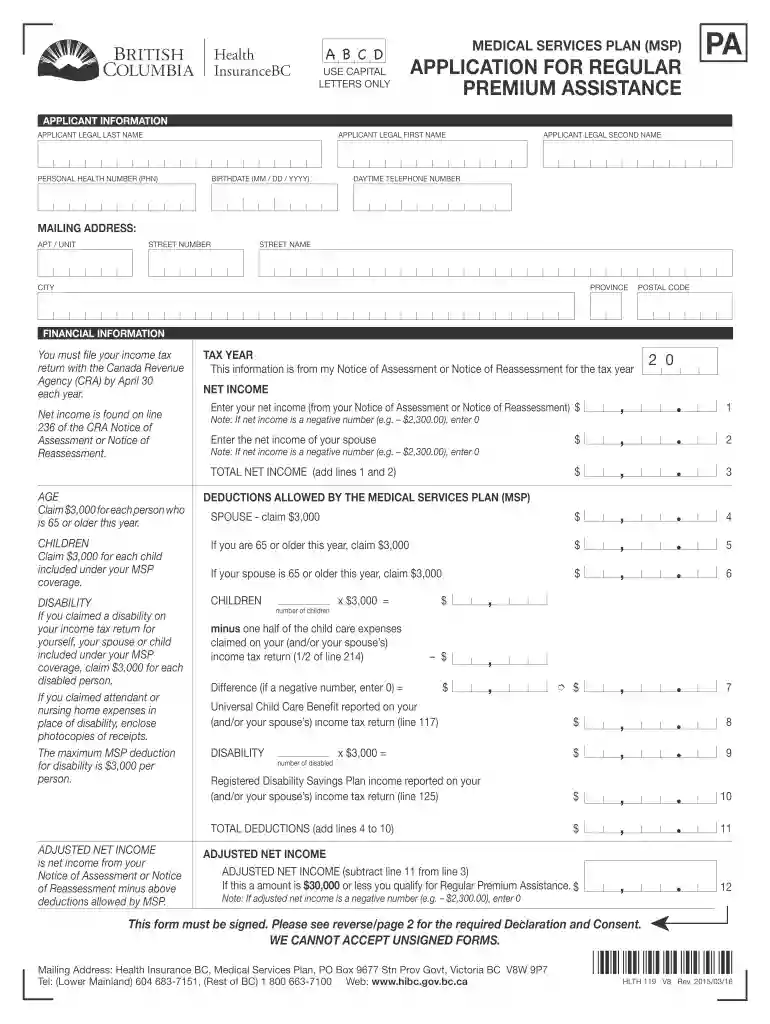
Type text, add images, blackout confidential details, add comments, highlights and more.

Draw your signature, type it, upload its image, or use your mobile device as a signature pad.

Send it via email, link, or fax. You can also download it, export it or print it out.

Start filling out your application for regular premium assistance today using our platform for free!
We've got more versions of the retroactive premium assistance form. Select the right retroactive premium assistance version from the list and start editing it straight away!
At DocHub, your data security is our priority. We follow HIPAA, SOC2, GDPR, and other standards, so you can work on your documents with confidence.
Premium Assistance Application (this form) must be completed, signed and dated. If married, member and spouse must sign all documents. □ Tax ReturnRead more
Feb 8, 2018 You must report your taxable disability payments as wages on line 7 of Form 1040 or Form. 1040A until you DocHub minimum retirement age. Minimum.Read more
The Georgia HIPP Program has now developed a new, faster way for individuals to apply for or renew their HIPP benefits by submitting their information online.Read more


