Type text, add images, blackout confidential details, add comments, highlights and more.
02. Sign it in a few clicks
Draw your signature, type it, upload its image, or use your mobile device as a signature pad.
03. Share your form with others
Send cg2012 via email, link, or fax. You can also download it, export it or print it out.
How to use or fill out insurance endorsement with our platform
Ease of Setup
DocHub User Ratings on G2
Ease of Use
DocHub User Ratings on G2
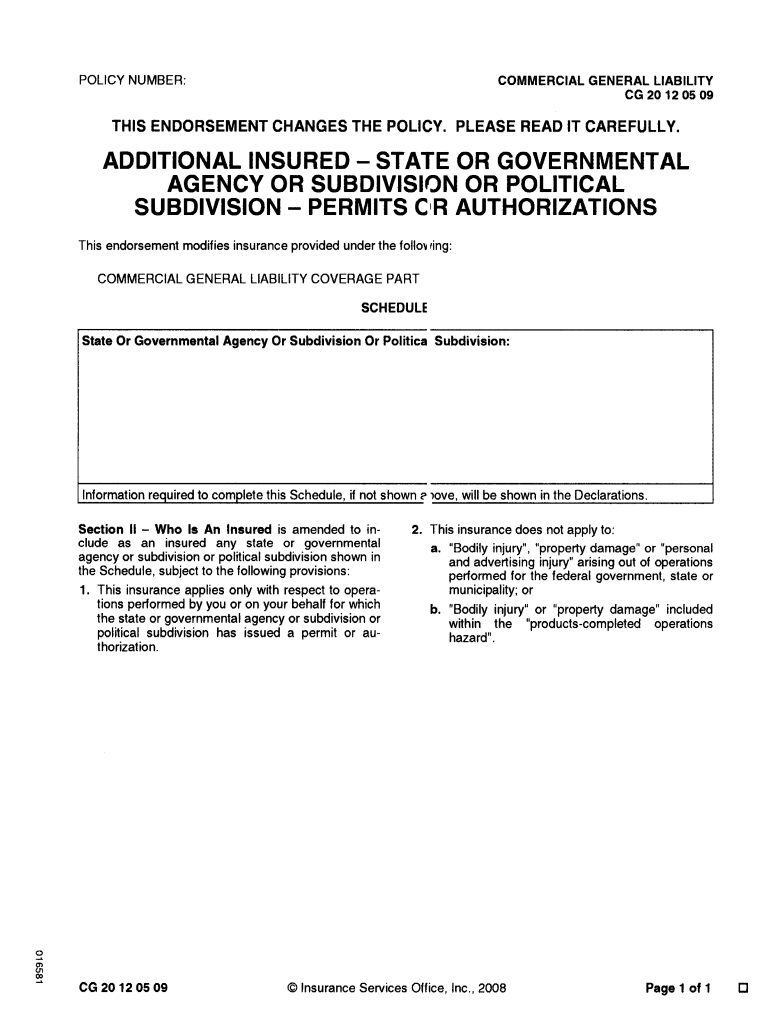
Click ‘Get Form’ to open the insurance endorsement in the editor.
Locate the 'Schedule' section. Here, you will need to enter the name of the state or governmental agency or subdivision that is being added as an additional insured. Ensure this information matches any official documents.
Review Section II, which outlines who is considered an insured. Familiarize yourself with the provisions that apply specifically to operations performed under permits or authorizations issued by the listed agency.
Carefully read through the exclusions mentioned in the endorsement. This includes understanding what types of injuries and damages are not covered under this policy modification.
Start using our platform today for free to streamline your insurance endorsement process!
Insurance 101: What is an Insurance Endorsement or Rider?
An insurance endorsement/rider is an amendment to an existing insurance contract that changes the terms of the original policy. An endorsement/rider can beRead more
(1) Initial endorsement. The Commissioner shall indicate the insurance of the mortgage by endorsing the original mortgage note and identifying the section ofRead more
Cookie consent notice
This site uses cookies to enhance site navigation and personalize your experience.
By using this site you agree to our use of cookies as described in our Privacy Notice.
You can modify your selections by visiting our Cookie and Advertising Notice.