




Here's how it works



How to use or fill out Networking Coffee 4 Sponsorship

- Click ‘Get Form’ to open the Networking Coffee 4 Sponsorship document in our editor.
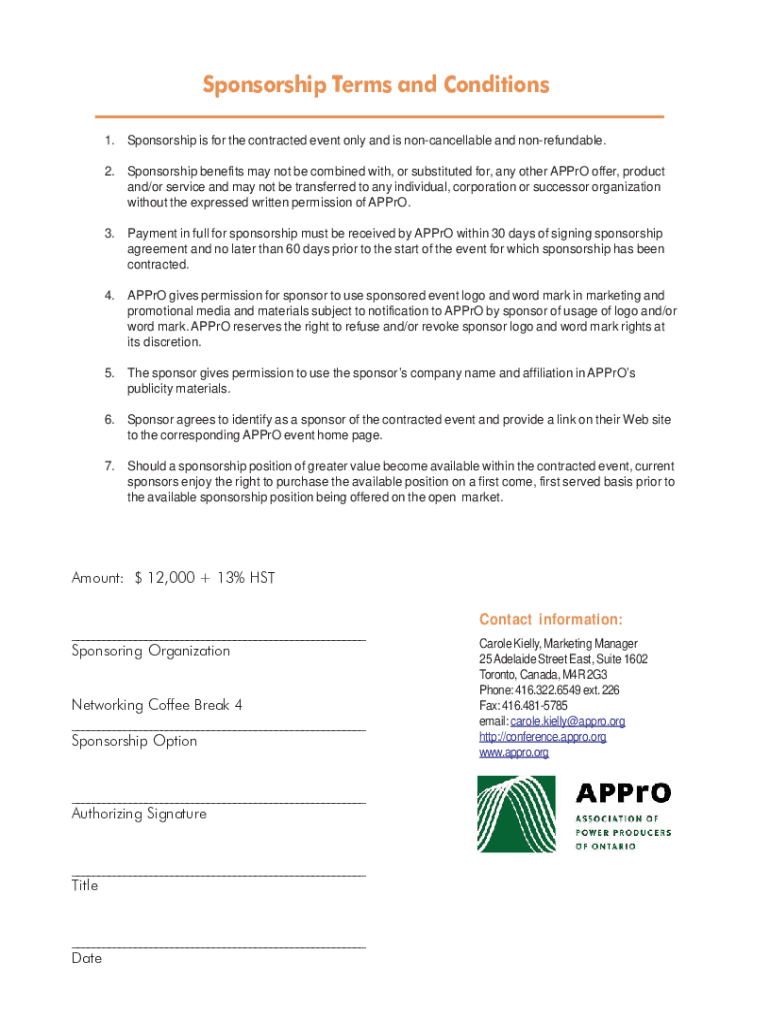
- Begin by entering your sponsoring organization’s name in the designated field. This identifies your company as a participant in the sponsorship program.
- Select your preferred sponsorship option from the available choices. Ensure you review the benefits associated with each option for informed decision-making.
- Fill in the amount of $12,000 plus applicable taxes in the payment section, ensuring accuracy for processing.
- Provide an authorizing signature along with your title and date to validate the agreement. This step is crucial for formalizing your commitment.
- Lastly, include your contact information, including phone number and email, so that APPrO can reach you for any follow-up regarding your sponsorship.
Start using our platform today to effortlessly complete your Networking Coffee 4 Sponsorship form online and for free!
It's free
See more Networking Coffee 4 Sponsorship versions
Got questions?
What do I need to sign my conference sponsorship agreement electronically?
Electronic document signing demands a software solution that complies with data protection and eSignature regulations. DocHub is an excellent tool for that, since it meets all the previously mentioned requirements. Whatever method you like to sign your conference sponsorship agreement in DocHub, your eSignature will be legally binding and court-admissible.
How to complete how to get someone to sponsor me to canada and pay back later after getting employment online free of charge in 2024?
Having a swift editing system like DocHub, you do not require anything but a web browser and connection to the internet to modify your how to get someone to sponsor me to canada and pay back later after getting employment online swiftly. Upload your document or find the appropriate form in DocHub’s catalog, open our editor with a single click, and finish it electronically. To revise your forms anytime, register a free account with DocHub.
Security and compliance
At DocHub, your data security is our priority. We follow HIPAA, SOC2, GDPR, and other standards, so you can work on your documents with confidence.
Learn more


