




01. Edit your temperature log for refrigerator celsius pdf online
Type text, add images, blackout confidential details, add comments, highlights and more.

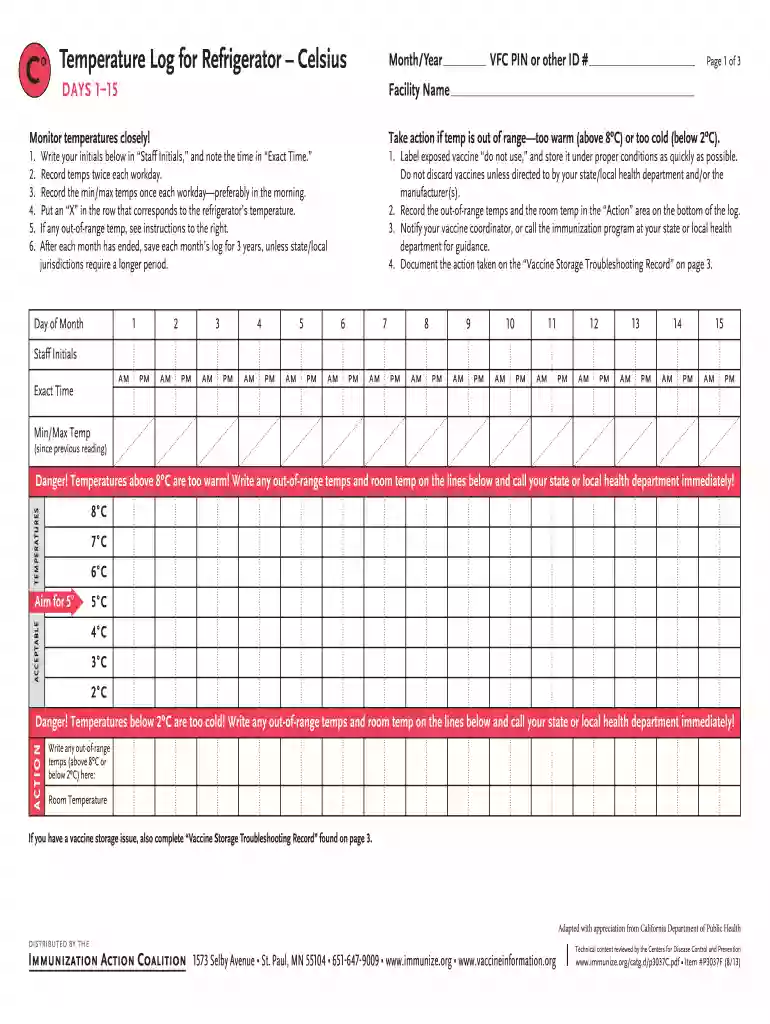
Type text, add images, blackout confidential details, add comments, highlights and more.

Draw your signature, type it, upload its image, or use your mobile device as a signature pad.

Send temperature log for refrigerator celsius via email, link, or fax. You can also download it, export it or print it out.

Start using our platform today to streamline your temperature logging process for free!
Approving documents on a mobile device is quick, simple, and doesn’t require software installation if you have an account with DocHub. Sign in from any browser, fill in your empty fields with your information, and click on Sign → Create your signature. You can draw your eSignature just as you usually do on paper, add its picture to your refrigerator temperature log celsius, or type in your name and stylize its look. Whatever option you select, your form will be valid.
You can easily edit and complete your temperature log for refrigerator fahrenheit on any iOS gadget. Open an internet browser of your choice, visit the DocHub site, authorize or create a new account, add your file for editing, and make your desired changes. Our service is mobile-friendly, so utilizing its functions on your phone will be a no-brainer, even on the first try.
At DocHub, your data security is our priority. We follow HIPAA, SOC2, GDPR, and other standards, so you can work on your documents with confidence.
Temperatures below 36F are too cold! Write any out-of-range temps and room temp on the lines below and call your state or local health department immediately!Read more
Nov 19, 2018 The McKesson triple display digital thermometer simultaneously shows the current, minimum and maximum temperatures and updates continuously.Read more
Instructions. ○ Temperatures must be recorded and initialed daily by the designee as a part of food safety requirements. ○ Safe refrigerator temperatureRead more


