




01. Edit your form online
Type text, add images, blackout confidential details, add comments, highlights and more.

Type text, add images, blackout confidential details, add comments, highlights and more.

Draw your signature, type it, upload its image, or use your mobile device as a signature pad.

Send it via email, link, or fax. You can also download it, export it or print it out.
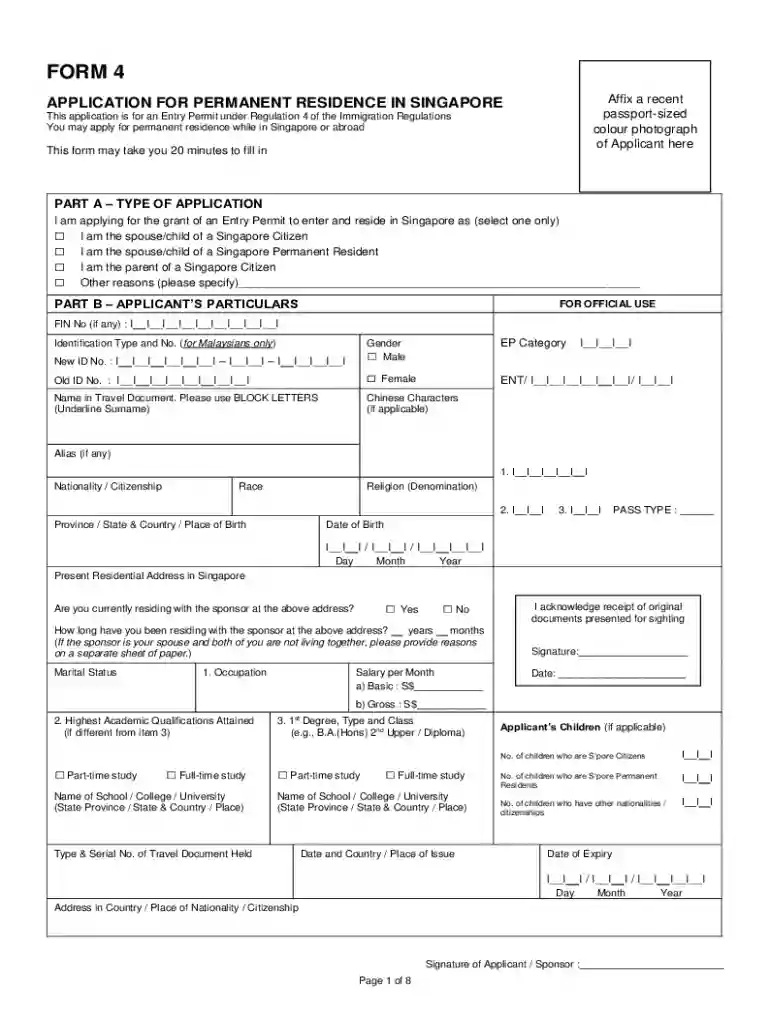
Form 4 (Sep 2020) refers to a specific government form used for regulatory or administrative purposes, such as filing for tax or business registrations. This form carries the revisions or updates effective starting September 2020, indicating that users need to pay attention to any changes from prior versions. It is critical for individuals and entities involved in the relevant activities to understand these specific updates to align with current legal and procedural requirements.
Gather Required Information: Before completing the form, ensure you have all necessary details at hand, such as personal identification, financial records, or any prior documentation related to the application.
Fill Out Personal Details: Enter your personal information accurately, including your name, address, and contact information. Double-check for any typographical errors.
Complete Specific Sections: Depending on the purpose (e.g., tax filing, business registration), complete all relevant sections with precise data to avoid delays in processing.
Review for Accuracy: Before submission, review all entries to ensure no mistakes. Inaccurate data can lead to application rejection or additional administrative burdens.
Sign and Date: Legally bind the form by signing and dating it as required. Ensure any additional signatures needed are obtained.
Prepare for Submission: Depending on submission methods, prepare your form for online upload, mailing, or in-person submission at the designated office.
Online Platforms: Access the form through official government websites or trusted platforms like DocHub, which offers digital versions that can be downloaded or directly edited online.
Physical Offices: Visit local government or regulatory offices where they can provide physical copies of the form.
Through Mail: Some agencies offer the option to request forms by mail, which can then be sent to your address based on the application procedure.
Applicant Information: Fields requiring personal or organizational details, necessary for identifying the filing party.
Compliance Section: This part may outline regulations relevant to the form, ensuring that the applicant meets statutory requirements.
Declaration & Signature: Concludes the form, demanding an attestation of truthfulness and accuracy of provided information.
Instructions: While not a field, thorough instructions are included, guiding applicants on how to fill the form accurately.
Individuals: Often used by taxpayers or applicants for personal administrative tasks requiring standardized documentation.
Businesses: Entities engaged in financial, operational, or regulatory compliance activities may utilize this form for necessary filings.
Legal Representatives: Often required for professionals managing legal or financial processes on behalf of clients to comply with set mandates.


Online Submission: Convenient for most users, allowing for immediate digital submission through platforms like DocHub that offer comprehensive form handling capabilities.
Mail Submission: Traditional method where the completed form is sent to the relevant authority's postal address.
In-Person Submission: Entails delivering the form to a physical office, providing immediate receipt confirmation but potentially requiring more time and effort.
Regulatory Compliance: Essential for adhering to legal mandates related to financial filings or business operations.
Documentation: Serves as a recorded agreement or application that legally binds the submitting party to the information provided.
Audit Trail: Provides a regulatory footprint useful for both private and government auditing purposes, ensuring transparency and accountability.
Identification Proof: Government-issued IDs, such as a driver's license or passport, may be required to verify the applicant's identity.
Supporting Documents: Depending on the form's purpose, documents like financial statements, tax returns, or registration certificates might be mandatory.
Confirmation Receipts: If the form involves prior filings or actions, evidence of those submissions or actions may be needed.
We've got more versions of the Form 4 (Sep 2020) form. Select the right Form 4 (Sep 2020) version from the list and start editing it straight away!
| Versions | Form popularity | Fillable & printable |
|---|---|---|
| 2020 | 4.9 Satisfied (32 Votes) |
At DocHub, your data security is our priority. We follow HIPAA, SOC2, GDPR, and other standards, so you can work on your documents with confidence.


