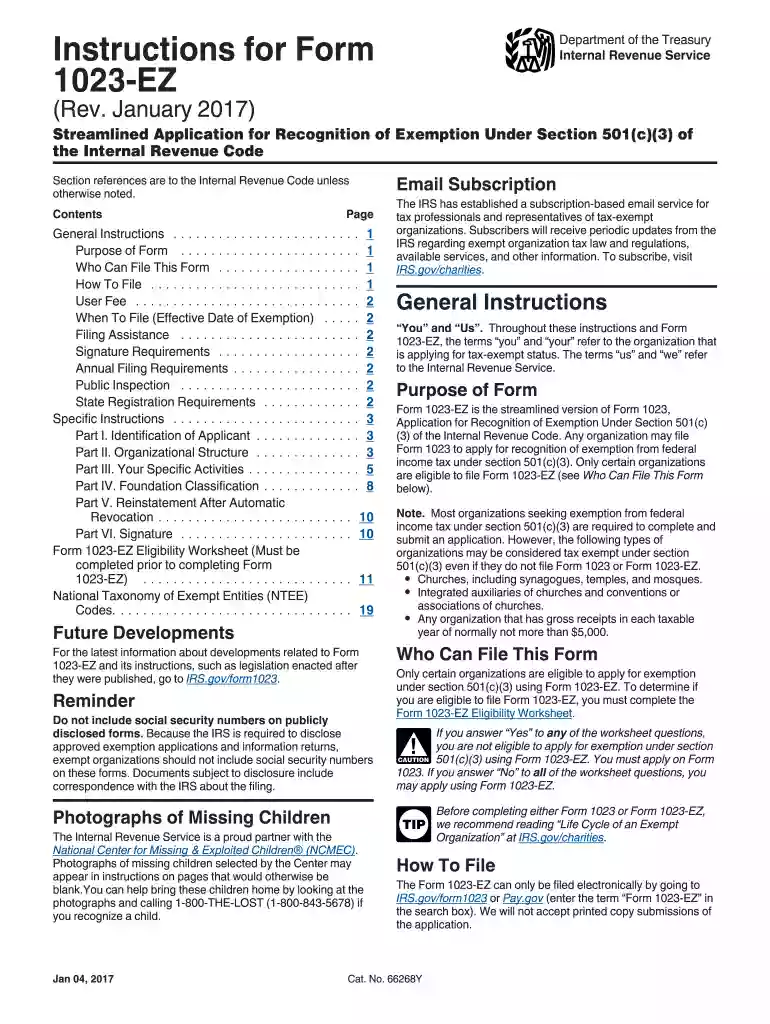
Instructions for Form 1023-EZ (Rev. January 2017). Instructions for Form 1023-EZ, Streamlined Application for Recognition of Exemption Under Section 501(c)(3) of the Internal Revenue Code - irs-2026

Get Form
tax cycle code Preview on Page 1

Here's how it works

01. Edit your tax cycle code online
Type text, add images, blackout confidential details, add comments, highlights and more.

02. Sign it in a few clicks
Draw your signature, type it, upload its image, or use your mobile device as a signature pad.

03. Share your form with others
Send cycle code irs via email, link, or fax. You can also download it, export it or print it out.

How to use or fill out Instructions for Form 1023-EZ (Rev. January 2017) with our platform

Form edit decoration
9.5
Ease of Setup
DocHub User Ratings on G2
9.0
Ease of Use
DocHub User Ratings on G2
  1. Click ‘Get Form’ to open it in the editor.
  2. Begin by completing the Form 1023-EZ Eligibility Worksheet to confirm your eligibility. If you answer 'No' to all questions, proceed with filling out the form.
  3. In Part I, provide your organization's full name and mailing address as listed in your organizing documents.
  4. Complete Part II by selecting your organizational structure and entering the necessary details about your entity type.
  5. In Part III, describe your specific activities and ensure they align with the exempt purposes under section 501(c)(3).
  6. Fill out Part IV to classify your foundation status as either a public charity or private foundation based on your funding sources.
  7. Finally, electronically sign the form in Part VI, ensuring that you check the 'penalties of perjury' box before submitting.

Start using our platform today for free to streamline your document editing and submission process!

See more Instructions for Form 1023-EZ (Rev. January 2017). Instructions for Form 1023-EZ, Streamlined Application for Recognition of Exemption Under Section 501(c)(3) of the Internal Revenue Code - irs versions

We've got more versions of the Instructions for Form 1023-EZ (Rev. January 2017). Instructions for Form 1023-EZ, Streamlined Application for Recognition of Exemption Under Section 501(c)(3) of the Internal Revenue Code - irs form. Select the right Instructions for Form 1023-EZ (Rev. January 2017). Instructions for Form 1023-EZ, Streamlined Application for Recognition of Exemption Under Section 501(c)(3) of the Internal Revenue Code - irs version from the list and start editing it straight away!
Versions Form popularity Fillable & printable
2023 4.7 Satisfied (41 Votes)
2018 4.8 Satisfied (215 Votes)
2017 4.4 Satisfied (1120 Votes)
2014 4 Satisfied (28 Votes)
be ready to get more

Complete this form in 5 minutes or less

Get form

Got questions?

We have answers to the most popular questions from our customers. If you can't find an answer to your question, please contact us.
Contact us
Exemption requirements - 501(c)(3) organizations To be tax-exempt under section 501(c)(3) of the Internal Revenue Code, an organization must be organized and operated exclusively for exempt purposes set forth in section 501(c)(3), and none of its earnings may inure to any private shareholder or individual.
Form 1023-EZ is used to apply for recognition as a tax-exempt organization under Section 501(c)(3). Applicants can learn more about the requirements, benefits, limitations and expectations of tax-exempt organizations by accessing the online courses at the IRS Small to mid-size tax-exempt organization workshop.
Specifically, applicant organizations must satisfy the IRS definition of small. That means they must: Anticipate less than $50,000 in annual gross receipts each year for the first 3 years, and. Have already had less than $50,000 in annual gross receipts for all 3 prior years (if any), and.
The main difference between the two is the docHub amount of information that the IRS requires for Form 1023 and the complexity of the information you must provide to complete the application.
The user fee for Form 1023-EZ is $275. The user fees must be paid through Pay.gov when the application is filed.

Security and compliance

At DocHub, your data security is our priority. We follow HIPAA, SOC2, GDPR, and other standards, so you can work on your documents with confidence.

Learn more
ccpa2
pci-dss
gdpr-compliance
hipaa
soc-compliance
be ready to get more

Complete this form in 5 minutes or less

Get form