T400a 2026

Get Form
t400a Preview on Page 1

Here's how it works

01. Edit your t400a online
Type text, add images, blackout confidential details, add comments, highlights and more.
02. Sign it in a few clicks
Draw your signature, type it, upload its image, or use your mobile device as a signature pad.
03. Share your form with others
Send cra t400a via email, link, or fax. You can also download it, export it or print it out.

How to use or fill out t400a with our platform

Form edit decoration
9.5
Ease of Setup
DocHub User Ratings on G2
9.0
Ease of Use
DocHub User Ratings on G2
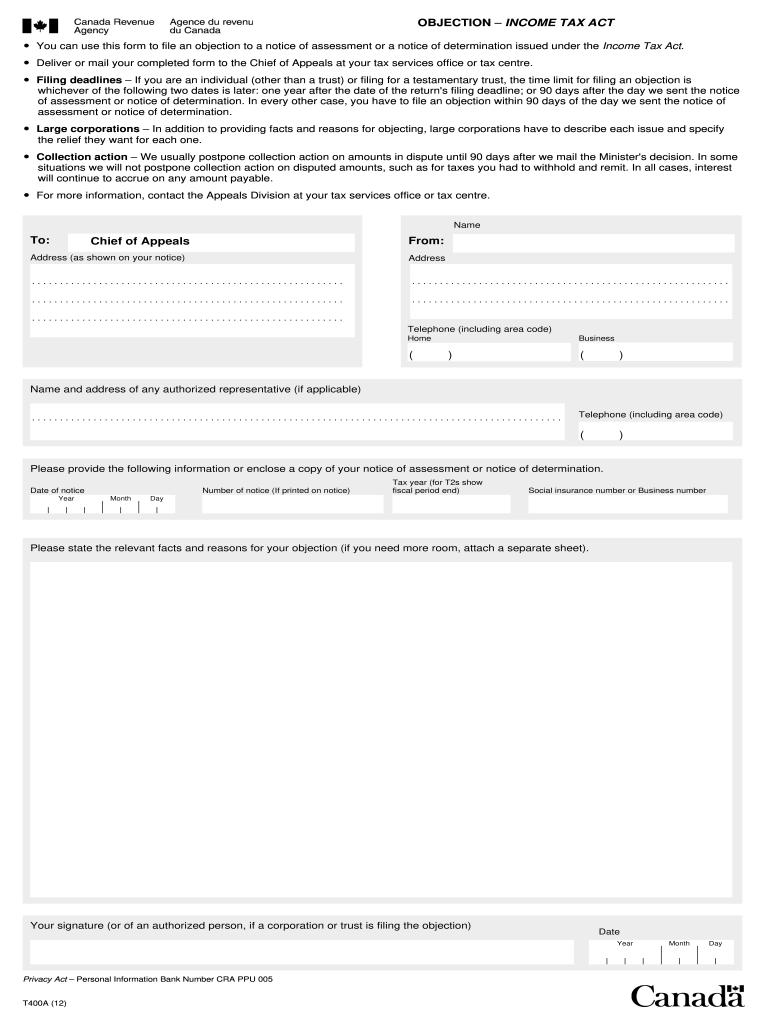
  1. Click ‘Get Form’ to open the t400a in the editor.
  2. Begin by entering your name and address as shown on your notice. Ensure accuracy to avoid processing delays.
  3. In the 'To' section, specify 'Chief of Appeals' along with the address from your notice.
  4. Provide your telephone numbers, including area codes for both home and business contacts.
  5. If applicable, include the name and address of any authorized representative along with their contact number.
  6. Fill in the date of notice, year, month, and number of notice as printed on your assessment or determination notice.
  7. Indicate the tax year and provide your Social Insurance Number or Business Number.
  8. Clearly state the relevant facts and reasons for your objection. If more space is needed, attach a separate sheet.
  9. Finally, sign and date the form. If a corporation or trust is filing, ensure an authorized person signs it.

Start using our platform today to fill out your t400a form online for free!

be ready to get more

Complete this form in 5 minutes or less

Get form

Got questions?

We have answers to the most popular questions from our customers. If you can't find an answer to your question, please contact us.
Contact us
How do I qualify for the $300 Federal Payment in 2025? To qualify, you must be a Canadian resident, at least 18 years old, with a low to moderate income, and have filed your 2024 tax return.
Any individual who receives income from sources outside of standard employment may receive a T4A form. This may include self-employed workers, pensioners, and those who receive investment income, such as dividends or interest.
When all conventional avenues have been exhausted with the CRA, you can submit a Notice of Objection to the Chief of Appeals through the T400A form. This form relates to any objection you want to file against a notice of assessment or determination that relates to the Income Tax Act (ITA).
Most importantly, a taxpayer has 90 days from the date on the Notice issued by the CRA to file a Notice of Objection. If the 90-day deadline is missed a taxpayer can file an extension request with the objection.
This form is used to file an objection to a Notice of Assessment or a Notice of Determination issued under the Income Tax Act.

People also ask

Filing an objection is the first step in the formal process of resolving a dispute. After you file an objection, the CRA will impartially review it.
Once the Canada Revenue Agency (CRA) has processed your return, it will send you a Notice of Assessment via either electronic or physical mail, depending on which communication option youve chosen. A Notice of Assessment is like a receipt for filing your tax return.

Related links