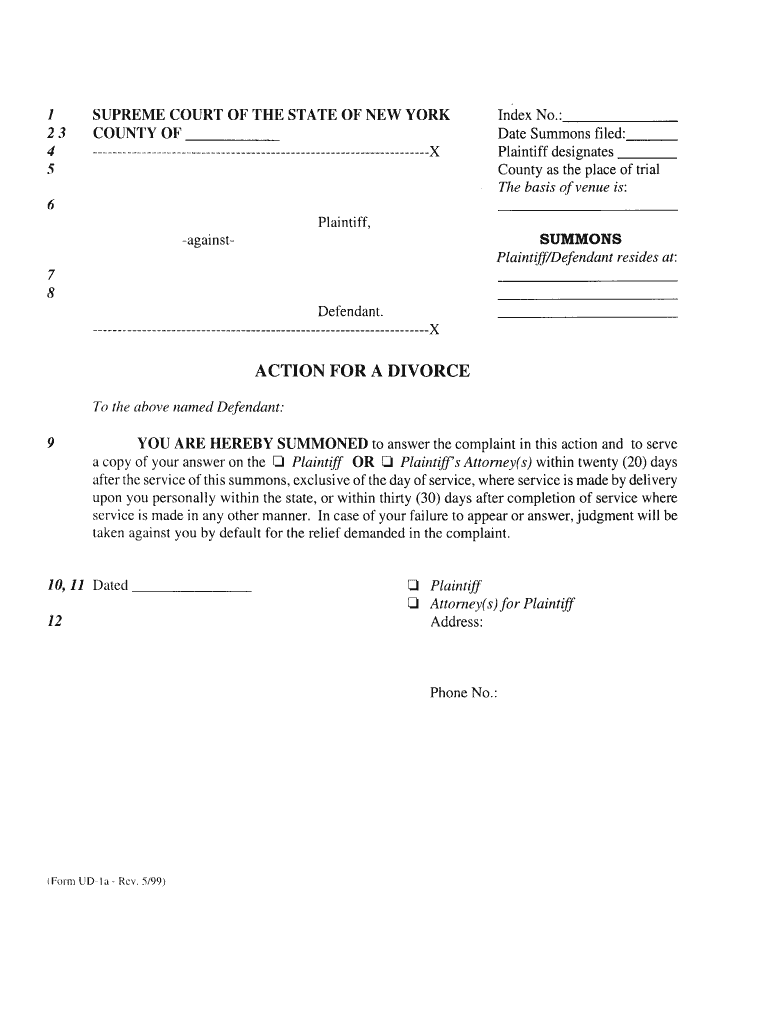
Form ud 1a 2026

Get Form
ud 1a Preview on Page 1

Here's how it works

01. Edit your ud 1a online
Type text, add images, blackout confidential details, add comments, highlights and more.
02. Sign it in a few clicks
Draw your signature, type it, upload its image, or use your mobile device as a signature pad.
03. Share your form with others
Send ud1a via email, link, or fax. You can also download it, export it or print it out.

How to use or fill out form ud 1a with our platform

Form edit decoration
9.5
Ease of Setup
DocHub User Ratings on G2
9.0
Ease of Use
DocHub User Ratings on G2
  1. Click ‘Get Form’ to open it in the editor.
  2. Begin by entering your personal information in the designated fields at the top of the form. This typically includes your name, address, and contact details.
  3. Next, navigate to the section that requires specific details related to the purpose of form ud 1a. Carefully read each prompt and fill in the required information accurately.
  4. If there are checkboxes or multiple-choice options, simply click on your selection to mark it. Ensure you review these choices for completeness.
  5. Finally, once all sections are filled out, utilize our platform’s signature feature to sign electronically if required. This ensures your document is ready for submission.

Start using our platform today for free and streamline your document editing experience!

See more form ud 1a versions

We've got more versions of the form ud 1a form. Select the right form ud 1a version from the list and start editing it straight away!
Versions Form popularity Fillable & printable
1999 4.9 Satisfied (465 Votes)
be ready to get more

Complete this form in 5 minutes or less

Get form

Got questions?

We have answers to the most popular questions from our customers. If you can't find an answer to your question, please contact us.
Contact us

Electronic document signing requires a software solution that complies with data security and eSignature laws. DocHub is an excellent tool for that, as it meets all the above mentioned requirements. Whatever method you prefer to sign your form ud 1a in DocHub, your eSignature will be legally binding and court-admissible.

In addition to a comprehensive toolset for editing PDFs on mobile phones, DocHub allows you to sign your form ud 1a along the way. Open our editor in your internet browser, make modifications using DocHub’s toolset, and complete your editing by eSigning the completed form.

The Affidavit of Service by Mail of Judgment of Divorce with Notice of Entry serves as an irrefutable piece of evidence confirming that the defendant has been duly informed about the final judgment in the divorce. This crucial affidavit upholds the legality and legitimacy of the divorce proceedings.
Where can I get local birth certificate Form 1A? You can get a Certified True Copy of Certificate of Live Birth (COLB) at the Local Civil Registrars office of the city of municipality where you were born.
A company conducting a Regulation A offering must file an offering statement on Form 1-A with the SEC. No filing fee is required. Form 1-A requires non-financial narrative disclosures about the company and the offering. Depending on the offering Tier used, Form 1-A also may require audited financial statements.

Security and compliance

At DocHub, your data security is our priority. We follow HIPAA, SOC2, GDPR, and other standards, so you can work on your documents with confidence.

Learn more
ccpa2
pci-dss
gdpr-compliance
hipaa
soc-compliance

People also ask

Form 1A consists of three parts- personal details along with a photograph, a declaration, and a certificate of medical fitness. The applicant fills the first part, while a registered medical practitioner certifies the second and third part. Detailed below is the step-by-step process of filling up the form.
Key Takeaways. SEC Form 1-A is a filing with the Securities and Exchange Commission by entities seeking exemption for registration requirements for certain public offerings under Regulation A.
F1SA (Form 1 Schedule A): The Form 1 Schedule A or F1SA refers to Form 1 to Schedule A to the Securities Industry Association Form 150. A F1SA is required for each RIA/HFs individual trading account at various Executing Brokers.

Related links