Reiq property management schedule 2026

Get Form
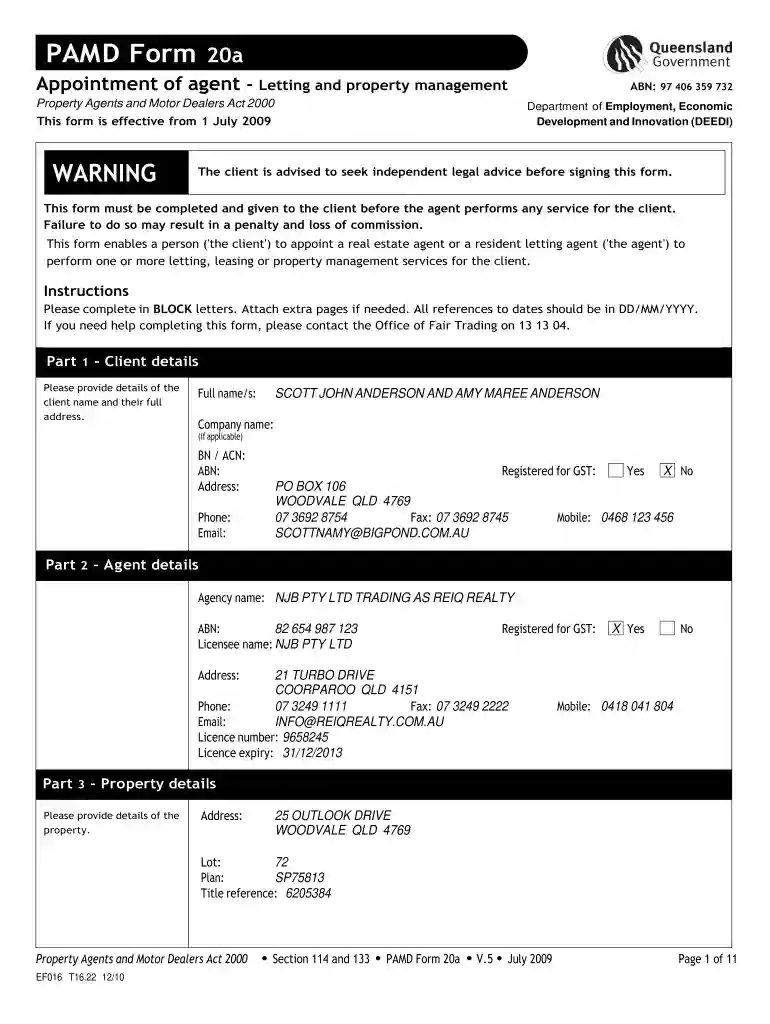
reiq property management schedule Preview on Page 1

Here's how it works

01. Edit your reiq property management schedule online
Type text, add images, blackout confidential details, add comments, highlights and more.

02. Sign it in a few clicks
Draw your signature, type it, upload its image, or use your mobile device as a signature pad.

03. Share your form with others
Send property management schedule via email, link, or fax. You can also download it, export it or print it out.

How to use or fill out reiq property management schedule with our platform

Form edit decoration
9.5
Ease of Setup
DocHub User Ratings on G2
9.0
Ease of Use
DocHub User Ratings on G2
  1. Click ‘Get Form’ to open the reiq property management schedule in the editor.
  2. Begin with Part 1, where you will enter the client details. Fill in the full names, address, phone number, and email of the clients in BLOCK letters.
  3. Proceed to Part 2 to provide agent details. Enter the agency name, licensee name, contact information, and ensure to check if registered for GST.
  4. In Part 3, input the property details including address and title reference. Make sure all information is accurate.
  5. Move on to Part 4 where you specify the appointment of agent services. Check applicable services like letting/leasing and collection of rent.
  6. Complete Parts 5 through 8 by detailing commission rates, fees, expenses, and any special conditions that apply to your agreement.
  7. Finally, review all sections for accuracy before signing in Part 8. Ensure all parties sign and date the document appropriately.

Start using our platform today for free to streamline your document editing and signing process!

be ready to get more

Complete this form in 5 minutes or less

Get form

Got questions?

We have answers to the most popular questions from our customers. If you can't find an answer to your question, please contact us.
Contact us

Sure, and it’s really straightforward! DocHub is a web-based PDF editor with advanced document processing capabilities that allow you rapidly edit your forms, fill out empty fields and drop new ones for other people to fill out, and create eSignatures in several ways. Upload your property management schedule qld, provide information as required, and decide how you want to eSign your template - by typing your name, drawing your signature, uploading its picture, or utilizing a QR code.

In addition to an extensive toolset for editing PDFs on mobile devices, DocHub allows you to sign your reiq form 6 terms and conditions along the way. Open our editor in your internet browser, make modifications using DocHub’s toolset, and complete your editing by eSigning the finished form.

Security and compliance

At DocHub, your data security is our priority. We follow HIPAA, SOC2, GDPR, and other standards, so you can work on your documents with confidence.

Learn more
ccpa2
pci-dss
gdpr-compliance
hipaa
soc-compliance