




Here's how it works

01. Edit your worker training record online
Type text, add images, blackout confidential details, add comments, highlights and more.

02. Sign it in a few clicks
Draw your signature, type it, upload its image, or use your mobile device as a signature pad.

03. Share your form with others
Send msha task training form via email, link, or fax. You can also download it, export it or print it out.
How to use or fill out training record with our platform

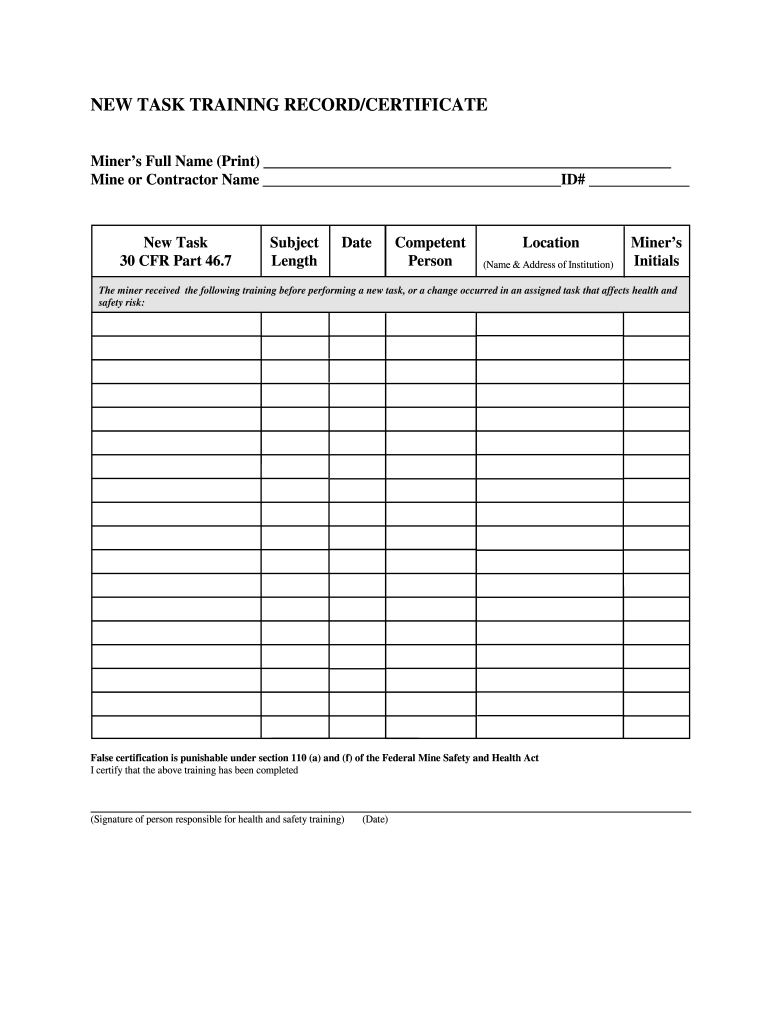
- Click ‘Get Form’ to open the training record in the editor.
- Begin by entering the miner’s full name in the designated field. Ensure that you print the name clearly for accurate documentation.
- Next, input the mine or contractor name. This identifies where the training took place and is crucial for record-keeping.
- Fill in the 'New Task' section, referencing 30 CFR Part 46.7, which outlines specific training requirements.
- Enter the ID number associated with the miner for tracking purposes.
- Specify the subject of the training and its length to provide context on what was covered during the session.
- Record the date of training completion to maintain an accurate timeline of when each task was learned.
- Identify the competent person responsible for delivering this training by entering their name in the appropriate field.
- Provide the location details, including name and address of the institution where training occurred.
- Have the miner initial in their designated space to confirm their participation in this training session.
- Finally, ensure that a responsible person signs and dates at the bottom of the form to certify that all information is accurate and complete.
Start using our platform today to easily fill out your training records online for free!
Fill out training record online
It's free
It's free
Security and compliance
At DocHub, your data security is our priority. We follow HIPAA, SOC2, GDPR, and other standards, so you can work on your documents with confidence.
Learn more


