




01. Edit your kansas state online
Type text, add images, blackout confidential details, add comments, highlights and more.

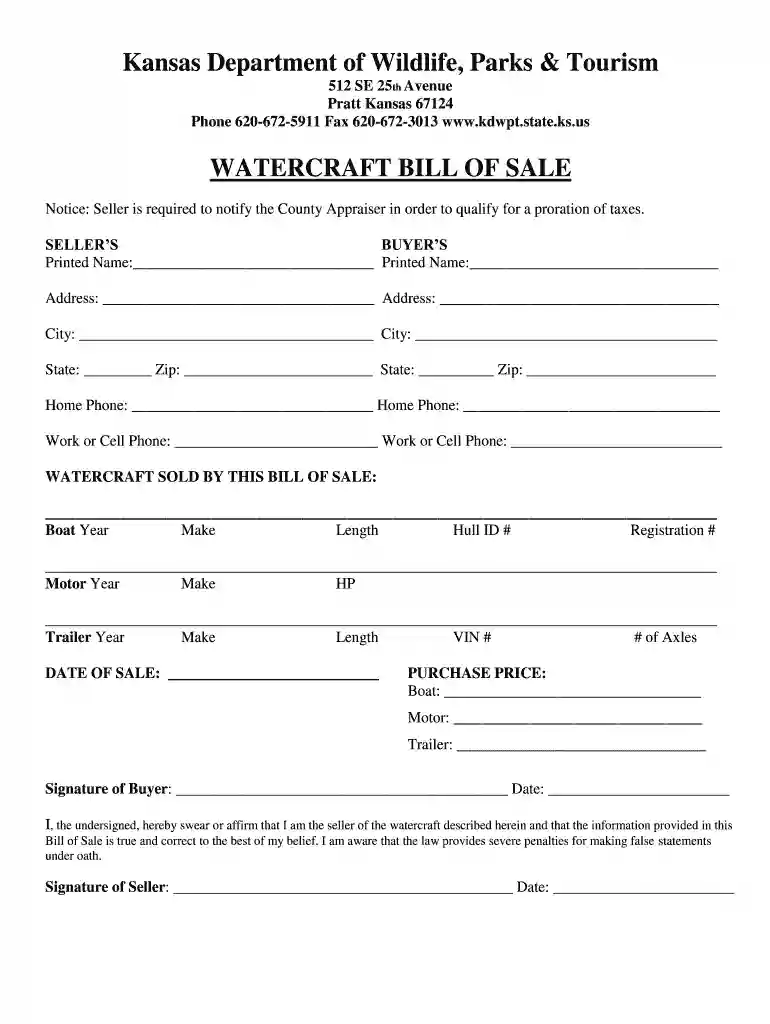
Type text, add images, blackout confidential details, add comments, highlights and more.

Draw your signature, type it, upload its image, or use your mobile device as a signature pad.

Send kansas tax via email, link, or fax. You can also download it, export it or print it out.

Start using our platform today to easily complete your Kansas Boat Bill of Sale for free!
At DocHub, your data security is our priority. We follow HIPAA, SOC2, GDPR, and other standards, so you can work on your documents with confidence.
These records must be retained for one year at the location where the vehicle is garaged and maintained for six months after the vehicle leaves the carriersRead more
The Personal Property Valuation Guide outlines procedures for valuing each subclass of personal property set forth in the Kansas Constitution. For an overviewRead more
KDWP Services Publications Boating Form Watercraft Bill of Sale.Read more


