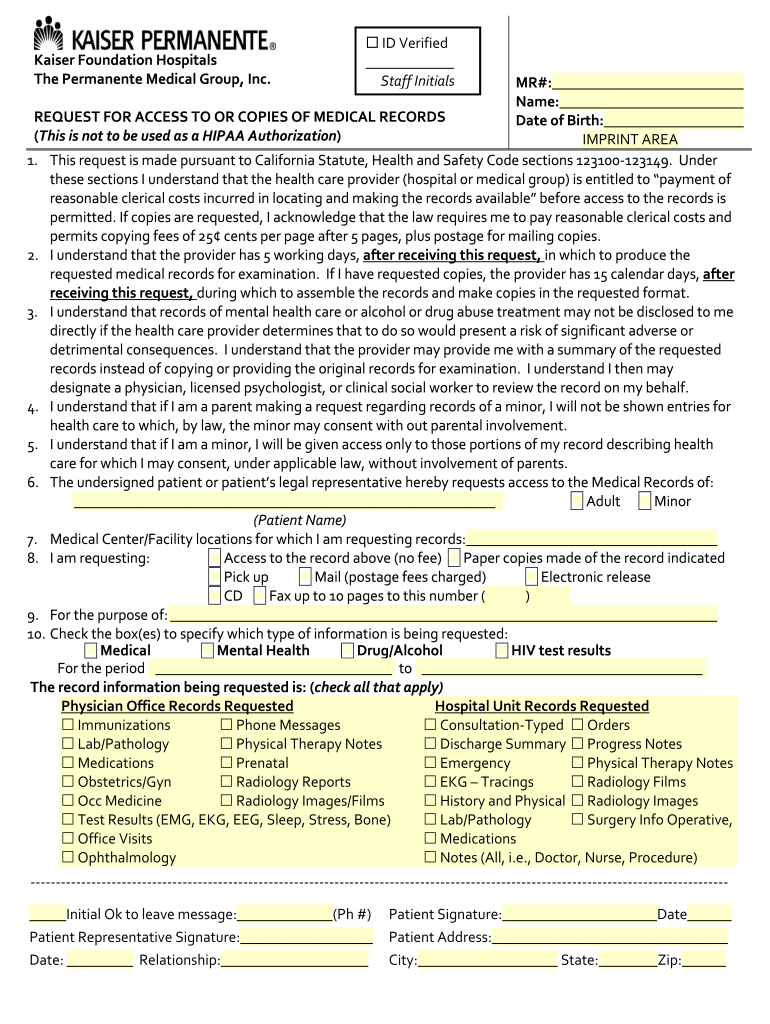
01. Edit your kaiser permanente records request online
Type text, add images, blackout confidential details, add comments, highlights and more.
02. Sign it in a few clicks
Draw your signature, type it, upload its image, or use your mobile device as a signature pad.
03. Share your form with others
Send kp org requestrecords via email, link, or fax. You can also download it, export it or print it out.
How to use or fill out kp org requestrecords with our platform
Ease of Setup
DocHub User Ratings on G2
Ease of Use
DocHub User Ratings on G2
Click ‘Get Form’ to open the kp org requestrecords in the editor.
Begin by entering your Medical Record Number (MR#) and your full name in the designated fields.
Fill in your Date of Birth to help identify your medical records accurately.
Indicate whether you are requesting access for yourself, an adult, or a minor by checking the appropriate box.
Specify the Medical Center/Facility locations from which you are requesting records.
Select the type of request: access to records, paper copies, electronic release, etc., and provide any necessary details such as mailing address or fax number.
Check all relevant types of information being requested, including medical history and specific documents like lab results or consultation notes.
Sign and date the form at the bottom to complete your request. Ensure all required fields are filled out before submission.
Start using our platform today for free to streamline your document requests effortlessly!
Kp org Medical records onlineKaiser medical records phone numberKp org request records disabilityKP org requestrecords Southern CaliforniaKp org requestrecords Northern CaliforniaKaiser Medical records request formKp ROMI requestKaiser Permanente Medical records phone number California
Security and compliance
At DocHub, your data security is our priority. We follow HIPAA, SOC2, GDPR, and other standards, so you can work on your documents with confidence.
This disclosure of records authorized herein is required for official use, including investigation and possible administrative and/or criminal proceedingsRead more
Student Records KPSAHS-Student-Records@kp.org. Finance Team KPSAHS-Finance@kp.org. KP National Helpdesk KP Service Now 888-457-4872. KPSAHS-academiconlinehelpRead more
May 8, 2014 DSRE PKI authenticates Organization information in each request in compliance with. CA/Browser Forums TLS Baseline Requirements. DSRE PKIRead more
Cookie consent notice
This site uses cookies to enhance site navigation and personalize your experience.
By using this site you agree to our use of cookies as described in our Privacy Notice.
You can modify your selections by visiting our Cookie and Advertising Notice.