




01. Edit your 990 schedule d online
Type text, add images, blackout confidential details, add comments, highlights and more.

Type text, add images, blackout confidential details, add comments, highlights and more.

Draw your signature, type it, upload its image, or use your mobile device as a signature pad.

Send it via email, link, or fax. You can also download it, export it or print it out.
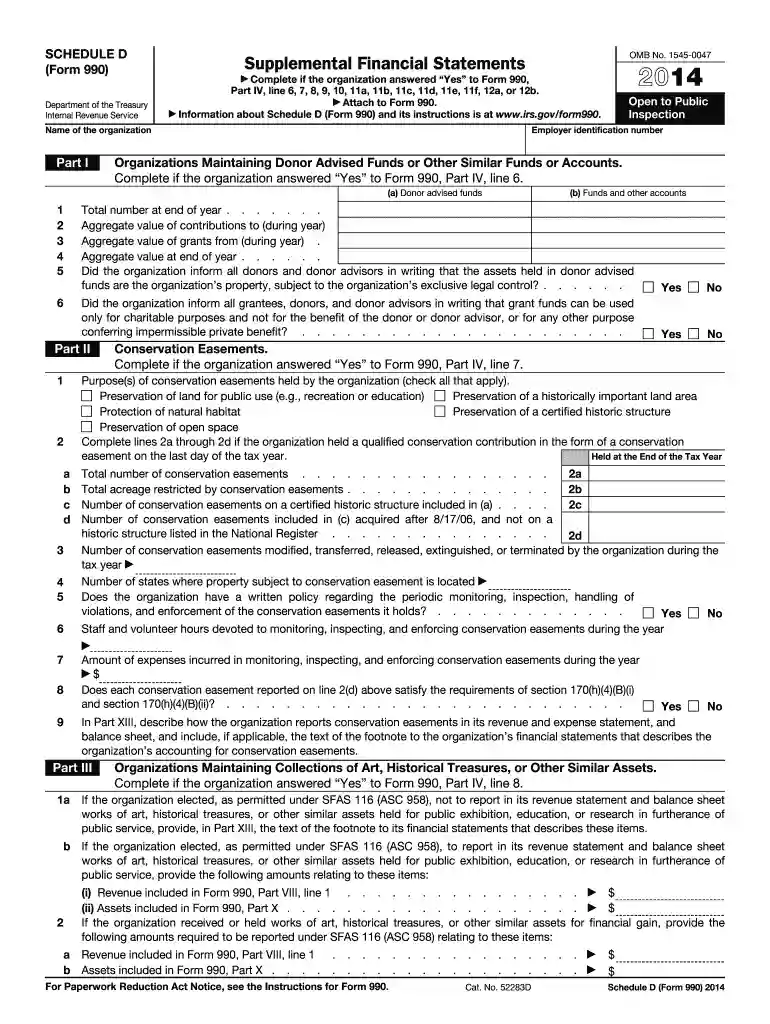
IRS Form 990 Schedule D for 2014 is a supplementary schedule designed by the Internal Revenue Service (IRS) to provide additional financial details for certain organizations. This form is typically required for those entities that need to disclose more complex financial information such as donor-advised funds, conservation easements, and endowments. As a part of Form 990, which is the return required of tax-exempt organizations, Schedule D emphasizes transparency and accountability in financial reporting by offering a thorough breakdown of financial activities and assets.
Using the IRS Form 990 Schedule D involves providing detailed financial information that complements the main Form 990. Organizations must accurately complete each part of the schedule relevant to their financial activities.
When completing the IRS Form 990 Schedule D for 2014, several documents may be required to provide comprehensive and accurate information.
Completing this form requires attention to detail and a clear understanding of each section's requirements.
Not all tax-exempt organizations are required to file Schedule D. It is specifically designed for those entities with more complex financial reporting needs.



Failing to complete or submit the IRS Form 990 Schedule D accurately and on time can lead to serious consequences.
For organizations required to file Form 990 Schedule D, adhering to deadlines is crucial.
While the form itself is standardized federally, certain state regulations may influence how the form is completed or additional disclosures needed.
We've got more versions of the 990 schedule d form. Select the right 990 schedule d version from the list and start editing it straight away!
| Versions | Form popularity | Fillable & printable |
|---|---|---|
| 2024 | 4.5 Satisfied (39 Votes) | |
| 2023 | 4.3 Satisfied (40 Votes) | |
| 2022 | 4.9 Satisfied (48 Votes) | |
| 2021 | 4.8 Satisfied (171 Votes) | |
| 2020 | 4.4 Satisfied (138 Votes) | |
| 2019 | 4.3 Satisfied (93 Votes) | |
| 2018 | 4.2 Satisfied (79 Votes) | |
| 2017 | 4.2 Satisfied (114 Votes) | |
| 2016 | 4.2 Satisfied (72 Votes) | |
| 2015 | 4 Satisfied (43 Votes) | |
| 2014 | 4 Satisfied (32 Votes) | |
| 2013 | 4 Satisfied (59 Votes) | |
| 2012 | 4 Satisfied (50 Votes) | |
| 2011 | 4 Satisfied (28 Votes) | |
| 2010 | 4 Satisfied (58 Votes) |
At DocHub, your data security is our priority. We follow HIPAA, SOC2, GDPR, and other standards, so you can work on your documents with confidence.
Oct 1, 2013 | Attach to Form 990. | Information about Schedule D (Form 990) and its instructions is at. Open to Public. Inspection. Name of theRead more
1. Total number at end of year . . . . . . . 2. Aggregate value of contributions to (during year). 3. Aggregate value of grants from (during year) .Read more
May 15, 2014 2. Schedule D (Form 990) 2012. (Column (b) must equal Form 990, Part X, col. (B) lineRead more


