




Here's how it works

01. Edit your dochub com fillable form online
Type text, add images, blackout confidential details, add comments, highlights and more.

02. Sign it in a few clicks
Draw your signature, type it, upload its image, or use your mobile device as a signature pad.

03. Share your form with others
Send pmp application examples via email, link, or fax. You can also download it, export it or print it out.
How to use or fill out sample pmp application form filled pdf with our platform

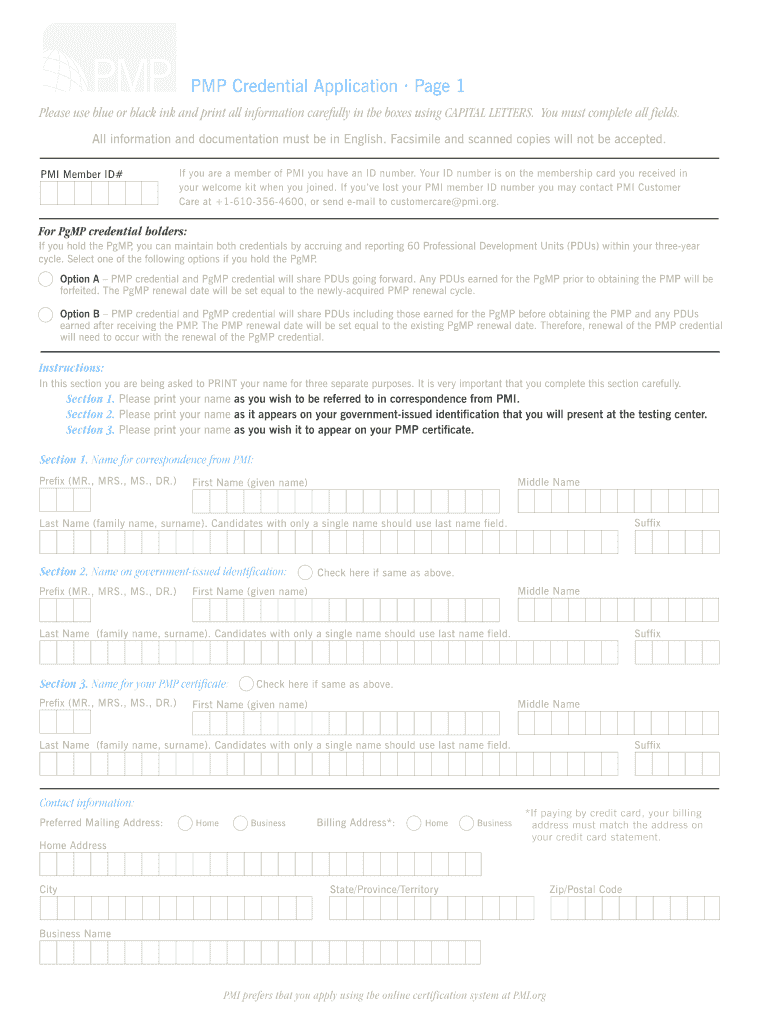
- Click ‘Get Form’ to open the sample PMP application form filled PDF in the editor.
- Begin by entering your PMI Member ID# if applicable. This is essential for members to streamline your application process.
- In Section 1, carefully print your name as you wish to be referred to in correspondence from PMI. Ensure you fill in all fields using CAPITAL LETTERS.
- Proceed to Section 2 and provide your name as it appears on your government-issued identification. If it’s the same as above, check the corresponding box.
- In Section 3, print your name for the PMP certificate. Again, ensure accuracy and completeness.
- Fill out your contact information accurately, including preferred mailing address and phone numbers. Remember that billing addresses must match credit card statements if applicable.
- Document your project management experience in the Experience Verification Forms provided. Be sure to detail each project clearly and accurately.
Start editing your sample PMP application form filled PDF today for free on our platform!
Fill out sample pmp application form filled pdf online
It's free
It's free
Security and compliance
At DocHub, your data security is our priority. We follow HIPAA, SOC2, GDPR, and other standards, so you can work on your documents with confidence.
Learn more


