




Here's how it works

01. Edit your teachers choice accountability form 2024 online
Type text, add images, blackout confidential details, add comments, highlights and more.

02. Sign it in a few clicks
Draw your signature, type it, upload its image, or use your mobile device as a signature pad.

03. Share your form with others
Send teachers choice form 2024 via email, link, or fax. You can also download it, export it or print it out.
How to use or fill out teachers choice form pdf with DocHub

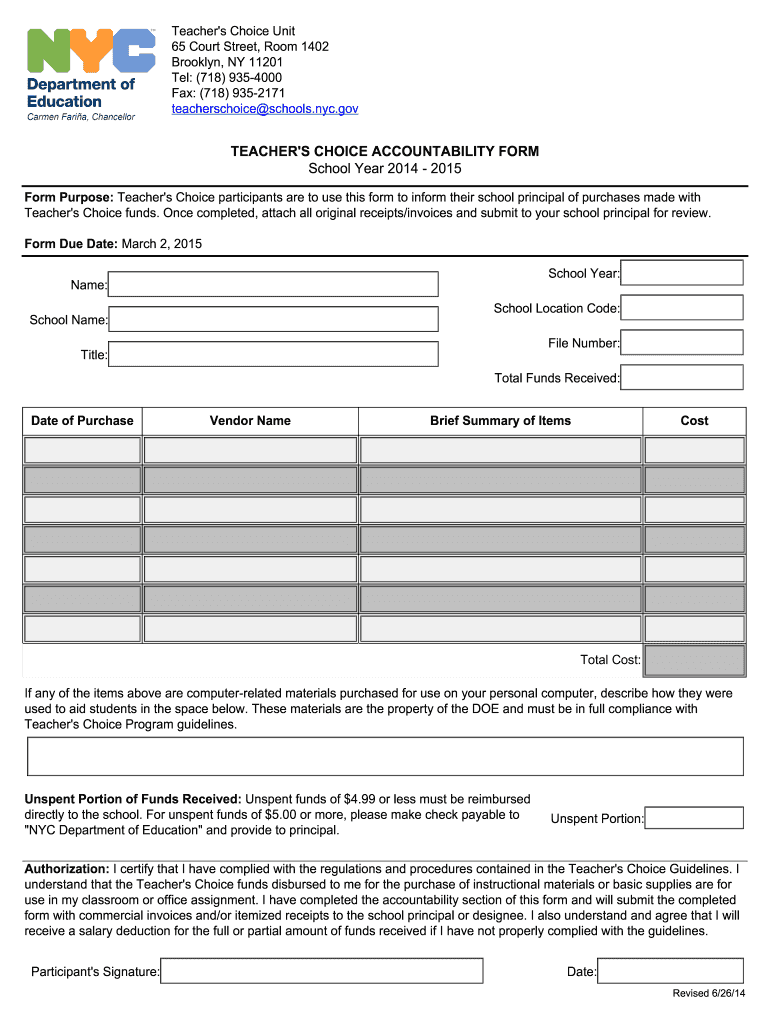
- Click ‘Get Form’ to open the Teacher's Choice Accountability Form in our platform.
- Begin by entering your name, school location code, and school name in the designated fields. This information is essential for identifying your submission.
- Fill in the file number and title, followed by the total funds received. Ensure accuracy as this will reflect your financial accountability.
- Document each purchase by entering the date of purchase, vendor name, a brief summary of items purchased, and their respective costs in the provided sections.
- If applicable, describe how any computer-related materials were used to aid students in the designated space below the item list.
- Complete the unspent portion of funds received section. Remember that unspent funds of $5.00 or more must be made payable to 'NYC Department of Education'.
- Finally, sign and date the authorization section to certify compliance with Teacher's Choice guidelines before submitting it to your principal.
Start using our platform today for free to streamline your document editing and submission process!
Fill out teachers choice form pdf online
It's free
It's free
See more teachers choice form pdf versions
We've got more versions of the teachers choice form pdf form. Select the right teachers choice form pdf version from the list and start editing it straight away!
Security and compliance
At DocHub, your data security is our priority. We follow HIPAA, SOC2, GDPR, and other standards, so you can work on your documents with confidence.
Learn more


