Type text, add images, blackout confidential details, add comments, highlights and more.
02. Sign it in a few clicks
Draw your signature, type it, upload its image, or use your mobile device as a signature pad.
03. Share your form with others
Send secret shopper form samples via email, link, or fax. You can also download it, export it or print it out.
How to use or fill out shopper form retail store with our platform
Ease of Setup
DocHub User Ratings on G2
Ease of Use
DocHub User Ratings on G2
Click ‘Get Form’ to open the shopper form retail store in the editor.
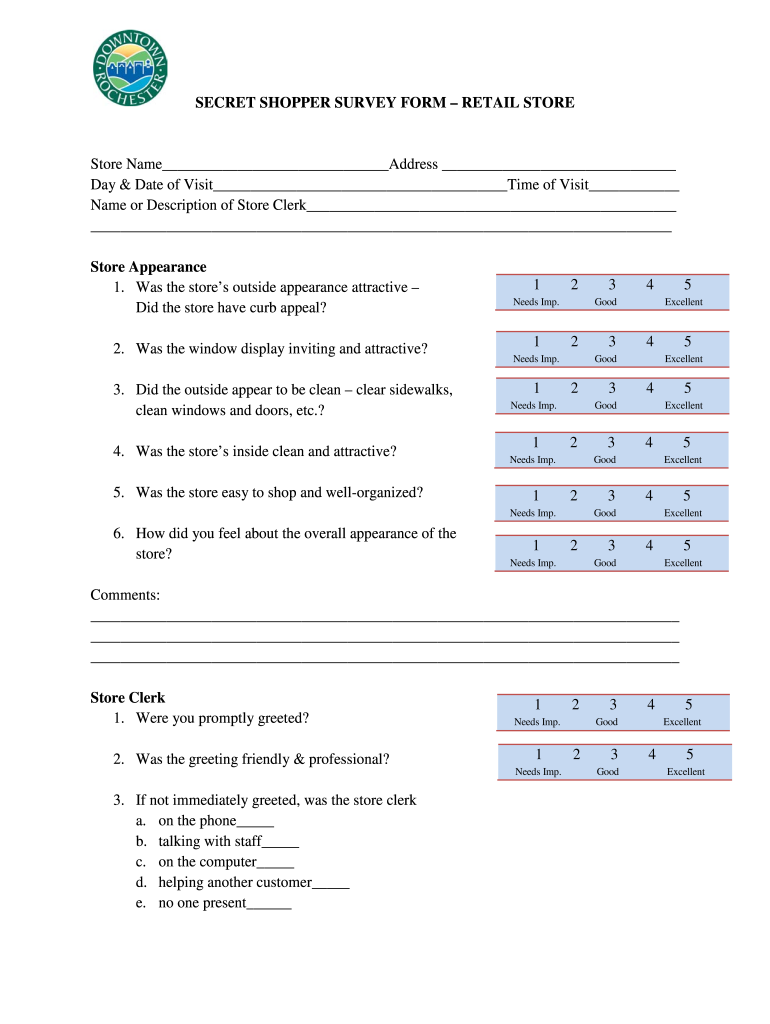
Begin by filling in the Store Name and Address at the top of the form. This information is crucial for identifying your visit.
Next, enter the Day & Date of Visit and Time of Visit. Accurate timestamps help maintain a reliable record of your experience.
In the Store Appearance section, evaluate various aspects such as curb appeal, cleanliness, and organization. Use the rating scale provided to express your thoughts.
Proceed to assess the Store Clerk's performance. Note if you were greeted promptly and how friendly and professional the interaction was.
Continue with Merchandise evaluation by rating first impressions, arrangement, freshness, and pricing clarity.
Finally, provide any additional comments in the designated sections to share your overall shopping experience.
Start using our platform today for free to streamline your form completion process!
Fill out shopper form retail store online It's free
It is a very useful tool to learn what the shopper sees and experiences and a customer can tell you exactly how their shopping experience was. With thisRead more
Cookie consent notice
This site uses cookies to enhance site navigation and personalize your experience.
By using this site you agree to our use of cookies as described in our Privacy Notice.
You can modify your selections by visiting our Cookie and Advertising Notice.