




Here's how it works

01. Edit your ra lr1 online
Type text, add images, blackout confidential details, add comments, highlights and more.

02. Sign it in a few clicks
Draw your signature, type it, upload its image, or use your mobile device as a signature pad.

03. Share your form with others
Send lease rider sample via email, link, or fax. You can also download it, export it or print it out.
How to use or fill out ra lr1 with our platform

- Click 'Get Form' to open the ra lr1 in the editor.
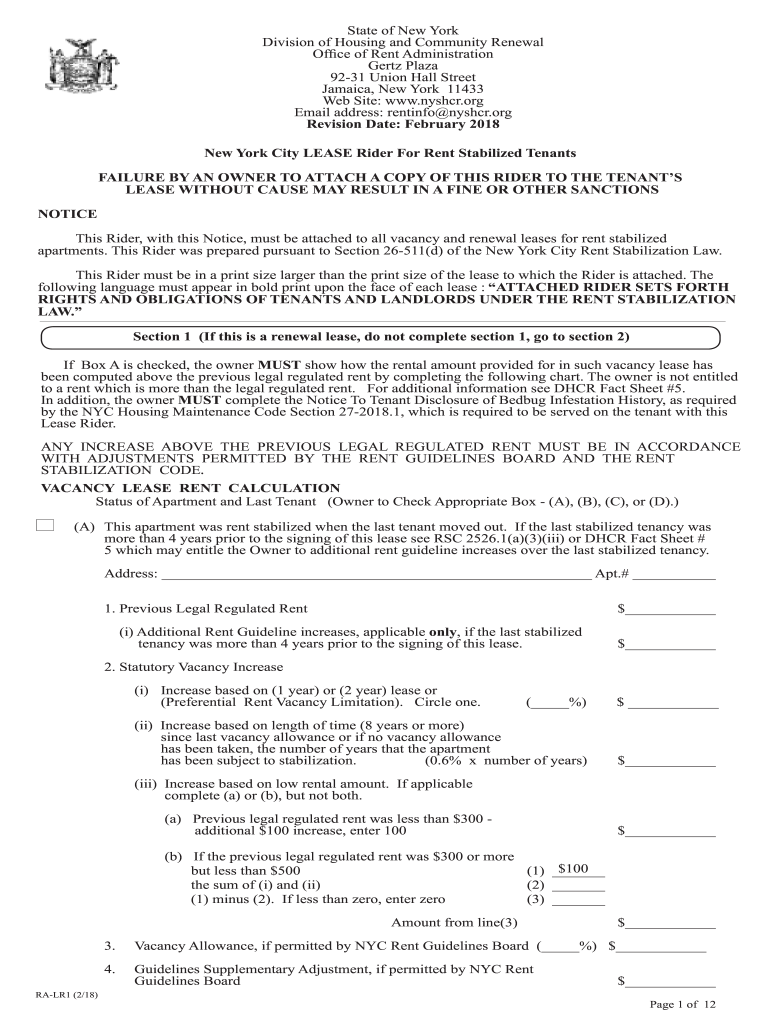
- Begin by filling out Section 1 if this is a vacancy lease. Check the appropriate box (A, B, C, or D) regarding the status of the apartment and provide details such as previous legal regulated rent.
- Complete the Vacancy Lease Rent Calculation chart by entering amounts for any applicable increases and adjustments based on guidelines provided.
- Move to Section 2 and input the housing accommodation's address, lease start and end dates, and tenant information. Ensure all fields are accurately filled.
- In Section 3, review provisions related to rent increases and tenant rights. Familiarize yourself with these details as they are crucial for understanding your obligations.
- Finally, ensure that both tenant and owner signatures are included at the end of the form before saving or exporting your completed document.
Start using our platform today to simplify your document editing and form completion!
Fill out ra lr1 online
It's free
It's free
Security and compliance
At DocHub, your data security is our priority. We follow HIPAA, SOC2, GDPR, and other standards, so you can work on your documents with confidence.
Learn more


