John hopkins evidence summary tool 2026

Get Form
johns hopkins individual evidence summary tool Preview on Page 1

Here's how it works

01. Edit your johns hopkins individual evidence summary tool online
Type text, add images, blackout confidential details, add comments, highlights and more.
02. Sign it in a few clicks
Draw your signature, type it, upload its image, or use your mobile device as a signature pad.
03. Share your form with others
Send individual evidence summary tool via email, link, or fax. You can also download it, export it or print it out.

How to use or fill out john hopkins evidence summary tool with DocHub

Form edit decoration
9.5
Ease of Setup
DocHub User Ratings on G2
9.0
Ease of Use
DocHub User Ratings on G2
  1. Click ‘Get Form’ to open the john hopkins evidence summary tool in our editor.
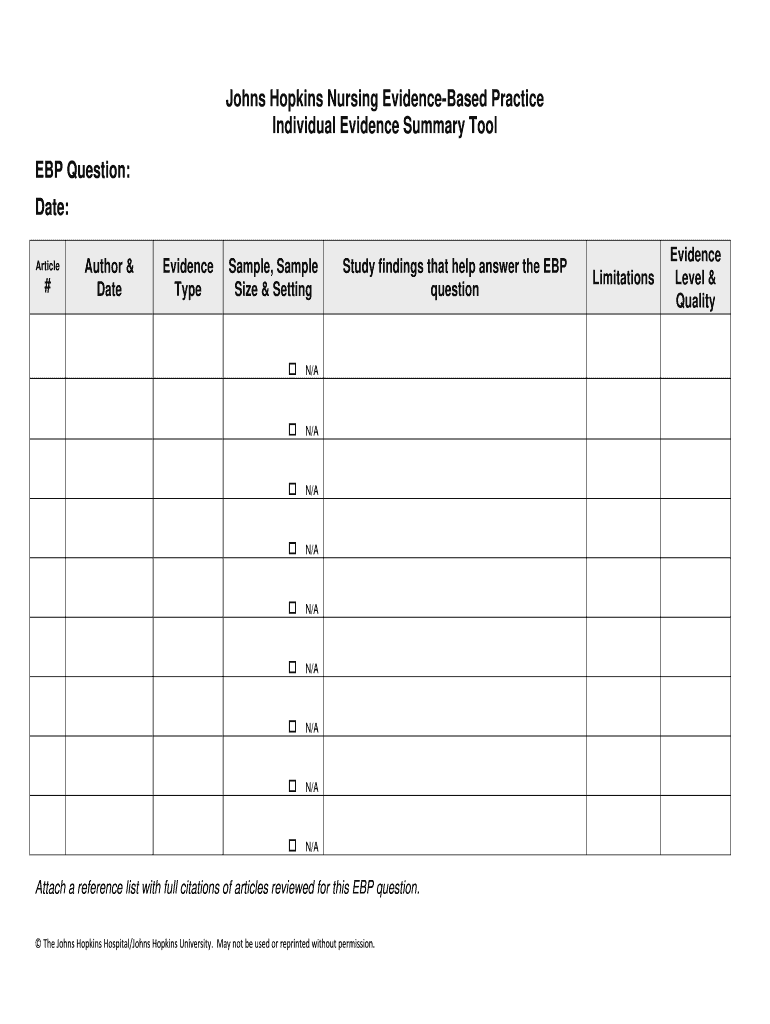
  2. Begin by entering the EBP question and the date of your project in the header section. This provides essential context for your evidence appraisal.
  3. In the Article # field, assign a number to each source you review. This will help keep your summary organized and easily referenceable.
  4. Fill in the Author & Date section with the last name of the first author and the publication date. This is crucial for tracking multiple sources from similar authors.
  5. Indicate the Evidence Type by selecting from options like RCT, meta-analysis, or systematic review. This categorization aids in understanding the nature of your evidence.
  6. For Sample, Sample Size & Setting, provide details applicable to levels I, II, III, and level V quality improvement studies. This gives insight into your study's demographics.
  7. Summarize Study findings that directly address your EBP question. Focus on relevant points that contribute to your analysis.
  8. Document any Limitations noted in the articles reviewed. Highlighting these can provide a balanced view of your evidence.
  9. Finally, transfer the Evidence Level & Quality ratings based on your appraisals into their respective fields for clarity on each source's reliability.

Start using our platform today to streamline your document editing and form completion process for free!

be ready to get more

Complete this form in 5 minutes or less

Get form

Security and compliance

At DocHub, your data security is our priority. We follow HIPAA, SOC2, GDPR, and other standards, so you can work on your documents with confidence.

Learn more
ccpa2
pci-dss
gdpr-compliance
hipaa
soc-compliance