




Here's how it works



How to use or fill out Philadelphia Real Estate Transfer Tax Certification

- Click ‘Get Form’ to open it in the editor.
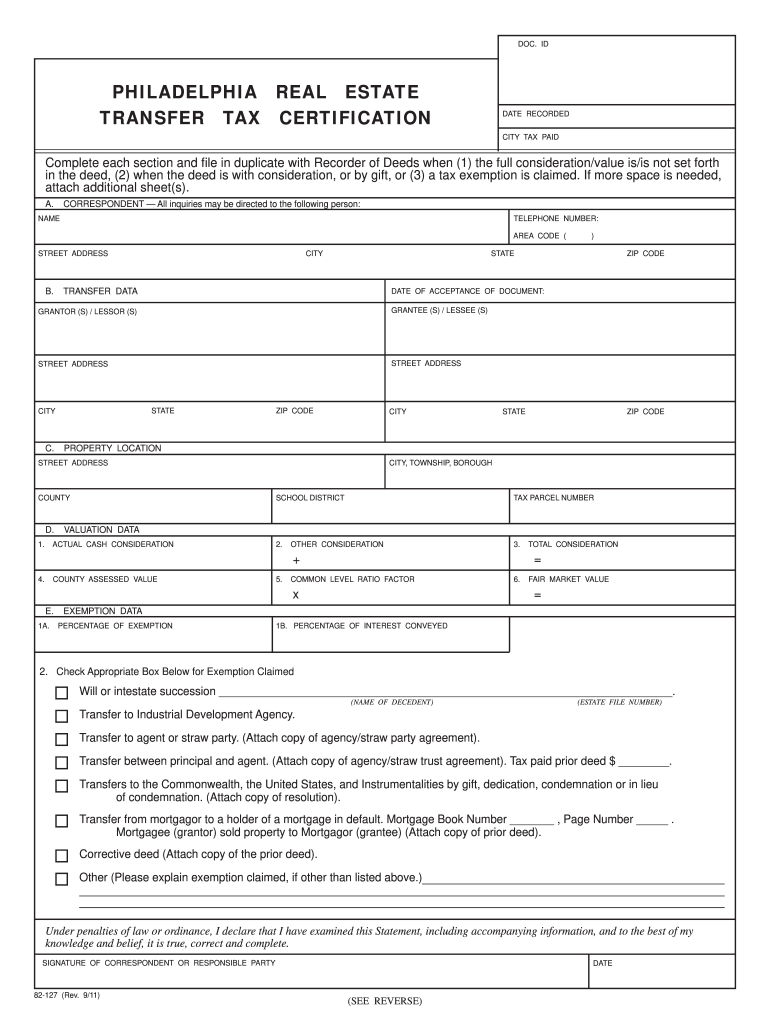
- In Section A, enter the name, address, and telephone number of the correspondent responsible for completing the form.
- Move to Section B for Transfer Data. Fill in the date of acceptance of the document and provide names and addresses for all Grantors/Lessors and Grantees/Lessees. If necessary, attach additional sheets.
- In Section C, complete the Property Location details including tax parcel number and county where applicable.
- Proceed to Section D for Valuation Data. Enter Actual Cash Consideration, Other Consideration, County Assessed Value, Common Level Ratio Factor, and calculate Fair Market Value.
- If claiming an exemption in Section E, specify the percentage of exemption and interest conveyed. Check the appropriate box for exemptions claimed and provide any required documentation.
- Finally, ensure that a responsible party signs the form before submission.
Start using our platform today to streamline your document editing process for free!
It's free
See more philadelphia real estate transfer tax certification versions
Got questions?
Can I complete and sign my philadelphia transfer tax online?
Yes, and it’s really easy! DocHub is a web-based PDF editor with advanced document processing functions that allow you promptly edit your documents, complete blank fields and drop new ones for others to fill out, and create electronic signatures in several ways. Add your philadelphia transfer tax, provide information as required, and choose how you want to eSign your document - by typing your name, drawing your signature, uploading its picture, or using a QR code.
Do I need to install software to modify my deed transfer in philadelphia?
When you edit your deed transfer in philadelphia with DocHub, you only need a steady web connection and virtually any browser installed on your device. No need to set up any third-party software or study guides. Just open a tab with DocHub, drag and drop your file, and modify it immediately.
Security and compliance
At DocHub, your data security is our priority. We follow HIPAA, SOC2, GDPR, and other standards, so you can work on your documents with confidence.
Learn more


