




Here's how it works



How to use or fill out hard money loan application pdf with our platform

- Click ‘Get Form’ to open the hard money loan application PDF in the editor.
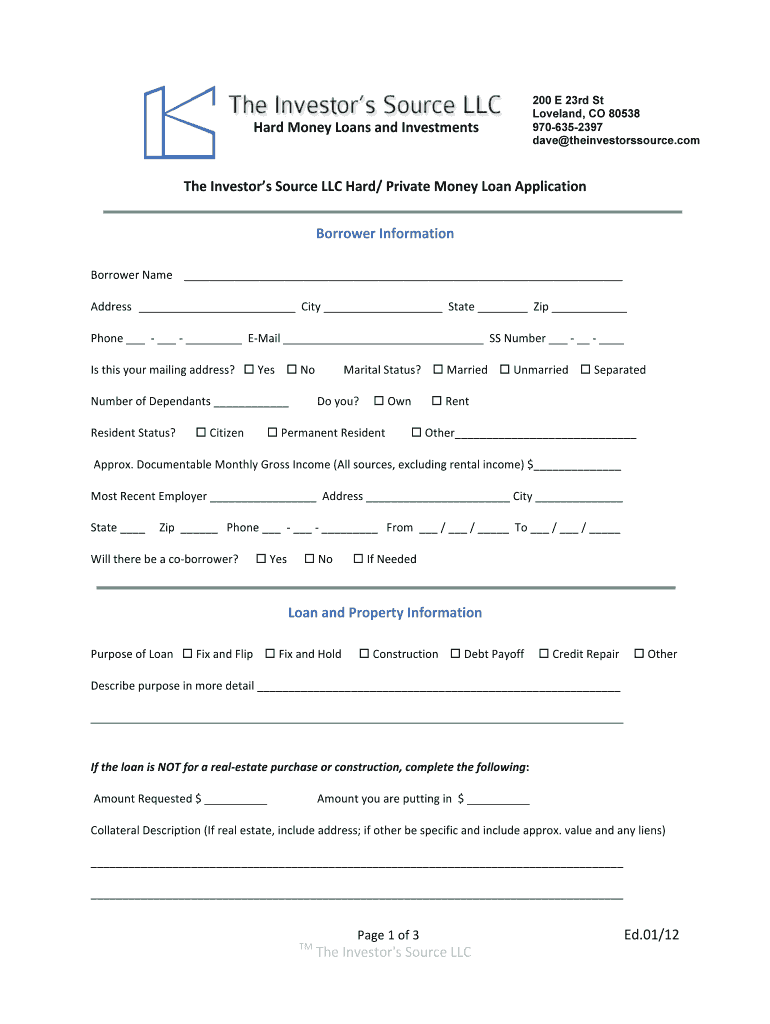
- Begin by filling out the Borrower Information section. Enter your name, address, phone number, email, and Social Security number. Indicate if this is your mailing address and select your marital status.
- Provide details about your dependents and whether you own or rent your residence. Specify your resident status and documentable monthly gross income.
- In the Loan and Property Information section, select the purpose of the loan from options like 'Fix and Flip' or 'Construction'. Describe the purpose in detail.
- If applicable, complete the sections regarding property purchase or construction costs, including purchase price, estimated construction costs, and desired down payment.
- Fill out any additional information required in the Declarations section regarding bankruptcy or outstanding judgments.
- Review all entries for accuracy before saving your completed form. You can easily sign it digitally using our platform.
Start filling out your hard money loan application PDF for free today!
It's free
See more hard money loan application pdf versions
| Versions | Form popularity | Fillable & printable |
|---|---|---|
| 2012 | 4.9 Satisfied (524 Votes) |
Got questions?
How can I create an electronic signature in my hard money loan template on Android?
Signing paperwork on a mobile device is quick, simple, and doesn’t require software installation if you have an account with DocHub. Log in from any browser, complete your blank fields with your information, and click on Sign → Create your signature. You can draw your eSignature just as you usually do on paper, add its image to your hard money loan template, or type in your name and stylize its look. No matter what option you choose, your paperwork will be valid.
How do you edit hard money loan application pdf from Google Drive?
If you store your paperwork in Google Drive, there is no need to download your hard money loan application pdf on your computer and upload it back to our editor. A much simpler way is to set up a browser extension developed by DocHub to simplify this flow. The extension allows editing PDFs right in your internet browser. Alternatively, you may integrate your DocHub and Gmail accounts for more efficient modifying.
Why is it called a hard money loan?
What is a hard money loan example?
What are the example of hard money loans?
Security and compliance
At DocHub, your data security is our priority. We follow HIPAA, SOC2, GDPR, and other standards, so you can work on your documents with confidence.
Learn more




