




Here's how it works

01. Edit your field trip form online
Type text, add images, blackout confidential details, add comments, highlights and more.

02. Sign it in a few clicks
Draw your signature, type it, upload its image, or use your mobile device as a signature pad.

03. Share your form with others
Send field trip request form via email, link, or fax. You can also download it, export it or print it out.
How to use or fill out schools school field trip form with our platform

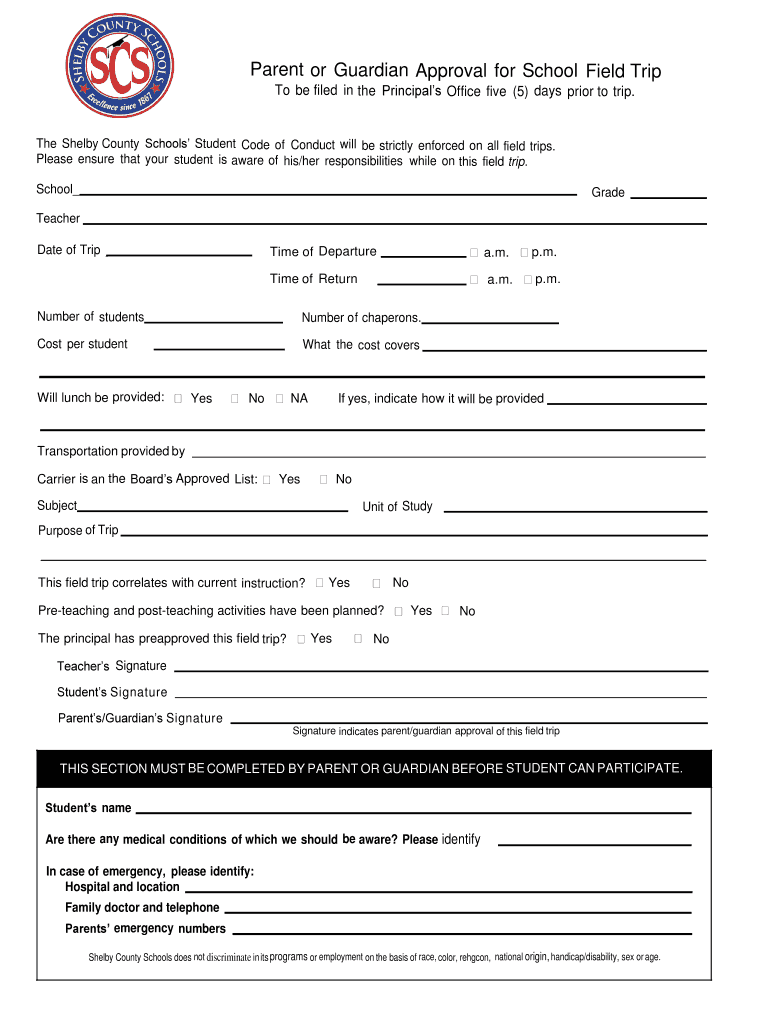
- Click ‘Get Form’ to open the schools school field trip form in the editor.
- Begin by filling in the 'School', 'Grade', and 'Teacher' fields at the top of the form. This information is essential for identifying the specific trip.
- Next, enter the 'Date of Trip', 'Time of Departure', and 'Time of Return'. Make sure to select whether these times are a.m. or p.m. for clarity.
- Indicate the 'Number of students' and 'Number of chaperons' required for this trip, along with the 'Cost per student' and what that cost covers.
- Specify if lunch will be provided by selecting ‘Yes’, ‘No’, or ‘NA’. If yes, detail how it will be provided.
- Complete transportation details by confirming if it is provided by a carrier on the Board’s Approved List.
- Fill out sections regarding the subject, unit of study, purpose of trip, and whether pre-teaching activities have been planned.
- Ensure all necessary signatures are obtained from the teacher, student, and parent/guardian to confirm approval before submission.
Start using our platform today to easily complete your schools school field trip form online for free!
Fill out schools school field trip form online
It's free
It's free
Security and compliance
At DocHub, your data security is our priority. We follow HIPAA, SOC2, GDPR, and other standards, so you can work on your documents with confidence.
Learn more


