Type text, add images, blackout confidential details, add comments, highlights and more.
02. Sign it in a few clicks
Draw your signature, type it, upload its image, or use your mobile device as a signature pad.
03. Share your form with others
Send myallstatebenefits com via email, link, or fax. You can also download it, export it or print it out.
How to use or fill out Allstate forms with our platform
Ease of Setup
DocHub User Ratings on G2
Ease of Use
DocHub User Ratings on G2
Click ‘Get Form’ to open it in the editor.
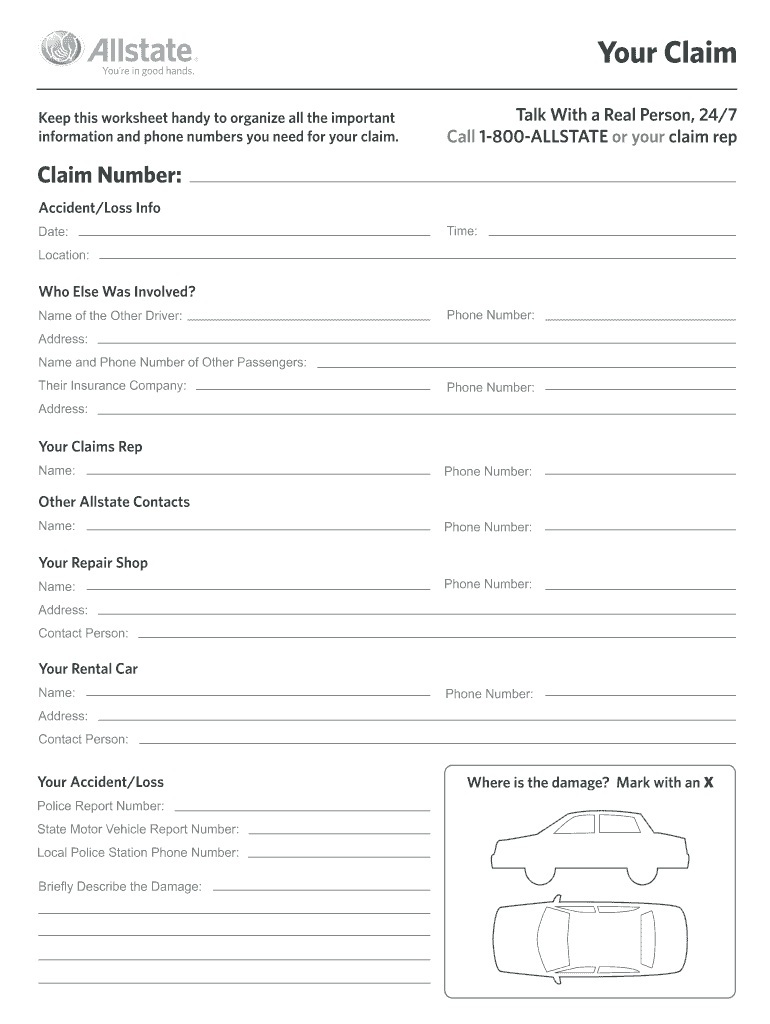
Begin by entering your Claim Number at the top of the form. This is essential for tracking your claim.
Fill in the Accident/Loss Info section, including the Date, Time, and Location of the incident.
In the 'Who Else Was Involved?' section, provide details about other drivers and passengers. Include their names, phone numbers, addresses, and insurance company information.
Next, complete the 'Your Claims Rep' section with your claims representative's name and phone number.
Document any other Allstate contacts you may need by filling in their names and phone numbers.
For your Repair Shop and Rental Car sections, enter relevant contact details including names, phone numbers, addresses, and contact persons.
Finally, provide information about your accident/loss such as Police Report Number and a brief description of the damage. Mark where the damage is located on the form.
Start using our platform today to streamline your Allstate forms completion for free!
Allstate forms pdfAllstate forms onlineAllstate wellness claim form PDFAllstate wellness claim onlineAllstate Benefits claim formsAllstate claimsAllstate cancer claim formAllstate disability claim form
Security and compliance
At DocHub, your data security is our priority. We follow HIPAA, SOC2, GDPR, and other standards, so you can work on your documents with confidence.
This form is designed as a communication tool to assist the examiner in reviewing the claim for available benefit. Please complete this form in its totality andRead more
Cookie consent notice
This site uses cookies to enhance site navigation and personalize your experience.
By using this site you agree to our use of cookies as described in our Privacy Notice.
You can modify your selections by visiting our Cookie and Advertising Notice.