




Here's how it works

01. Edit your 609 form pdf online
Type text, add images, blackout confidential details, add comments, highlights and more.

02. Sign it in a few clicks
Draw your signature, type it, upload its image, or use your mobile device as a signature pad.

03. Share your form with others
Send 609 letter via email, link, or fax. You can also download it, export it or print it out.
How to use or fill out 609 form with our platform

- Click ‘Get Form’ to open the 609 form in the editor.
- Begin by entering the creditor's name and account number in the designated fields. Clearly check off or print your specific reason for disputing the information.
- If you have additional disputes, utilize the back of the form to provide that information. Be sure to include any relevant details such as incorrect balances or identity theft.
- Next, fill out your personal information including your first name, middle initial, last name, date of birth, and address. If you've moved within the past two years, include your previous address.
- Complete your contact number and social security number as required. Finally, sign and date the form where indicated.
- Once completed, mail the form to TransUnion, Equifax, or Experian using their respective addresses provided on the form.
Start editing your 609 form online for free today!
Fill out 609 form online
It's free
It's free
Security and compliance
At DocHub, your data security is our priority. We follow HIPAA, SOC2, GDPR, and other standards, so you can work on your documents with confidence.
Learn more


Related forms

Short Term Disability Income Benefits Application
The document is an application package for Short Term Disability Income Benefits from Hartford Life Insurance Company. I ...

Wisconsin Residential Lease Agreement
The Wisconsin Residential Lease Agreement is a legal document outlining the terms and conditions under which a landlord ...

Infant Care Schedule Form
The document outlines an infant individual schedule form for parents to provide essential information about their baby's ...
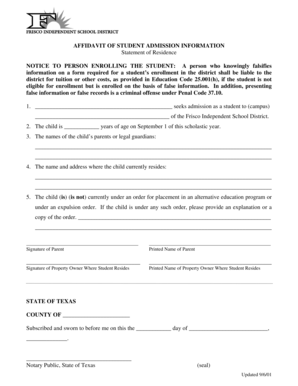
Affidavit of Student Admission Information
The document is an affidavit for student admission to the Frisco Independent School District, requiring accurate informa ...

Household Worksheet for Dependent Students
The document is a Household Worksheet for Dependent Students from the Office of University Scholarships and Financial Ai ...

LoanDepot Loss Draft Claim Form
The document outlines the procedures and requirements for borrowers to process a loss draft claim with loanDepot.com LLC ...
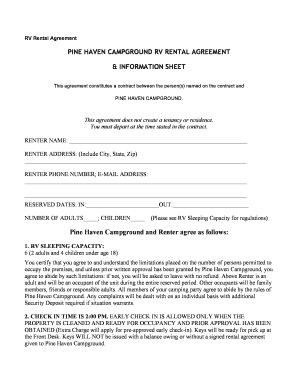
RV Rental Agreement
The RV Rental Agreement from Pine Haven Campground outlines the terms and conditions for renting an RV, including check- ...

Lunardi s Sandwich Order Form
The document provides a list of Lunardi's store locations along with their addresses and contact information. It also de ...