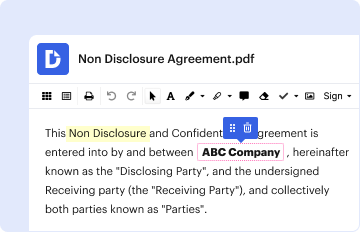
Type text, add images, blackout confidential details, add comments, highlights and more.
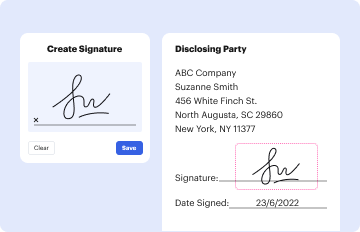
02. Sign it in a few clicks
Draw your signature, type it, upload its image, or use your mobile device as a signature pad.
03. Share your form with others
Send it via email, link, or fax. You can also download it, export it or print it out.
How to Use or Fill Out Health Information Departments (H)
Ease of Setup
DocHub User Ratings on G2
Ease of Use
DocHub User Ratings on G2
Click ‘Get Form’ to open it in the editor.
Begin by entering the Patient Name, Date of Birth, and Street Address in the designated fields. Ensure accuracy as this information is crucial for identification.
Provide your Telephone number, City, State & Zip Code. This helps in contacting you if necessary.
In the section that authorizes disclosure, fill in the recipient's details including Business/Department/Office and Address/E-mail/Fax of Facility.
Select the type of records you wish to disclose by checking the appropriate boxes such as Paper Record, Email Secured, or Direct Electronic Access.
Specify the purpose for releasing this information clearly in the provided space.
Sign and date the form at the bottom. If a personal representative is signing, ensure their authority is described.
Start using our platform today to streamline your health information requests for free!
Fill out Health Information Departments (H online It's free
See more Health Information Departments (H versions
We've got more versions of the Health Information Departments (H form. Select the right Health Information Departments (H version from the list and start editing it straight away!
Healthcare IT jobsWhat is ONC in healthcareHealth information management roles and responsibilitiesHealth Information AdministrationHealth IT govHealth Information Management DepartmentHealthcare It salaryWhat is health information management
Security and compliance
At DocHub, your data security is our priority. We follow HIPAA, SOC2, GDPR, and other standards, so you can work on your documents with confidence.
ONC - Office of the National Coordinator for Health IT
Explore ONCs strategic priorities in health IT as we drive interoperability, information sharing, and standardization to enhance patient care nationwide.
Administration for Children and Families Administration for Community Living Agency for Healthcare Research and Quality Agency for Toxic Substances andRead more
Cookie consent notice
This site uses cookies to enhance site navigation and personalize your experience.
By using this site you agree to our use of cookies as described in our Privacy Notice.
You can modify your selections by visiting our Cookie and Advertising Notice.