







Definition & Meaning
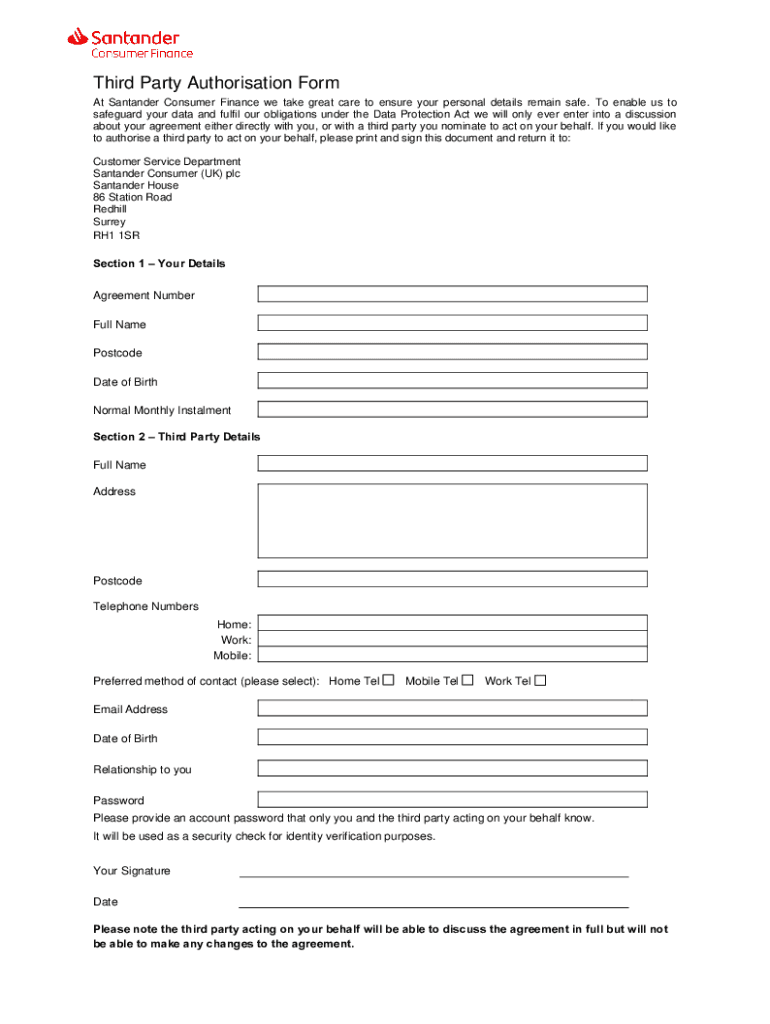
The Santander Third Party Authorisation Form is a legal document used by customers of Santander Consumer Finance to grant permission to third parties to discuss their financial agreements on their behalf. This process is essential for ensuring proper data protection compliance, as it requires the agreement of both the customer and the authorized third party. The form not only facilitates the sharing of sensitive information but also ensures accountability and transparency in financial dealings by documenting the authorization process.
Key Elements of the Santander Third Party Authorisation Form
To successfully complete the Santander Third Party Authorisation form, several key components are required:
- Personal Details: Both the customer and the third party must provide comprehensive personal details. This includes names, addresses, and contact information to ensure proper identification and correspondence.
- Security Password: A security password is an essential element that adds an extra layer of protection, allowing for secure communication between Santander and the authorized third party.
- Financial Agreement Details: The form requires specifics about the financial agreement in question, which helps define the scope of the third party's authorization and ensures all parties are clear on what agreements are being discussed.
- Signatures: Both parties must sign the form, confirming their consent and understanding of the terms outlined in the document.
How to Use the Santander Third Party Authorisation Form
Using the Santander Third Party Authorisation Form effectively involves several steps for clear and legally binding authorization:
-
Review and Understand: Start by carefully reviewing the form. Understanding each component ensures you accurately fill in the required information and comprehend the authorization scope.
-
Collect Required Information: Gather personal details, including contact information for both parties, and ensure you have the necessary details about the financial agreement you are authorizing.
-
Assign a Security Password: Create a secure and memorable password that will facilitate secure discussions between the third party and Santander.
-
Complete and Sign the Form: Fill in all required sections accurately, and ensure that both the customer and the third party provide their signatures to validate the authorization.
-
Submit the Form: Depending on Santander's protocols, submit the form through the appropriate channel, whether online, by mail, or in person.
Legal Use of the Santander Third Party Authorisation Form
The form is utilized within the framework of data protection laws, ensuring the customer's financial information is handled securely and responsibly.
- Compliance: The form complies with the ESIGN Act, making electronic authorizations legally binding.
- Privacy Protections: By documenting consent, it helps protect against unauthorized access to financial information.
Steps to Complete the Santander Third Party Authorisation Form
Successfully completing the Santander form involves following a series of methodical steps:
- Download the Form: Access the form on the DocHub platform or directly from Santander's resources.
- Fill Out Personal and Financial Details: Accurately enter information for both the customer and third party, along with necessary details about the security password and financial agreement.
- Review for Accuracy: Double-check entries to ensure all information is correct and complete.
- Sign the Form: Both parties must provide signatures, which can be done electronically if using platforms like DocHub.
- Submit the Form: Carefully follow Santander's submission guidelines for processing the authorization.
Who Typically Uses the Santander Third Party Authorisation Form
This form is commonly used by customers of Santander who wish to delegate authority to trusted individuals, such as:
- Family Members: To manage financial affairs during times of illness or absence.
- Financial Advisors: For accessing information required to offer professional financial guidance.
- Business Partners: In scenarios involving shared financial responsibilities or investments.


Examples of Using the Santander Third Party Authorisation Form
Consider practical scenarios to illustrate the form's use:
- Healthcare: A customer authorizes their spouse to discuss and manage car loan agreements during their hospital stay.
- Elder Care: An elderly individual authorizes their adult child to handle financial agreements as part of estate management planning.
State-Specific Rules for the Santander Third Party Authorisation Form
Though the form is generally universal across states, certain jurisdictions may have specific rules regarding third-party authorizations that should be observed:
- State Regulations: Familiarize yourself with any state-specific requirements that may affect how third-party authorizations are handled.
- Validity and Compliance: Ensure the authorization process complies with both federal and state-level monetary and privacy laws to maintain legal validity.
Software Compatibility with Santander Third Party Authorisation Form
When dealing with digital handling of the document, ensure compatibility with software such as:
- DocHub: Facilitates easy uploading, editing, and signing of the form.
- Google Workspace Integration: Allows seamless import from Google Drive and completion within Google ecosystem tools.
- Other Platforms: Ensure the form can be accessed on popular platforms like Dropbox, enhancing ease of use and flexibility in document management.




