




01. Edit your rita ohio online
Type text, add images, blackout confidential details, add comments, highlights and more.

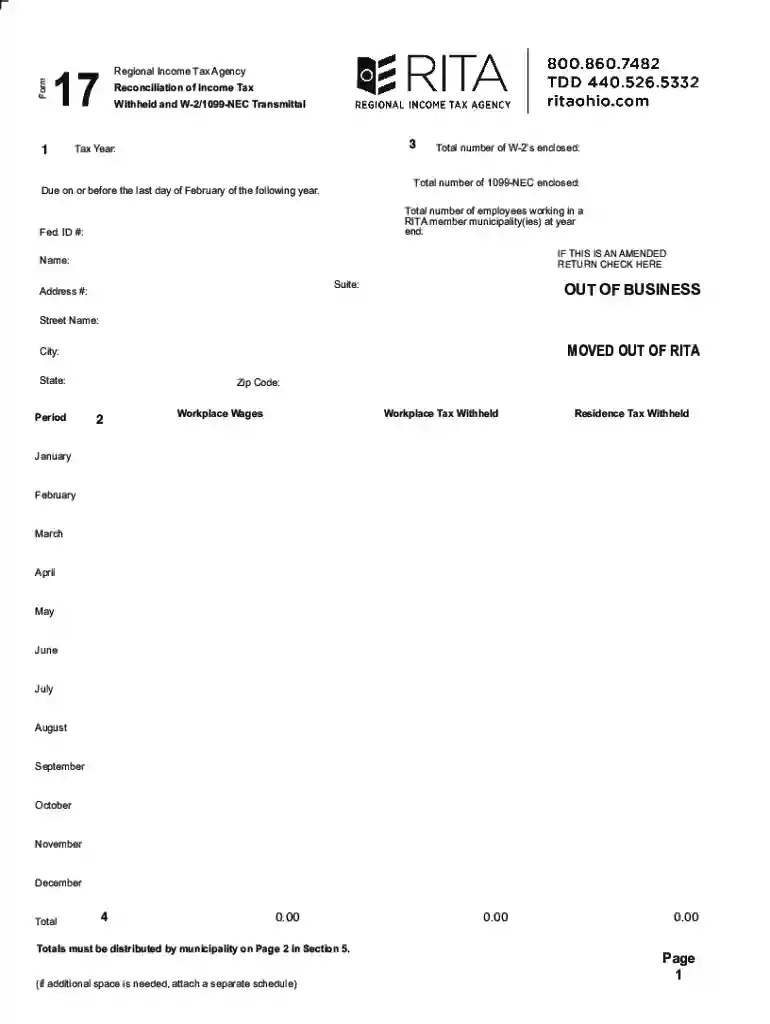
Type text, add images, blackout confidential details, add comments, highlights and more.

Draw your signature, type it, upload its image, or use your mobile device as a signature pad.

Send rita form 17 via email, link, or fax. You can also download it, export it or print it out.
The "OUT OF BUSINESS MOVED OUT OF RITA" form is utilized by businesses within the Regional Income Tax Agency (RITA) jurisdictions to officially declare that they have ceased operations or relocated outside of the agency’s area. This declaration assists RITA in updating their records to accurately reflect the status of businesses for tax and regulatory purposes. The form is critical for ensuring businesses do not incur unnecessary tax obligations once they no longer operate within RITA’s jurisdictions.
Submitting a formal notification when a business ceases operations within a RITA jurisdiction is critical to avoid discrepancies in tax records. Failure to notify may result in continued tax liabilities and penalties. This notification aids in ensuring both the business and the tax agency have accurate records.
The primary users of the "OUT OF BUSINESS MOVED OUT OF RITA" form are business owners and tax professionals handling the accounting and regulatory obligations of businesses that are dissolving or relocating. Typically, businesses ranging from small local enterprises to large corporations that have a presence in areas under RITA’s jurisdiction are involved.


Using this form is essential to comply with local tax regulations and to ensure transparency with tax authorities. Businesses must provide truthful and accurate information to avoid legal consequences and ensure all tax obligations are settled prior to closing or relocating.
Businesses that fail to submit the "OUT OF BUSINESS MOVED OUT OF RITA" form may face penalties from RITA. Continued tax assessments and potential interest and penalties on unpaid taxes may accrue, making timely submission of this form critical to mitigate financial risks.
The form can be submitted via multiple channels for convenience:
Though this form is specific to RITA’s jurisdiction, different states or tax agencies may have their own forms and processes. Businesses operating in multiple jurisdictions should ensure compliance with each applicable local authority, recognizing each might have unique requirements or procedures.
We've got more versions of the rita ohio form. Select the right rita ohio version from the list and start editing it straight away!
| Versions | Form popularity | Fillable & printable |
|---|---|---|
| 2025 | 4.3 Satisfied (52 Votes) | |
| 2024 | 4.9 Satisfied (21 Votes) | |
| 2023 | 4.3 Satisfied (28 Votes) | |
| 2022 | 4.9 Satisfied (23 Votes) | |
| 2021 | 4.6 Satisfied (60 Votes) | |
| 2020 | 4.8 Satisfied (183 Votes) | |
| 2019 | 4.4 Satisfied (195 Votes) | |
| 2018 | 4.4 Satisfied (129 Votes) | |
| 2016 | 4.3 Satisfied (118 Votes) | |
| 2012 | 4.3 Satisfied (43 Votes) |
At DocHub, your data security is our priority. We follow HIPAA, SOC2, GDPR, and other standards, so you can work on your documents with confidence.
Sep 26, 2017 Cybersecurity CEO Rita Gurevich 06 Credits Stevens Education With Preparing Her Startup to Succeed Building cybersecurity from the inside out.Read more
View options to manage your account online at MyAccount. File your taxes, make a payment, check your refund status, view payment history, or send RITA a


