




Here's how it works

01. Edit your south carolina conservatorship forms online
Type text, add images, blackout confidential details, add comments, highlights and more.

02. Sign it in a few clicks
Draw your signature, type it, upload its image, or use your mobile device as a signature pad.

03. Share your form with others
Send 540pc via email, link, or fax. You can also download it, export it or print it out.
How to use or fill out South Carolina conservatorship forms with our platform

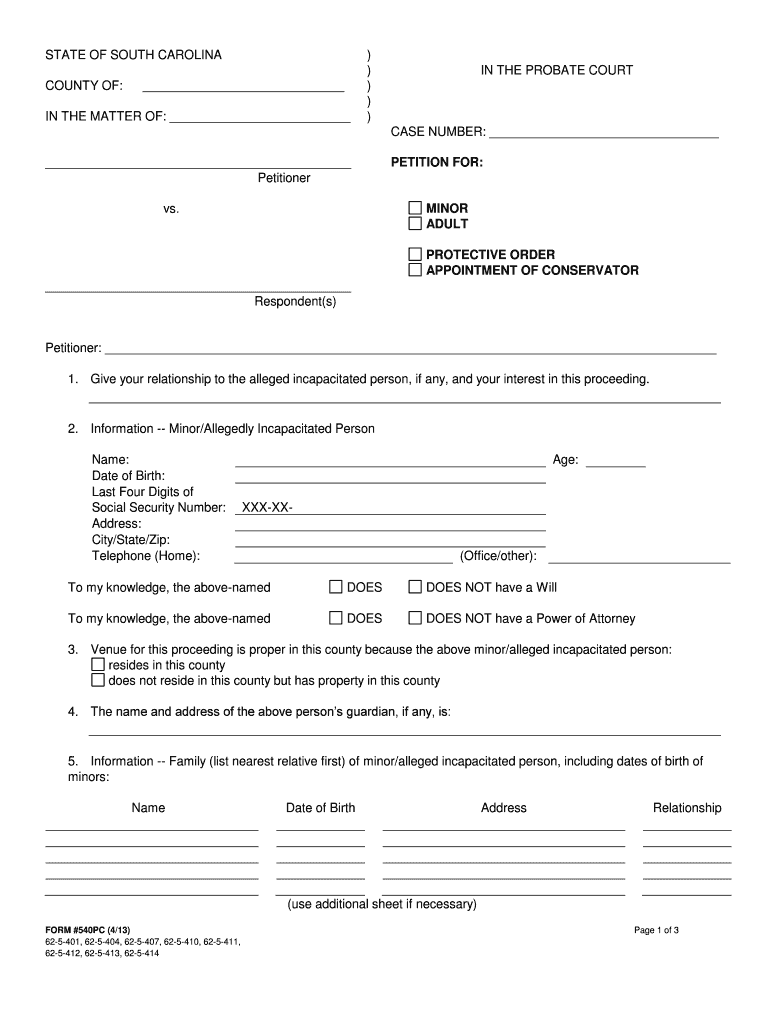
- Click ‘Get Form’ to open the South Carolina conservatorship form in the editor.
- Begin by filling out the petitioner’s information, including your name and relationship to the alleged incapacitated person. This establishes your interest in the proceeding.
- Provide detailed information about the minor or allegedly incapacitated person, including their name, date of birth, last four digits of their Social Security number, and contact details.
- Indicate whether the individual has a will or power of attorney. This is crucial for understanding their legal standing.
- Complete the venue section by confirming if the individual resides in this county or has property here.
- List family members of the incapacitated person, ensuring to include their names, dates of birth, addresses, and relationships.
- Detail the property and assets of the individual along with an estimated value. Remember that a full inventory must be filed later.
- State why a conservator is necessary and provide your request for appointment along with relevant contact details.
- Identify individuals who need to be notified about the hearing on this petition.
- Finally, sign and date the form. Ensure all required notary sections are completed for validation.
Start using our platform today to easily complete your South Carolina conservatorship forms online for free!
Fill out south carolina conservatorship forms online
It's free
It's free
See more south carolina conservatorship forms versions
We've got more versions of the south carolina conservatorship forms form. Select the right south carolina conservatorship forms version from the list and start editing it straight away!
Security and compliance
At DocHub, your data security is our priority. We follow HIPAA, SOC2, GDPR, and other standards, so you can work on your documents with confidence.
Learn more


