




01. Edit your 4797n online
Type text, add images, blackout confidential details, add comments, highlights and more.

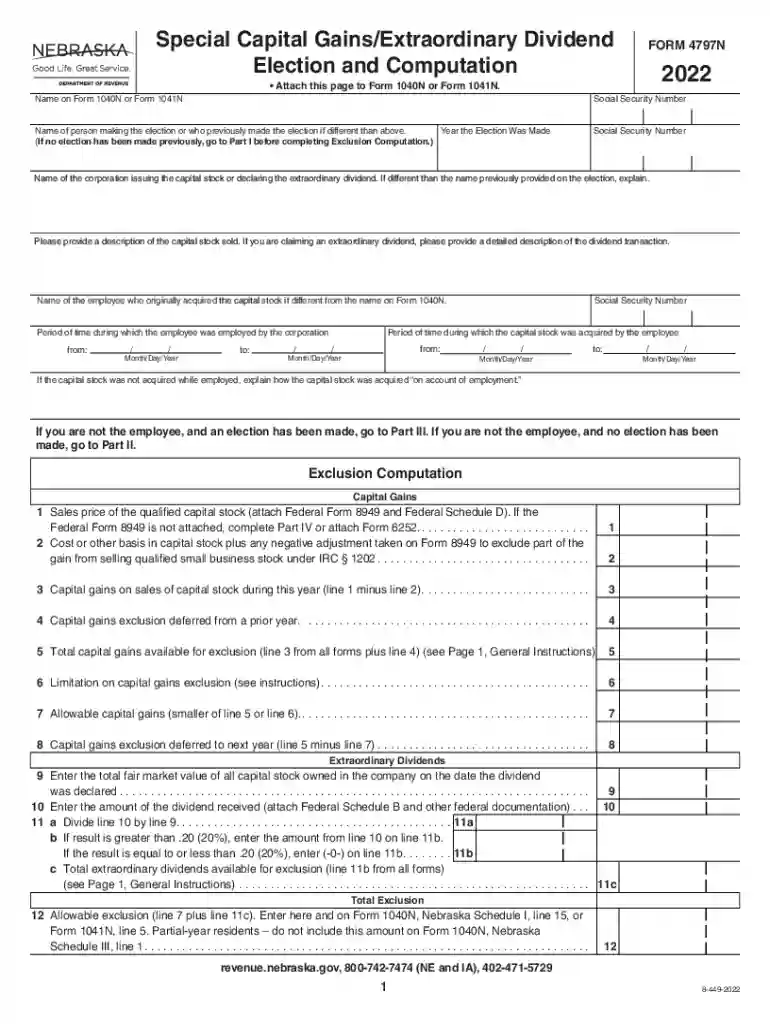
Type text, add images, blackout confidential details, add comments, highlights and more.

Draw your signature, type it, upload its image, or use your mobile device as a signature pad.

Send form 4797n via email, link, or fax. You can also download it, export it or print it out.

Start using our platform today to fill out FORM 4797N effortlessly and for free!
We've got more versions of the 4797n form. Select the right 4797n version from the list and start editing it straight away!
Signing documents on a mobile device is fast, simple, and doesn’t require software installation if you have an account with DocHub. Log in from any browser, fill in your blank fields with your data, and click on Sign → Create your signature. You can draw your electronic signature the same way you usually do on paper, add its picture to your FORM 4797N - Nebraska Department of Revenue, or type in your name and stylize its look. Whatever option you select, your document will be valid.
You may complete and sign your FORM 4797N - Nebraska Department of Revenue online, even on a tight deadline. All you need to access high quality editing tools on any device is a DocHub account, which you can register in a couple of moments. When you sign up, add your document or find what you are searching for in our catalog, complete it utilizing the editing tools you need, and put your electronic signature on it at the end.
At DocHub, your data security is our priority. We follow HIPAA, SOC2, GDPR, and other standards, so you can work on your documents with confidence.
People are taught to take experi ence in work and education and put it in a form that communicates your qualifications for the job, Phillips said. READY FORRead more
Federal Form 8949, even if not required to do so in connection with their federal return, then Part IV, Form 4797N is not required to be completed. revenue.Read more


