







Definition and Purpose of New Jersey State Tax Information - TaxSlayer Pro Support
The New Jersey State Tax Information - TaxSlayer Pro Support serves as a critical resource for tax professionals who utilize the TaxSlayer software to manage state tax filing requirements for their clients in New Jersey. This support system provides essential guidelines, updates, and specific instructions tailored to New Jersey’s state tax regulations. It encompasses various aspects such as filing procedures, compliance rules, and electronic submission details, ensuring tax preparers have the necessary tools to accurately and efficiently complete state tax filings.
Key Features of TaxSlayer Pro Support
TaxSlayer Pro Support offers several key features that streamline the tax preparation process for New Jersey state taxes:
- Real-Time Updates: It keeps tax professionals informed of any changes or updates in state tax laws and filing requirements specific to New Jersey.
- Comprehensive Guidance: Detailed guides are available on various forms and submissions unique to New Jersey state taxes.
- Technical Assistance: Provides technical support to resolve issues related to software usage and ensure smooth operations.
- Data Integration: Facilitates seamless integration with federal tax data for accurate state tax calculations and submissions.
How to Use New Jersey State Tax Information - TaxSlayer Pro Support
To effectively utilize the New Jersey State Tax Information via TaxSlayer Pro Support, follow these steps:
- Access the Support System: Log in to the TaxSlayer Pro platform and navigate to the state tax section.
- Select New Jersey Specific Resources: Choose the resources related to New Jersey state taxes. This includes guidelines, FAQs, and recent updates.
- Follow Guidelines: Carefully review the provided instructions to ensure accurate completion of New Jersey-specific forms.
- Use Technical Support: For any software-related issues, contact the TaxSlayer support team through the dedicated help section of the platform.
Steps to Complete New Jersey State Tax Filings
Completing New Jersey state tax filings via TaxSlayer Pro involves several critical steps:
- Gather Necessary Documents: Collect all relevant financial documents and past tax records.
- Enter Federal Tax Information: Input your client’s federal tax return information, as it will inform the state filing.
- Apply New Jersey Tax Rules: Follow the state-specific guidelines provided in the TaxSlayer Pro system to adjust federal information according to New Jersey regulations.
- Review and Confirm: Double-check all entries for accuracy and compliance with state requirements.
- Submit Electronically: Use the TaxSlayer software to electronically file the state tax returns.
Importance of Complying with New Jersey State Tax Regulations
Complying with New Jersey state tax regulations is crucial for both taxpayers and tax professionals:
- Avoid Penalties: Non-compliance can lead to financial penalties and interest charges on unpaid taxes.
- Maintain Good Standing: Proper filing ensures individuals and businesses remain in good standing with the New Jersey Division of Taxation.
- Enhance Credibility: Tax preparers maintain their professional credibility and client trust by ensuring accurate submissions.
Important Terms Related to New Jersey State Tax Filings
Understanding specific terminologies is essential for proper filing:
- NJ-1040: Refers to the individual income tax return form for New Jersey residents.
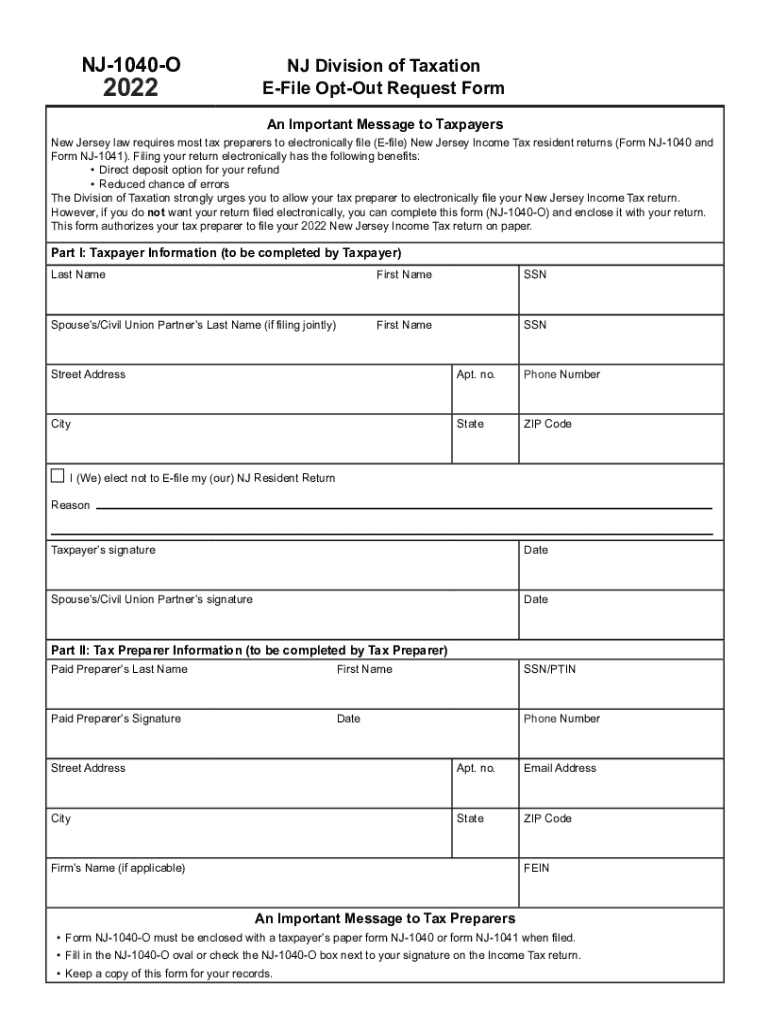
- E-File Opt-Out: The form used by taxpayers who prefer to file paper returns instead of electronic submissions.
- Direct Deposit: An option on tax forms that allows refund payments to be directly transferred to a taxpayer’s bank account.
State-Specific Rules and Exceptions
New Jersey implements unique rules that differentiate it from federal tax regulations:
- Property Tax Deductions: New Jersey offers specific deductions based on property taxes paid.
- Homestead Benefit Program: A program providing rebates or credits to eligible homeowners and tenants.
- Income Thresholds: Different income thresholds exist for various types of income and deductions.
Examples of Using TaxSlayer Pro Support for New Jersey State Tax
Consider a tax professional handling a client’s state tax filing. With the TaxSlayer Pro Support:
- Scenario: A retired individual seeking property tax deductions; the support guides on applicable programs and ensures eligibility requirements are met.
- Scenario: A freelancer with varied income sources; support provides clarity on income thresholds and specific deductions.
By following comprehensive guidance and utilizing available resources, tax filings become efficient and in compliance with state laws, thereby benefiting both the tax professional and the client.




