




01. Edit your form online
Type text, add images, blackout confidential details, add comments, highlights and more.

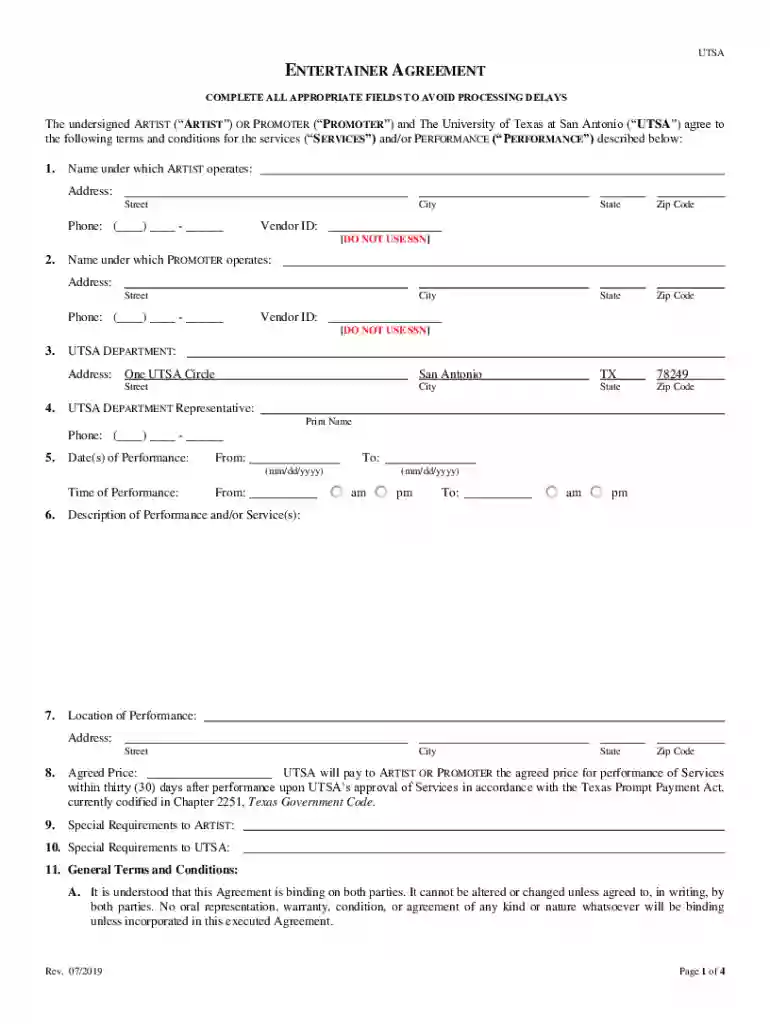
Type text, add images, blackout confidential details, add comments, highlights and more.

Draw your signature, type it, upload its image, or use your mobile device as a signature pad.

Send it via email, link, or fax. You can also download it, export it or print it out.
Standard business contract templates are pre-designed documents used to formalize agreements between parties in various business transactions. These templates provide a structured format that includes essential terms and conditions, thereby streamlining the documentation process. By using a standardized format, businesses can ensure consistency and legal compliance across their contracts. These templates typically include key components such as parties involved, scope of work, payment terms, confidentiality clauses, and dispute resolution mechanisms.
To effectively use standard business contract templates, follow these steps:
Select the Appropriate Template: Depending on the nature of your business transaction, choose a template that fits the specific type of contract you need, such as a service agreement or sales contract.
Customize the Template: Tailor the document to fit your specific requirements. This involves inserting relevant information about the parties involved, dates, and specific terms of the agreement.
Review Legal Language: It's critical to ensure that all legal terminology is accurate and applicable to your situation. Consider consulting with a legal professional if necessary.
Utilize DocHub Tools: DocHub allows for easy editing, signing, and sending of documents online. You can add text, images, and electronic signatures directly within the platform.
Collaborate and Finalize: Share the document with the other party for their input and signatures. Use collaboration features to clarify terms and make adjustments before finalization.
Various professionals and organizations utilize standard business contract templates, including:
Small Business Owners: They often use templates to formalize agreements with clients, suppliers, and partners without incurring high legal costs.
Freelancers: Independent contractors use these templates to outline deliverables and payment terms, protecting both their interests and those of their clients.
Corporate Legal Teams: Large organizations rely on templates to maintain consistency and efficiency in their contract documentation.
Startups: New businesses use standardized contracts to ensure compliance and establish secure partnerships during their formative stages.
Standard business contract templates typically include several crucial components:
Parties and Contact Information: Details about each party involved in the contract, including names, addresses, and contact information.
Scope of Work: A detailed description of the services or products provided, outlining specific tasks and responsibilities.
Payment Terms: Detailed information on pricing, payment schedules, and methods of payment to avoid future disputes.
Confidentiality Clauses: Provisions to protect sensitive information shared between parties during the course of the contract.
Dispute Resolution: Terms outlining how disagreements will be handled, including mediation or arbitration clauses.
Standard business contract templates align with legal standards, ensuring enforceability in the event of a dispute. Essential legal considerations include:
Compliance with State and Federal Laws: Ensure the contract adheres to applicable regulations and laws in the jurisdiction where the parties operate.
Validity of Electronic Signatures: In the U.S., electronic signatures are legally binding under the ESIGN Act, making online tools like DocHub effective for contract execution.
Acknowledgment of Terms: Both parties must fully understand and agree to the terms. This is often confirmed through a signature, making the contract legally enforceable.
Completing a standard business contract involves a systematic approach to ensure accuracy and comprehensiveness:
Gather Relevant Information: Collect all necessary details about the parties involved, the scope of work, and ancillary terms.
Insert Details into Template: Use the template's fields to input relevant information, ensuring correct placement of names, addresses, and specific agreements.
Review and Revise: Carefully check for any errors or omissions. Revise clauses to better fit the unique aspects of the transaction.
Utilize DocHub’s Annotation Tools: Make notes or highlight areas within the template that may need clarification or further negotiation.
Secure Signatures: Use DocHub’s electronic signature feature to obtain signatures from all parties involved, completing the process in a legally compliant way.
To showcase the practical application of these templates, consider the following examples:
Freelance Graphic Designer: Uses a standard contract to outline deliverables, timelines, and payment terms, minimizing disputes over scope and remuneration.
Supplier and Retailer Agreement: A retailer uses a supply agreement template to ensure consistent delivery schedules and quality from a product supplier.
Consultancy Services: A consulting firm utilizes a service agreement template to detail project goals, client expectations, and fee structures, ensuring clarity and accountability.
While standard business contract templates offer a general framework, adapting them to state-specific regulations is crucial. Key considerations include:
State Jurisdiction Clauses: Specify which state's laws will govern the contract, important for resolving any legal disputes that may arise.
Variation in Legal Requirements: Different states have unique requirements for certain types of contracts, such as additional clauses for consumer protection or dispute resolution methods.
State-Specific Certifications: Some states may require specific certifications or disclosures within contracts, especially in highly regulated industries like finance or healthcare.
We've got more versions of the Standard Business Contract Templates form. Select the right Standard Business Contract Templates version from the list and start editing it straight away!
At DocHub, your data security is our priority. We follow HIPAA, SOC2, GDPR, and other standards, so you can work on your documents with confidence.
The Chapter 21 contract templates were substantively updated in January 2026 to incorporate the Open For Business legislation as well as other changes.Read more
Contract Templates. Services Agreements Interagency Cooperation Contracts Terms and Conditions. Hotel Agreement Business Services Agreement ProposedRead more


