




01. Edit your bmv 4311 online
Type text, add images, blackout confidential details, add comments, highlights and more.

Type text, add images, blackout confidential details, add comments, highlights and more.

Draw your signature, type it, upload its image, or use your mobile device as a signature pad.

Send ohio bmv registration copy via email, link, or fax. You can also download it, export it or print it out.
The Ohio Bureau of Motor Vehicles (BMV) provides a streamlined method for cancelling vehicle registration online. This process is designed to help residents efficiently manage their vehicle registration status without the need for in-person visits to BMV locations.
Before initiating the cancellation process, it’s essential to ensure that you meet the eligibility requirements. Factors affecting eligibility include:
To complete the Ohio BMV cancellation process online, follow these step-by-step instructions:
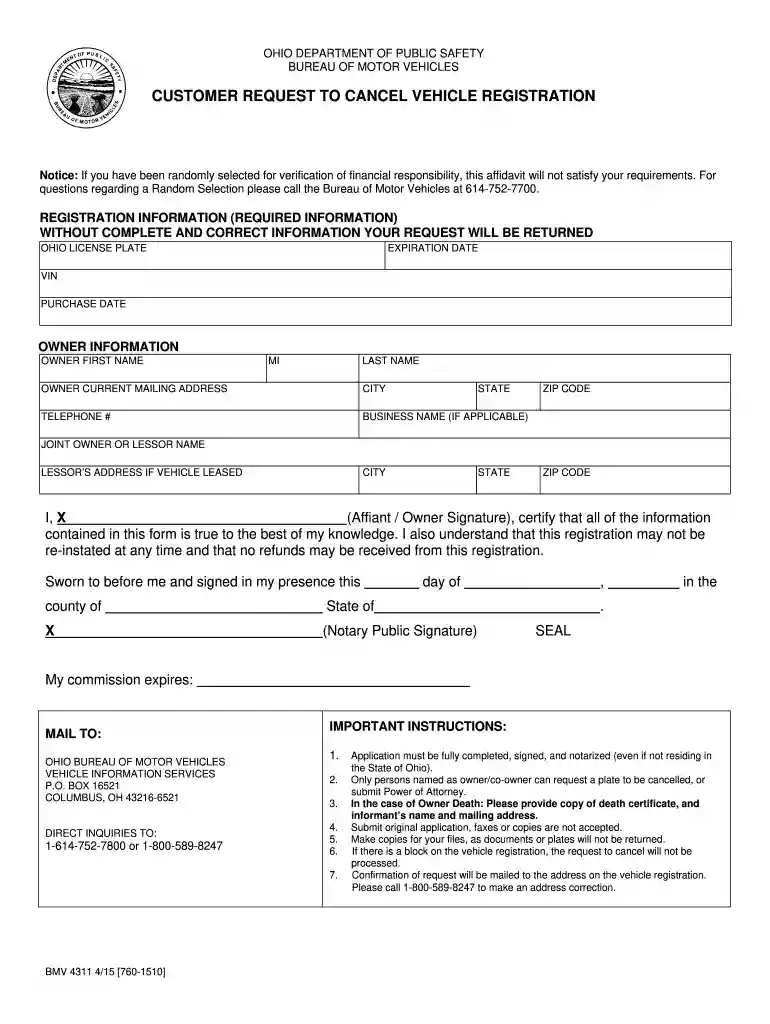
When completing the Ohio BMV Form 4311, you will need to include specific details to avoid delays. Essential information includes:
After successfully submitting the cancellation request, you will receive a confirmation email or notification from the BMV. This acknowledgement will typically include:
Upon cancellation of your vehicle registration, you may be required to return the license plates. Here’s how to determine the right action:
Addressing common questions can further assist users in understanding the process:
Each of these elements helps clarify the process for residents looking to navigate the Ohio BMV's cancellation system effectively. Understanding these steps ensures a smooth transition in managing vehicle registration in Ohio.
We've got more versions of the bmv 4311 form. Select the right bmv 4311 version from the list and start editing it straight away!
At DocHub, your data security is our priority. We follow HIPAA, SOC2, GDPR, and other standards, so you can work on your documents with confidence.
NOTE: Only persons named as owner/co-owner can request a plate to be cancelled, or submit Power of Attorney documents. In the case of Owner Death: A copy ofRead more
Mar 6, 1988 You must indicate that you are going to use the BMV registers that are located along the BMV control bus. In the PROs CTI (ComputerRead more


