Type text, add images, blackout confidential details, add comments, highlights and more.
02. Sign it in a few clicks
Draw your signature, type it, upload its image, or use your mobile device as a signature pad.
03. Share your form with others
Send sample data privacy consent form via email, link, or fax. You can also download it, export it or print it out.
How to use or fill out privacy consent form with our platform
Ease of Setup
DocHub User Ratings on G2
Ease of Use
DocHub User Ratings on G2
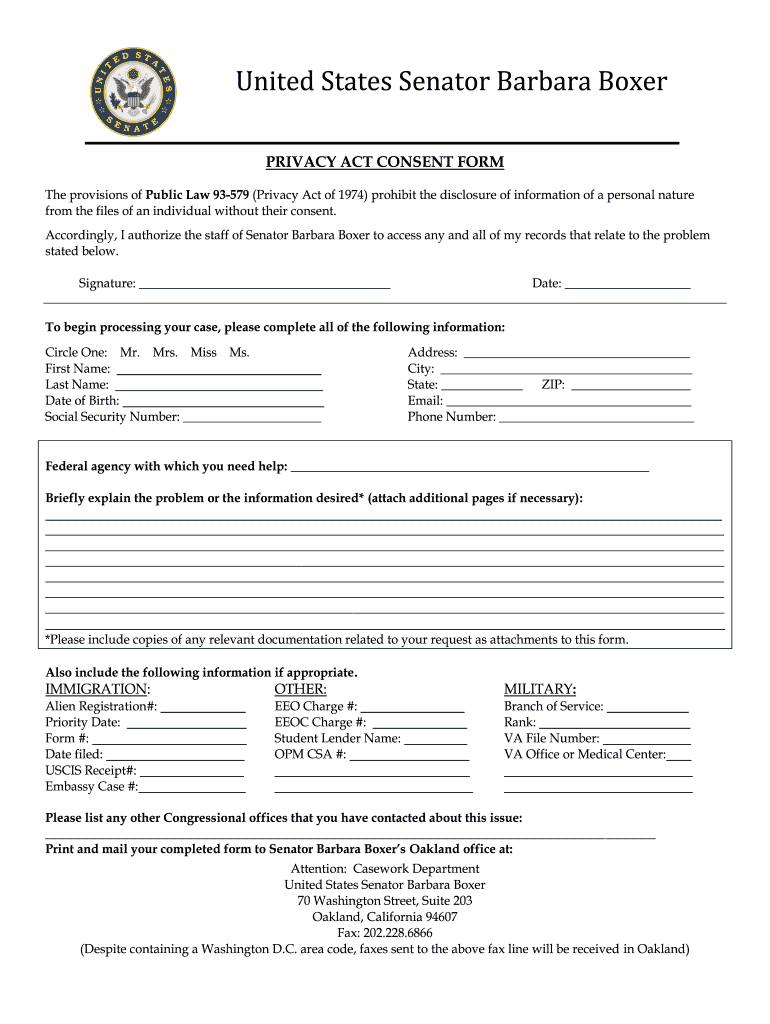
Click ‘Get Form’ to open the privacy consent form in the editor.
Begin by selecting your title (Mr., Mrs., Miss, Ms.) and filling in your first name and last name.
Enter your date of birth and Social Security Number in the designated fields.
Provide your address, including city, state, and ZIP code.
Fill in your email address and phone number for contact purposes.
Indicate the federal agency you need assistance with and briefly explain the problem or information desired. You can attach additional pages if necessary.
If applicable, complete any additional sections related to immigration, military, or other relevant information as specified in the form.
Review all entered information for accuracy before signing and dating the form at the bottom.
Once completed, print the form and mail it to Senator Barbara Boxer’s Oakland office as instructed.
Start using our platform today to easily fill out your privacy consent form for free!
Privacy consent form pdfPrivacy consent form examplePrivacy Act form pdfConsent to release information form pdfPrivacy Release Form SenatorConsent to share information templateDs 5505 form pdfCongressional privacy Release form
Security and compliance
At DocHub, your data security is our priority. We follow HIPAA, SOC2, GDPR, and other standards, so you can work on your documents with confidence.
Sample Consent Forms Consent Form Templates Foreign Language Consent Forms Informed Consent Short Form HIPAA Templates Additional Documents and Forms.Read more
Safeguarding your privacy is an integral part of the consular mission. The Privacy Act of 1974 and related rules provide a range of protections for.Read more
Please read this notice carefully to understand our policies and practices for processing and storing your personal data. By engaging with our MoHA Assets, youRead more
Cookie consent notice
This site uses cookies to enhance site navigation and personalize your experience.
By using this site you agree to our use of cookies as described in our Privacy Notice.
You can modify your selections by visiting our Cookie and Advertising Notice.