01. Edit your virginia tax form 760 instructions online
Type text, add images, blackout confidential details, add comments, highlights and more.

02. Sign it in a few clicks
Draw your signature, type it, upload its image, or use your mobile device as a signature pad.

03. Share your form with others
Send form 760 instructions via email, link, or fax. You can also download it, export it or print it out.

How to use or fill out Virginia Form 760 Instructions - eSmart Tax with DocHub
Ease of Setup
DocHub User Ratings on G2
Ease of Use
DocHub User Ratings on G2
Click ‘Get Form’ to open it in the editor.
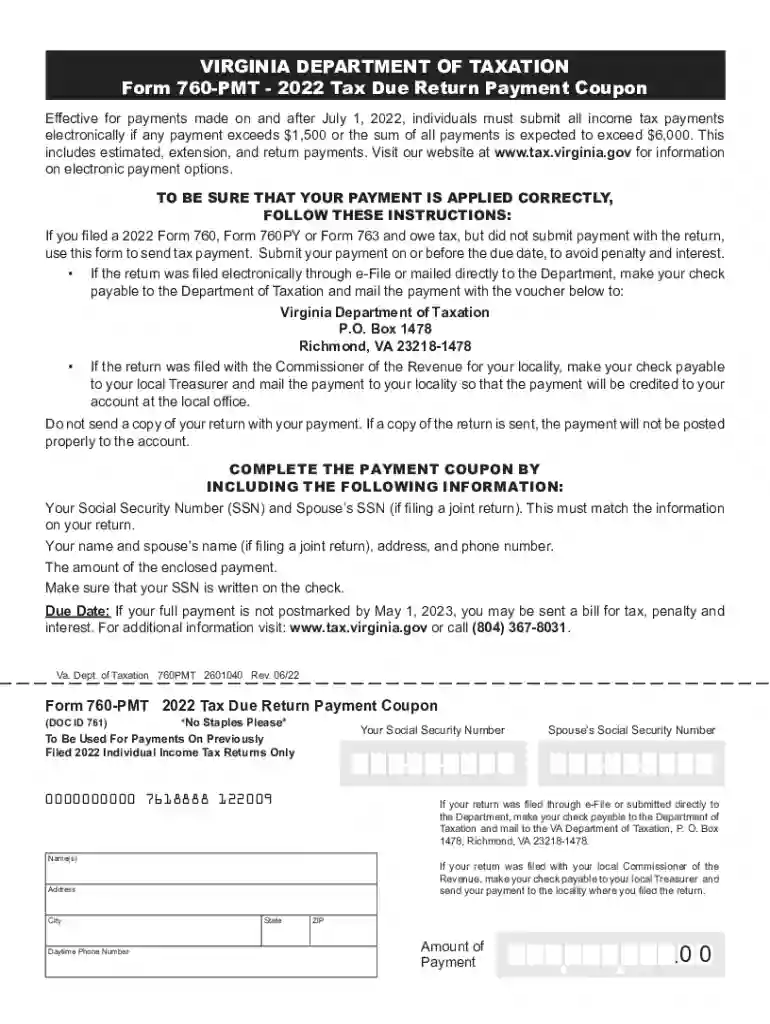
Begin by entering your Social Security Number (SSN) and your spouse’s SSN if filing jointly. Ensure this matches the information on your return.
Fill in your name and your spouse’s name, if applicable, along with your address and daytime phone number.
Indicate the amount of payment you are enclosing. Make sure this amount is clearly written on the check as well.
Review all entered information for accuracy before finalizing the document. This ensures that your payment is applied correctly.
Once completed, save the form and follow the instructions for mailing it to either the Department of Taxation or your local Treasurer, depending on where you filed your return.
Start using our platform today to easily complete and submit your Virginia Form 760!
Fill out Virginia Form 760 Instructions - eSmart Tax online It's free
See more Virginia Form 760 Instructions - eSmart Tax versions
We've got more versions of the Virginia Form 760 Instructions - eSmart Tax form. Select the right Virginia Form 760 Instructions - eSmart Tax version from the list and start editing it straight away!
Virginia form 760 instructions esmart tax pdfVA Form 760 InstructionsVirginia form 760 instructions esmart tax onlineVA Form 760 Instructions PDF760 Tax FormVA tax form pdfVirginia form 760 instructions esmart tax 2020VA state tax Form 2026
Security and compliance
At DocHub, your data security is our priority. We follow HIPAA, SOC2, GDPR, and other standards, so you can work on your documents with confidence.
Jun 30, 2009 I herewith submit the one hundred and twenty-first annual report of the Kentucky Agricultural. Experiment Station for the period endingRead more
Jul 27, 2015 4.2.1 Confirmation of SOQ Information. LANE confirms all information presented in the Statement of Qualifications (SOQ) remains true andRead more
Cookie consent notice
This site uses cookies to enhance site navigation and personalize your experience.
By using this site you agree to our use of cookies as described in our Privacy Notice.
You can modify your selections by visiting our Cookie and Advertising Notice.