AboutMissouri Department of Revenue - Mo.gov 2026

Get Form
AboutMissouri Department of Revenue - Mo.gov Preview on Page 1

Here's how it works

01. Edit your form online
Type text, add images, blackout confidential details, add comments, highlights and more.
02. Sign it in a few clicks
Draw your signature, type it, upload its image, or use your mobile device as a signature pad.
03. Share your form with others
Send it via email, link, or fax. You can also download it, export it or print it out.

How to use or fill out About Missouri Department of Revenue - Mo.gov with our platform

Form edit decoration
9.5
Ease of Setup
DocHub User Ratings on G2
9.0
Ease of Use
DocHub User Ratings on G2
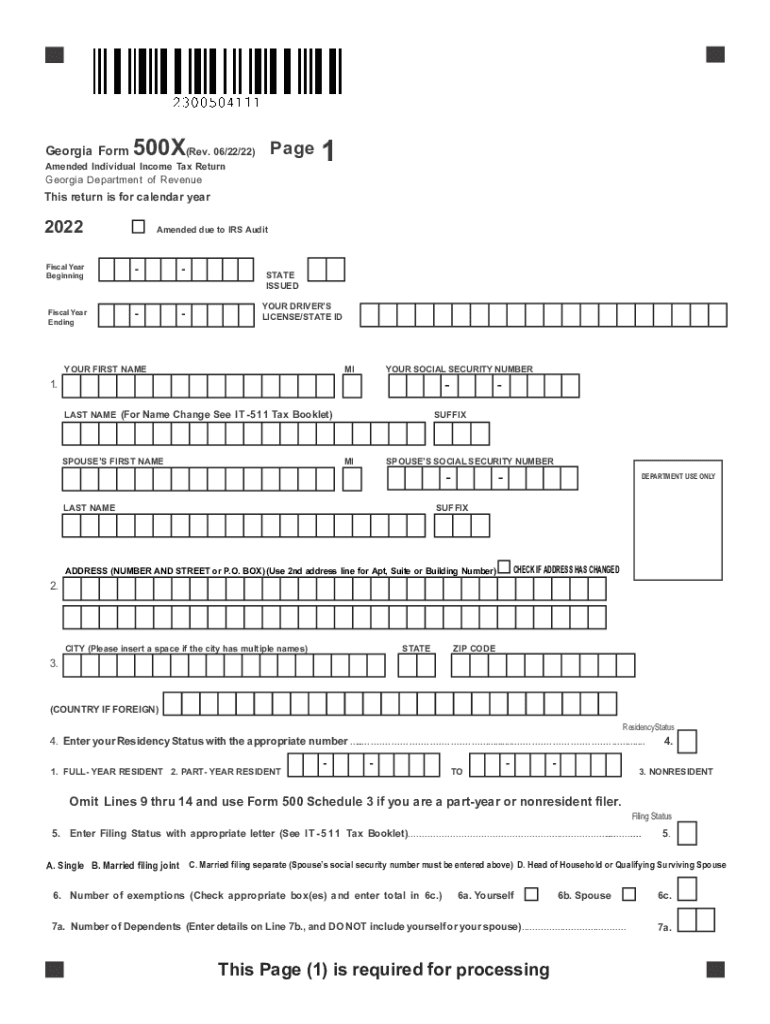
  1. Click ‘Get Form’ to open the About Missouri Department of Revenue - Mo.gov document in the editor.
  2. Begin by entering your personal information in the designated fields, including your first name, last name, and social security number. Ensure accuracy as this information is crucial for processing.
  3. Fill out your address details. If your address has changed, check the appropriate box and provide the new address on the second line.
  4. Indicate your residency status by selecting the appropriate option from the provided choices. This will determine your tax obligations.
  5. Select your filing status from the options available (e.g., Single, Married Filing Joint). This selection impacts your tax calculations.
  6. Complete sections regarding exemptions and dependents. Be sure to enter accurate numbers as they affect deductions.
  7. Proceed to income computations. Enter figures from relevant forms accurately, ensuring that negative amounts are indicated with a minus sign.
  8. Review all entries for accuracy before saving or submitting. Utilize our platform's features to sign and distribute the completed form easily.

Start using our platform today for free to streamline your form completion process!

See more AboutMissouri Department of Revenue - Mo.gov versions

We've got more versions of the AboutMissouri Department of Revenue - Mo.gov form. Select the right AboutMissouri Department of Revenue - Mo.gov version from the list and start editing it straight away!
Versions Form popularity Fillable & printable
2023 4.6 Satisfied (58 Votes)
2022 4.9 Satisfied (56 Votes)
2021 4.9 Satisfied (44 Votes)
2020 4.3 Satisfied (199 Votes)
2018 4.3 Satisfied (68 Votes)
2017 4.3 Satisfied (121 Votes)
2015 4.3 Satisfied (48 Votes)
2014 4 Satisfied (55 Votes)
2011 4.2 Satisfied (45 Votes)
be ready to get more

Complete this form in 5 minutes or less

Get form

Got questions?

We have answers to the most popular questions from our customers. If you can't find an answer to your question, please contact us.
Contact us

Sure, a typed name is recognized as a legitimate electronic signature when you create it on your form using a compliant solution like DocHub. Simply upload your AboutMissouri Department of Revenue - Mo.gov to our editor, click Sign in the top tool pane → Create your signature → Type your name in the appropriate tab, and select how it will look on your document.

If you edit your AboutMissouri Department of Revenue - Mo.gov with DocHub, you merely require a stable internet connection and virtually any browser installed on your device. No need to set up any third-party applications or research tutorials. Simply open a tab with DocHub, drag and drop your file, and modify it immediately.

The IRS mails letters or notices to taxpayers for a variety of reasons including if: They have a balance due. They are due a larger or smaller refund.
The state of Missouri requires you to pay taxes if you are a resident or nonresident who receives income from a Missouri source. The state income tax rates range up to 5.4%, and the sales tax rate is 4.225%.
Phone Numbers Phone-In License Plate Renewals (call to confirm eligibility) Services Available: Monday - Friday, 8 a.m. to 4:30 p.m. Motor Vehicle Titling Registration (general) 573-526-3669. Child Support Liens. 573-526-3669. Dealer Licensing Office. 573-526-3669. Dealer Complaint Line. 800-887-3994.

Security and compliance

At DocHub, your data security is our priority. We follow HIPAA, SOC2, GDPR, and other standards, so you can work on your documents with confidence.

Learn more
ccpa2
pci-dss
gdpr-compliance
hipaa
soc-compliance

People also ask

To check the status of your current year return24 hours a day, please visit our website: or call our automated individual income tax inquiry line (573) 526-8299.
The IRS will never contact a taxpayer from a Missouri Department of Revenue phone line; and. If you receive a call you believe to be a scam, contact the Missouri Attorney Generals Office No-Call Hotline at 866-Buzzoff (866-289-9633) or file a complaint online.
State of Missouri: Department of Revenue (573) 751-4450. Automated Tax Credit Status. (573) 526-8299. Property Tax Credit Claim. (573) 751-3505.
Your refund information for your state refund for Missouri income taxes will be available based on the way you filed: Your refund will be available up to five business days after filing electronically. Your refund will be available up to four weeks after mailing your paper return.
Refund status for individual income tax returns can be obtained using the Missouri Return Inquiry System at .

Related links