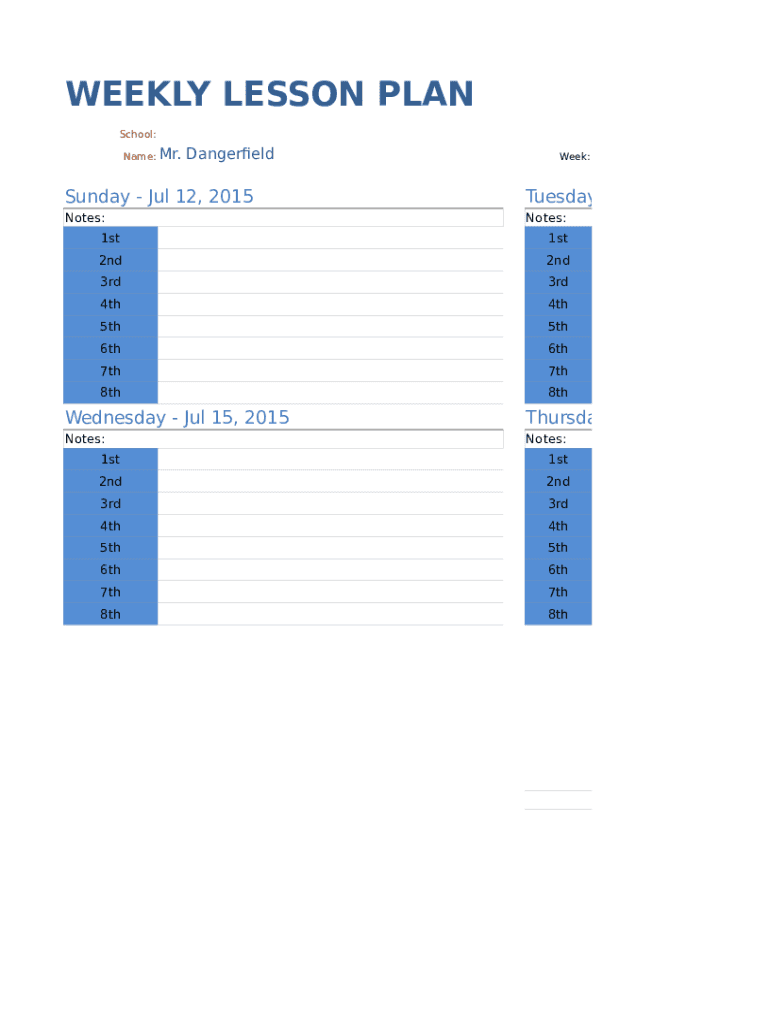
Weekly lesson plan template 2026

Get Form
weekly lesson plan template Preview on Page 1

Here's how it works

01. Edit your form online
Type text, add images, blackout confidential details, add comments, highlights and more.
02. Sign it in a few clicks
Draw your signature, type it, upload its image, or use your mobile device as a signature pad.
03. Share your form with others
Send it via email, link, or fax. You can also download it, export it or print it out.

How to use or fill out weekly lesson plan template with our platform

Form edit decoration
9.5
Ease of Setup
DocHub User Ratings on G2
9.0
Ease of Use
DocHub User Ratings on G2
  1. Click ‘Get Form’ to open the weekly lesson plan template in the editor.
  2. Begin by entering your school name at the top of the form. This helps personalize your lesson plan.
  3. Fill in your name in the designated field, ensuring that it reflects who will be implementing the lessons.
  4. Specify the week for which you are planning lessons by selecting the appropriate dates from the provided fields.
  5. For each day of the week, fill in the lesson details for each period (1st through 8th). Use these sections to outline objectives, activities, and materials needed.
  6. Utilize the notes sections under each day to jot down any additional thoughts or reminders related to that day's lessons.
  7. Once completed, review your entries for accuracy and clarity before saving or sharing your lesson plan.

Start using our platform today to effortlessly create and manage your weekly lesson plans for free!

be ready to get more

Complete this form in 5 minutes or less

Get form

Got questions?

We have answers to the most popular questions from our customers. If you can't find an answer to your question, please contact us.
Contact us

Sure, electronically drawing your signature is acceptable, but only if you use a tool that complies with industry regulations and policies. Consider DocHub, which guarantees eSignature validity under ESIGN and UETA requirements. All you need to approve your weekly lesson plan template electronically is an account with DocHub and an internet connection. When you open your file in our editor, click Sign and select the Draw tool.

You may get and edit your weekly lesson plan template online by using DocHub. Its simple yet feature-rich design allows you to begin effective work right after you sign up your account. Create your profile and add your document, and then our user interface will guide you via our stress-free form completion experience.

What Makes a Great Lesson Plan? Lesson objectives. Each lesson plan should start by considering what students will learn or be able to do by the end of class. Materials. Learning activities. Time requirements. Related requirements. Assessment. Evaluation and reflection.
Listed below are 6 steps for preparing your lesson plan before your class. Identify the learning objectives. Plan the specific learning activities. Plan to assess student understanding. Plan to sequence the lesson in an engaging and meaningful manner. Create a realistic timeline. Plan for a lesson closure.
A successful lesson plan addresses and integrates three key components: Learning Objectives. Learning activities. Assessment to check for student understanding.

Security and compliance

At DocHub, your data security is our priority. We follow HIPAA, SOC2, GDPR, and other standards, so you can work on your documents with confidence.

Learn more
ccpa2
pci-dss
gdpr-compliance
hipaa
soc-compliance
be ready to get more

Complete this form in 5 minutes or less

Get form

People also ask

6 components of a lesson plan Objective. A lesson objective can be one of the most important components of a lesson plan. Materials. If you prepare the materials ahead of the lesson, you may have more time to focus on teaching. Background knowledge. Direct instruction. Guided teaching. Closure and assessment.
What are the Qualities of a Great Lesson Plan? Clarity of Organization. Clarity of Explanation. Clarity of Examples and Guided Practice. Clarity of Assessment of Student Learning. 6 Remote Learning Strategies to Successfully Check for Your Students Understanding.
These phases include Engage, Explore, Explain, Elaborate, and Evaluate.
8 elements of lesson plans Grade level and subject. One of the first sections of a lesson is the grade level and subject of the lesson youre going to teach. Type of lesson. This is a brief section that explains the type of lesson youre going to be teaching. Duration. Topic. Objective. Materials. Directions. Assessment.
The elements of the lesson plan are: assessment, duration, objectives, activities, strategies and learning outcomes (Burgul Adiguzel, 2021).

Related links