




Here's how it works



How to use or fill out Registry of Motor Vehicles FID Section with DocHub

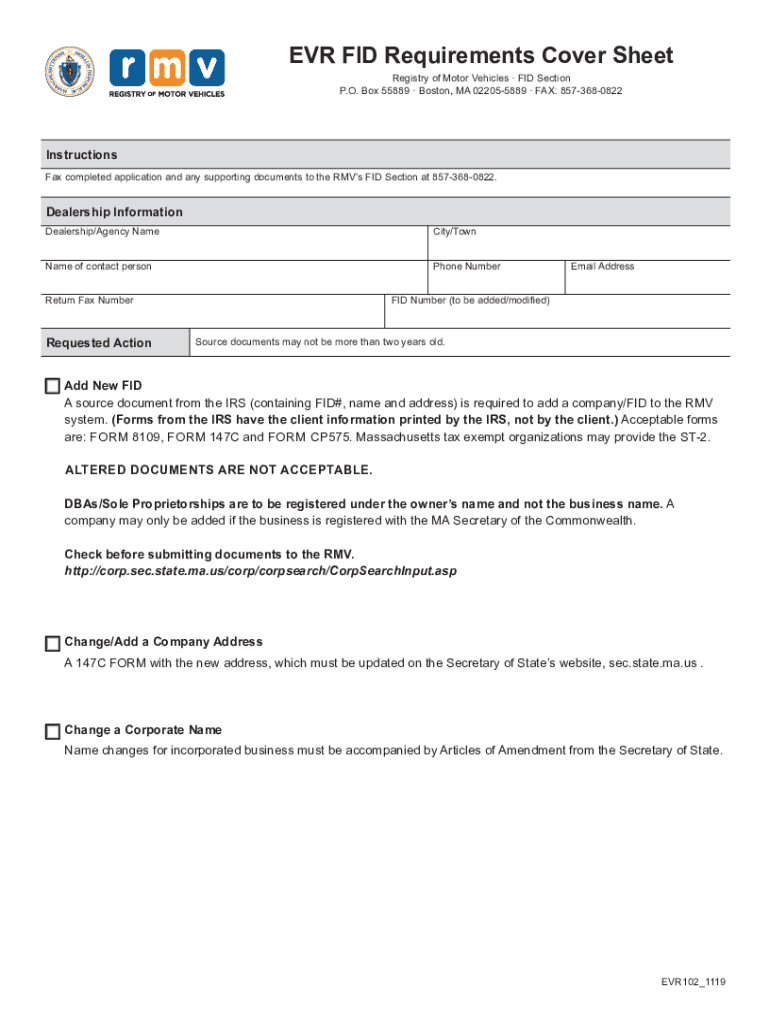
- Click ‘Get Form’ to open the Registry of Motor Vehicles FID Section in our editor.
- Begin by entering the Dealership/Agency Name, City/Town, and the Name of the contact person in the designated fields.
- Fill in the Phone Number and Return Fax Number to ensure proper communication regarding your application.
- Select the Requested Action from the dropdown menu, indicating whether you are adding a new FID or changing an address or name.
- Input your Email Address and FID Number (if applicable) for tracking purposes.
- Ensure that any source documents you attach are no more than two years old and meet RMV requirements. Upload these documents directly through our platform.
- Review all entered information for accuracy before submitting your application via fax to the RMV’s FID Section at 857-368-0822.
Start using our platform today to streamline your form completion process for free!
It's free
See more Registry of Motor Vehicles FID Section versions
Got questions?
Can I sign my fid motor near me electronically?
As outlined by eSignature laws, forms signed digitally have the same validity as those approved with pen and paper. You can eSign almost any business and personal paperwork. Four types of documents still require handwritten signatures only - wills and testamentary trusts, court orders and other court forms, state statutes regulating divorce, adoption, or other family law, and notice of cancellation of utility services. If you follow the guidelines and use a safe and compliant software solution, like DocHub, you can eSign your fid motor near me without printing it.
How to complete and sign Registry of Motor Vehicles FID Section online?
You may easily fill out, modify, and even eSign your Registry of Motor Vehicles FID Section using DocHub. Create a new account and begin your free trial. After that, you can upload the document with the form and easily make all the necessary edits. No need to print on paper or use a third-party application to sign it, as you can put your electronic signature on your document quicker via DocHub.
Security and compliance
At DocHub, your data security is our priority. We follow HIPAA, SOC2, GDPR, and other standards, so you can work on your documents with confidence.
Learn more




