




01. Edit your form online
Type text, add images, blackout confidential details, add comments, highlights and more.

Type text, add images, blackout confidential details, add comments, highlights and more.

Draw your signature, type it, upload its image, or use your mobile device as a signature pad.

Send it via email, link, or fax. You can also download it, export it or print it out.
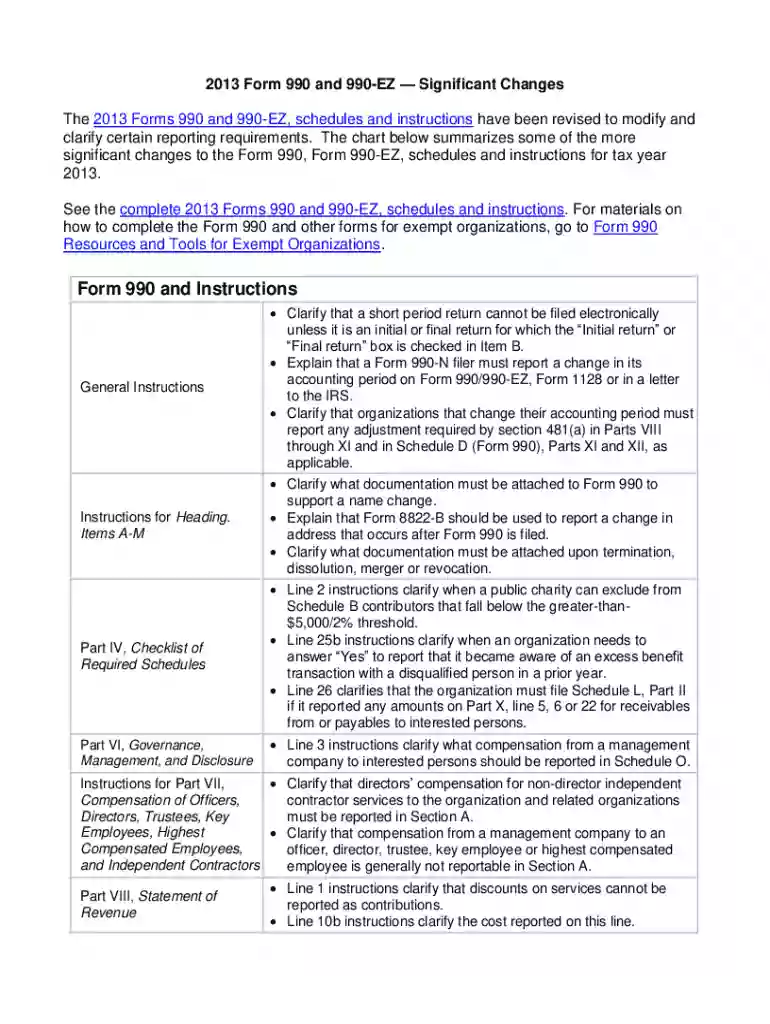
Form 990-EZ is a shorter version of the IRS Form 990 used by tax-exempt organizations to provide the IRS with an annual financial reporting of their activities. It is designed to promote transparency and accountability among nonprofit organizations. The significant changes section of this form highlights adjustments made annually, which may involve differences in reporting requirements, updates to prior instructions, or enhancements in compliance obligations. This is crucial for organizations to stay informed about recent updates to maintain accurate and legal reporting practices.
Completing the Form 990-EZ online can be an efficient process if you follow the structured sequence of actions. Begin by gathering necessary financial documents, such as profit and loss statements and balance sheets. The online completion typically starts with entering basic organizational information, followed by financial data entry sections covering areas like revenues, expenses, and net assets. Use online platforms, like DocHub, that support document editing to fill out details directly into the form templates. Double-check each section for accuracy, focusing on any revisions included in the significant changes part of the form. Once completed, save and securely store the document before submitting it electronically through the IRS e-File system.
Organizations can easily access the Form 990-EZ by visiting the Official IRS website or utilizing document management platforms like DocHub. These platforms offer downloadable PDFs that can be edited directly online. To find the significant changes specific to the form, refer to the IRS form instructions, where details on annual changes will be indicated. For organizations using tax preparation software, such as TurboTax or QuickBooks, the form and its updates should integrate seamlessly, providing further ease of access and submission.
The Form 990-EZ consists of several key sections that capture comprehensive data regarding a nonprofit organization’s operations. These include general organizational details, revenue calculations, and program service accomplishments. The form also requires a breakdown of expenses by functional category and a statement of net assets. Additional schedules might be necessary to report on specific areas such as related organizations and compensation of officers. The significant changes form section will typically outline any newly revised reporting requirements, ensuring organizations reflect accurate financial activities.
Adhering to the guidelines of the Form 990-EZ is legally essential for maintaining a tax-exempt status under IRS regulations. Failing to submit the form or incorrectly reporting financial activities can result in penalties. The IRS may impose monetary fines on organizations that miss filing deadlines or inaccurately report their finances. For serious compliance failures, the organization risks jeopardizing their IRS tax-exempt status. Understanding the significant changes part of the form can help avoid these penalties, highlighting any new compliance updates.
Organizations can choose between filing the Form 990-EZ digitally or using a paper version, though electronic submission is often recommended for efficiency and error reduction. Digital submission provides advantages such as quicker processing times and instant feedback regarding submission status. Moreover, through platforms like DocHub, organizations can take advantage of secure editing and submission features, aligning with modern, online document workflow preferences. Ensure the form version in use reflects the most current IRS changes, whether filing online or on paper.
The Form 990-EZ must be filed annually, and the deadline is typically the 15th day of the fifth month following the end of an organization's accounting period. For organizations whose fiscal year ends on December 31, the typical filing deadline would be May 15 of the following year. Keeping track of significant updates by the IRS is vital, as they may impact filing requirements or deadlines. Nonprofit organizations can apply for an automatic extension if more time is needed to complete the form accurately.
IRS guidelines provide comprehensive instructions on completing the Form 990-EZ, ensuring the accuracy and completeness of information reported. These guidelines cover a wide range of topics, including revenue recognition, public inspection requirements, and explanations for multi-state reporting. The significant changes part of the form or its instructions offers updates that may reflect new legislative or policy adjustments, which could affect how certain data points are calculated or reported, emphasizing the importance of staying informed with current IRS directives.
Not all nonprofit organizations are required to file the Form 990-EZ. It is primarily used by small to medium-sized tax-exempt organizations with gross receipts less than $200,000 and total assets under $500,000 at the end of the tax year. Larger organizations must complete the standard Form 990. Part of remaining eligible involves maintaining an understanding of annual adjustments or significant changes to the form that may alter eligibility thresholds or specific reporting criteria for the year.


We've got more versions of the irs 990 ez significant changes form online form. Select the right irs 990 ez significant changes form online version from the list and start editing it straight away!
With DocHub, you can quickly approve your irs 990 ez significant changes form online or any other paperwork on iOS, even without setting up additional applications. You can access your DocHub account from any web-connected browser and complete and sign your form in any way you like with just a couple of clicks.
If you store your papers in Google Drive, there is no need to download your irs 990 ez significant changes form online on the computer and upload it back to our editor. A significantly easier way is to set up a browser extension created by DocHub to streamline this flow. The extension allows editing PDFs right in your web browser. Alternatively, you can integrate your DocHub and Gmail accounts for more efficient modifying.
At DocHub, your data security is our priority. We follow HIPAA, SOC2, GDPR, and other standards, so you can work on your documents with confidence.


