




Here's how it works



How to use or fill out Idaho Affidavit of Service Summons and Complaint with DocHub

- Click ‘Get Form’ to open the Idaho Affidavit of Service Summons and Complaint in our platform.
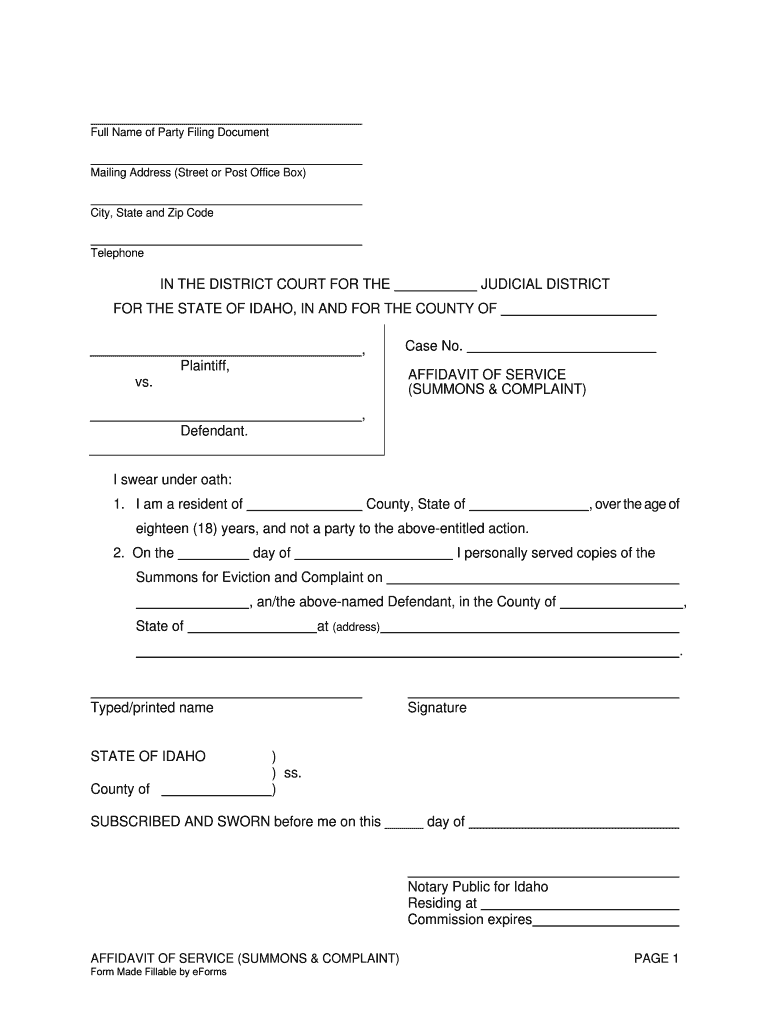
- Begin by entering your full name in the 'Full Name of Party Filing Document' field, followed by your mailing address, city, state, and zip code.
- Provide your telephone number in the designated field to ensure you can be contacted if necessary.
- In the section labeled 'IN THE DISTRICT COURT FOR THE JUDICIAL DISTRICT', specify the appropriate judicial district and county for your case.
- Fill in the case number assigned to your legal matter, ensuring accuracy for proper identification.
- Complete the affidavit by stating your residency details and confirming that you are over eighteen years old and not a party to the action.
- Indicate the date you served the summons and complaint, along with the name of the defendant and their address where service occurred.
- Finally, sign and print your name at the bottom of the form. Ensure that a notary public witnesses your signature for validation.
Start using our editor today to fill out your Idaho Affidavit of Service Summons and Complaint online for free!
It's free
See more Idaho Affidavit of Service Summons and Complaint versions
Got questions?
How do I generate an eSignature on my proof of service form from Google Chrome?
Managing your paperwork with DocHub this way is extremely easy after you have downloaded its extension for Google Chrome. Navigate to the Chrome Web Store and install DocHub - Sign PDF from Gmail to get it. Give our tool access to your Google account, and then open an email with the proof of service form attached and point to the file with your cursor - the DocHub extension key will automatically show up there. Click on it to open your file in our editor. Make any essential adjustments, fill out the blanks, and click Sign to create your legally-binding electronic signature.
How do you edit notice of service in Chrome?
If you are using Chrome, there are two easy methods to edit your notice of service online. First, visit the DocHub site, add your document, and edit it using our toolbar. You can also install our Chrome extension and edit any document by dragging and dropping it in your web browser tab.
How to respond to a summons in Idaho?
What happens after an affidavit of service is filed?
How to complete an affidavit of service?
Security and compliance
At DocHub, your data security is our priority. We follow HIPAA, SOC2, GDPR, and other standards, so you can work on your documents with confidence.
Learn more


