




01. Edit your 1040 schedule c 2018 online
Type text, add images, blackout confidential details, add comments, highlights and more.

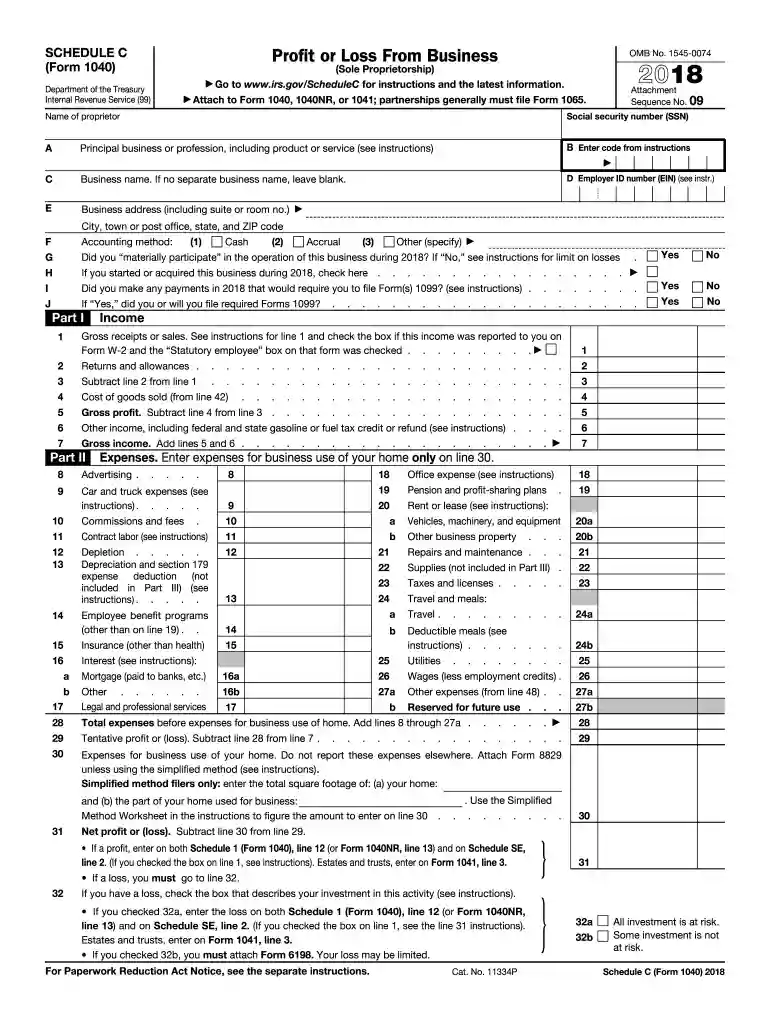
Type text, add images, blackout confidential details, add comments, highlights and more.

Draw your signature, type it, upload its image, or use your mobile device as a signature pad.

Send 2018 form 1040 schedule c via email, link, or fax. You can also download it, export it or print it out.
Schedule C (Form 1040) for the year 2018 is a critical tax document used by sole proprietors to report their business income and expenses. This form helps calculate the net profit or loss of a business, which subsequently affects the taxpayer's overall taxable income. As a comprehensive tool for recording financial activity, Schedule C covers categories such as income, deductions, and cost of goods sold, allowing for a detailed accounting of business operations. The form's relevance is heightened for small business owners and freelancers who operate without the formal structure of a corporation or partnership.
Completing Schedule C involves a structured approach, ensuring that each section is carefully filled with accurate data.
Accurate completion of each step ensures compliance and accurate reporting, critical for both financial and legal obligations.
Gathering and organizing the necessary documents is a key prerequisite:
Several of these documents are traditionally retained throughout the year, aiding in a smooth transition when tax season arrives.
Understanding key terminology enhances comprehension and accurate form completion:
These terms are integral not only to Schedule C but also enrich a taxpayer's overall financial literacy.
Schedule C is predominantly utilized by sole proprietors and single-member LLCs. These business owners do not have the legal distinction of a corporation, meaning their business and personal finances are not separate for tax purposes. Freelancers, consultants, and independent contractors frequently rely on this form to comply with IRS requirements, recognizing their self-employed status.
The Internal Revenue Service (IRS) offers comprehensive guidelines to ensure accuracy and compliance:
Consulting the IRS Publication 334, the guide for small businesses, provides additional support and clarification.
Timeliness is crucial for compliance and avoiding penalties:
Missing filing deadlines can result in fines and interest on unpaid taxes, emphasizing the importance of staying informed and organized.
Real-world scenarios illuminate the practical application of Schedule C:
These examples are indicative of the broad applicability of Schedule C across varying business models.
Filing options offer flexibility to meet individual preferences:
Both methods require strict adherence to deadlines and accuracy standards, ensuring compliance regardless of the medium.
We've got more versions of the 1040 schedule c 2018 form. Select the right 1040 schedule c 2018 version from the list and start editing it straight away!
| Versions | Form popularity | Fillable & printable |
|---|---|---|
| 2024 | 4.6 Satisfied (31 Votes) | |
| 2023 | 4.4 Satisfied (54 Votes) | |
| 2022 | 4.3 Satisfied (38 Votes) | |
| 2021 | 4.8 Satisfied (140 Votes) | |
| 2020 | 4.4 Satisfied (93 Votes) | |
| 2019 | 4.1 Satisfied (38 Votes) | |
| 2018 | 4.3 Satisfied (239 Votes) | |
| 2017 | 4.3 Satisfied (233 Votes) | |
| 2016 | 4.1 Satisfied (110 Votes) | |
| 2015 | 3.5 Satisfied (95 Votes) | |
| 2014 | 4.1 Satisfied (54 Votes) | |
| 2013 | 4 Satisfied (44 Votes) | |
| 2012 | 4 Satisfied (27 Votes) | |
| 2011 | 4.2 Satisfied (66 Votes) | |
| 2010 | 4 Satisfied (34 Votes) |
Yes, a typed name is accepted as a legitimate electronic signature when you create it on your form using a compliant solution like DocHub. Simply upload your schedule c form 1040 2018 to our editor, click Sign in the top tool pane → Create your signature → Type your name in the proper tab, and choose how it will appear on your document.
When you edit your 2018 schedule c with DocHub, you will not need to look for other applications or solutions to eSign it. An electronic signature is part of DocHub’s extensive editing toolset, which allows you to implement changes in your form without switching between websites. Simply complete your form, double-check the correctness of your information and place your electronic signature at the end to make it submission-ready within minutes.
At DocHub, your data security is our priority. We follow HIPAA, SOC2, GDPR, and other standards, so you can work on your documents with confidence.

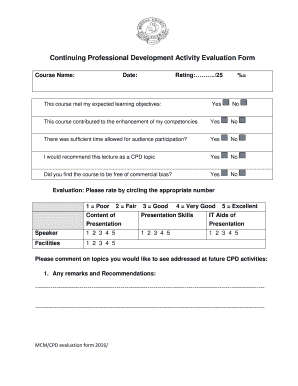
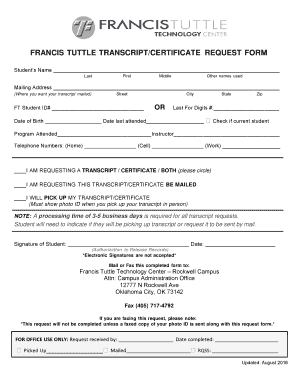
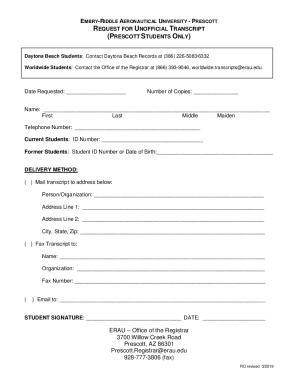


Dec 28, 2018 This publication provides general information about the federal tax laws that apply to you if you are a self-em-.Read more
See the instructions for. Schedule C, line 13, to find out if you must file. A Principal business or profession, including product or service. B Enter businessRead more
Instead file Schedule C (Form 1040) or Schedule C-EZ (Form 1040). Income from breeding, raising, or caring for dogs, cats, or other pet animals.


