




Here's how it works

01. Edit your personal property tax for business online
Type text, add images, blackout confidential details, add comments, highlights and more.

02. Sign it in a few clicks
Draw your signature, type it, upload its image, or use your mobile device as a signature pad.

03. Share your form with others
Send lat 5 form fillable via email, link, or fax. You can also download it, export it or print it out.
How to use or fill out Business Reporting (Personal Property) - East Baton Rouge Parish with our platform

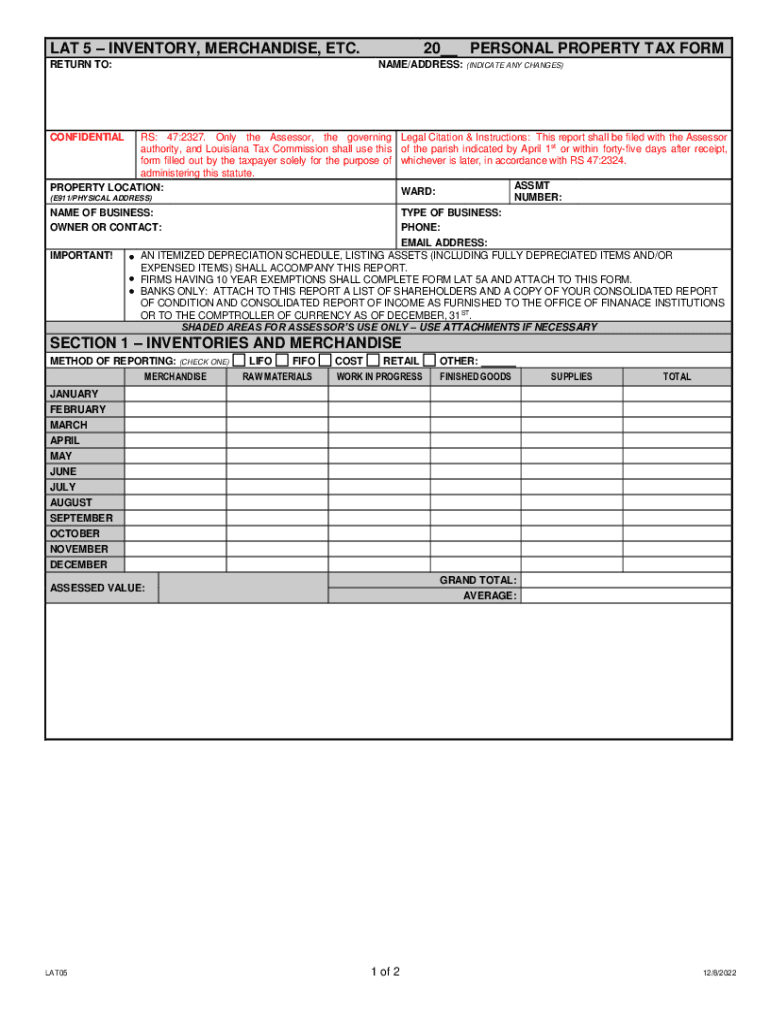
- Click ‘Get Form’ to open the Business Reporting (Personal Property) form in the editor.
- Begin by entering your name and address at the top of the form. Make sure to indicate any changes if applicable.
- Fill in the property location using the E911/physical address format, followed by your assessment number and ward.
- Provide details about your business, including the name, type of business, contact person, phone number, and email address.
- Complete Section 1 by selecting a method of reporting for inventories and merchandise. Fill in monthly totals for each category listed.
- In Sections 2 and 3, group furniture, fixtures, machinery, and equipment by year of acquisition. Enter acquisition costs and descriptions accordingly.
- For Section 4, list leasehold improvements or miscellaneous property with their respective acquisition years and costs.
- Finally, review all sections for accuracy before signing and dating the form at the bottom. Ensure that you declare under penalties for filing false reports.
Start filling out your Business Reporting form today using our platform for free!
Fill out Business Reporting (Personal Property) - East Baton Rouge Parish ... online
It's free
It's free
See more Business Reporting (Personal Property) - East Baton Rouge Parish ... versions
We've got more versions of the Business Reporting (Personal Property) - East Baton Rouge Parish ... form. Select the right Business Reporting (Personal Property) - East Baton Rouge Parish ... version from the list and start editing it straight away!
Security and compliance
At DocHub, your data security is our priority. We follow HIPAA, SOC2, GDPR, and other standards, so you can work on your documents with confidence.
Learn more


