




Here's how it works



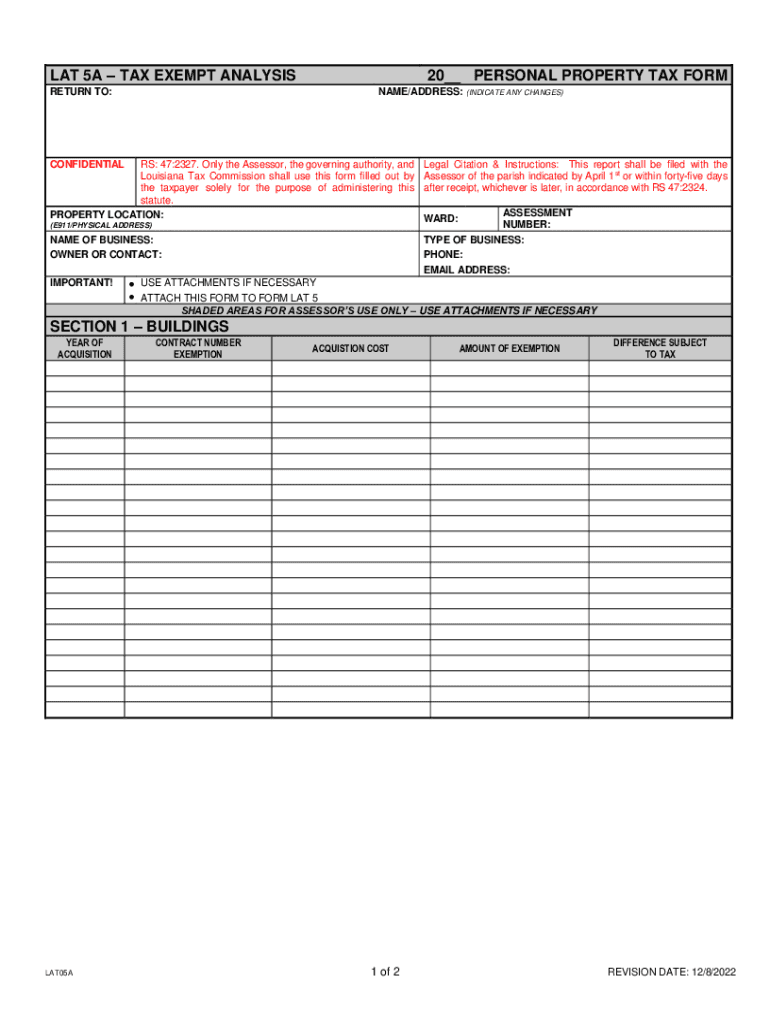
How to use or fill out LAT 5A TAX EXEMPT ANALYSIS 20 PERSONAL PROPERTY TAX FORM with our platform

- Click ‘Get Form’ to open the LAT 5A TAX EXEMPT ANALYSIS form in the editor.
- Begin by filling in your name and address at the top of the form. Ensure any changes are clearly indicated.
- Provide the property location using the E911/physical address format, along with your business name and contact information.
- In Section 1, list buildings by entering the year of acquisition, contract number, exemption details, acquisition cost, and calculate the amount of exemption.
- Proceed to Section 2 for machinery and equipment. Group items by year of acquisition and repeat similar steps as in Section 1.
- For furniture and fixtures in Section 3, follow the same format as previous sections to ensure all necessary details are captured.
- In Section 4, provide information on consigned goods or rented equipment. Include descriptions and financial details like monthly rental and fair market value.
- Finally, sign and date the form at the bottom. Ensure that all information is accurate to avoid penalties for filing false reports.
Start using our platform today to easily complete your LAT 5A TAX EXEMPT ANALYSIS form online for free!
It's free
See more LAT 5A TAX EXEMPT ANALYSIS 20 PERSONAL PROPERTY TAX FORM versions
Got questions?
How can I send my LAT 5A TAX EXEMPT ANALYSIS 20 PERSONAL PROPERTY TAX FORM from Google Drive for approval?
If you often deal with documents stored in your Google Drive, DocHub is a superb option for you to easily and quickly fill out, edit, and approve them. This editor integrates properly with Google apps, so you can export your LAT 5A TAX EXEMPT ANALYSIS 20 PERSONAL PROPERTY TAX FORM from your Google Drive to the editor without the need of downloading and re-uploading it. Right-click on your file, choose Open With → DocHub PDF Sign and Edit. In our editor, add and assign Signature Fields for all parties involved, then click on the Menu option above → Send → decide on how you want to share your form.
How do you create an e-signature for the LAT 5A TAX EXEMPT ANALYSIS 20 PERSONAL PROPERTY TAX FORM on iOS?
In addition to a comprehensive toolset for editing PDFs on mobile devices, DocHub allows you to sign your LAT 5A TAX EXEMPT ANALYSIS 20 PERSONAL PROPERTY TAX FORM along the way. Open our editor in your browser, make modifications using DocHub’s toolset, and finish your editing by eSigning the finished form.
Security and compliance
At DocHub, your data security is our priority. We follow HIPAA, SOC2, GDPR, and other standards, so you can work on your documents with confidence.
Learn more




