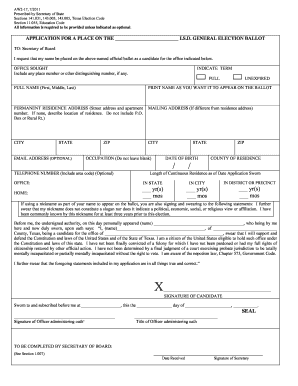







Overview of the Printable 2012 AZ Form 204
The printable 2012 AZ Form 204 is a crucial document for Arizona taxpayers seeking an extension on their state tax filings. This form is specifically designed for individuals who need additional time to submit the details of their state taxes without incurring penalties for late filing. Primarily, it serves as an official request to the Arizona Department of Revenue for more time to arrange and file necessary documentation, aligning the state filing timeline with federal extensions for ease and coherence.
How to Use the Printable 2012 AZ Form 204
To effectively use the printable 2012 AZ Form 204, follow these key steps:
- Determine Necessity: Identify if additional time is needed beyond the April 15 deadline to complete your tax returns.
- Complete Personal Information: Fill out all personal details accurately, including your full name, address, and Social Security number.
- Estimate Tax Liability: Calculate your expected Arizona state taxes to avoid underpayment and potential penalties.
- File the Form: Submit the completed form along with any estimated tax payments to the Arizona Department of Revenue by the original deadline. This secures the extension while mitigating interest on any balance due.
- Keep Records: Retain a copy for personal records and future reference, ensuring proof of request is available if needed.
Steps to Complete the Printable 2012 AZ Form 204
-
Gather Required Information:
- Personal identification details, such as name and SSN.
- Estimated amounts of state income tax due, and any taxes already paid.
-
Fill Out the Form:
- Enter all gathered information in the correct fields.
- Ensure all estimated tax amounts are outlined transparently to guarantee accuracy.
-
Verify Details:
- Double-check all inputs for correctness, particularly financial entries, as errors can lead to processing delays or additional inquiries from the tax authorities.
-
Submit on Time:
- Ensure the submission, whether digitally or via mail, is postmarked by the due date, April 15.
Why You Should Use the Printable 2012 AZ Form 204
Using the 2012 AZ Form 204 helps avoid penalties associated with late tax filings. It aligns your Arizona state tax timeline with the federal tax extension, simplifying overall tax preparation. The extension provides more time to organize documentation, ensuring accuracy and completeness in the submission. By estimating the tax obligations before requesting an extension, taxpayers also avoid additional interest on unpaid taxes.
Key Elements of the Printable 2012 AZ Form 204
Identification Information
- Full legal name
- Residential address
- Taxpayer Identification Number (TIN)
Financial Sections
- Estimated Arizona taxable income
- Expected tax payment details and determination
- Previous payments made towards state tax obligations
Submission Instructions
- Guidance on sending the form online or via mail
- Necessary timelines to ensure timely and valid submissions
Eligibility Criteria for Using the 2012 AZ Form 204
Not all taxpayers are eligible for extension requests. The form is designed for individuals who anticipate needing additional time to accurately file their taxes. It is important to provide accurate estimates of tax liability to qualify. This form does not serve as an extension for payment; taxes owed should accompany the form to avoid interest charges.


Form Submission Methods
Online
- Utilize state tax websites or integrated solutions that partner with tax agencies to submit electronically for quicker processing.
- Ensure the form is postmarked before the filing deadline.
- Utilize certified mail to track submission and receive confirmation of receipt.
Filing Deadlines and Important Dates
- April 15: Standard deadline for submission without penalties.
- October 15: Typical extended deadline following approval of the form.
Penalties for Non-Compliance
Failing to file the AZ Form 204 or submitting it late can result in penalties, including fines and interest on unpaid taxes. If taxes remain unpaid beyond the due date, interest accumulates on outstanding amounts starting from the original deadline.
IRS Guidelines and the Printable 2012 AZ Form 204
Aligns with IRS publication guidelines for extensions, effectively synchronizing federal and state tax reporting periods. It’s crucial to understand that while this form extends the deadline to submit, it does not extend the time for payment.