




01. Edit your form 8883 online
Type text, add images, blackout confidential details, add comments, highlights and more.

Type text, add images, blackout confidential details, add comments, highlights and more.

Draw your signature, type it, upload its image, or use your mobile device as a signature pad.

Send 8883 via email, link, or fax. You can also download it, export it or print it out.
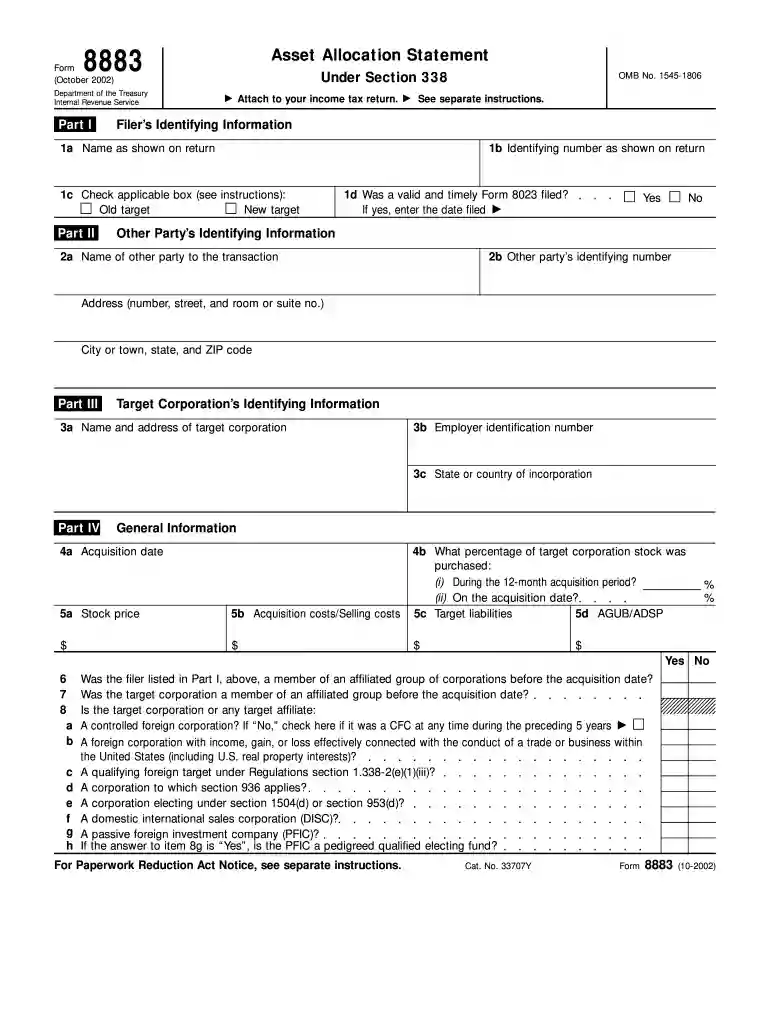
Form 8883, officially titled "Asset Allocation Statement Under Section 338", is a document mandated by the Department of the Treasury, Internal Revenue Service, dated October 2002. It is primarily used by purchasers of corporate stock to report the allocation of assets following certain qualifying stock acquisitions. Section 338 of the Internal Revenue Code allows a corporation that has acquired at least 80% of another corporation's stock to treat the stock purchase as an asset purchase for tax purposes. This form enables the purchaser to document how the internal revenue code is applied in valuing and allocating the acquired assets.
Completing Form 8883 involves a systematic approach and requires attention to detail.
Understanding the primary sections of Form 8883 is crucial in ensuring thorough completion.
Form 8883 is commonly used in corporate transactions involving significant stock purchases.
The Internal Revenue Service publishes specific guidelines to assist in the proper completion of Form 8883.
Timeliness in filing Form 8883 is critical to avoid penalties and ensure compliance.
Non-compliance with IRS requirements associated with Form 8883 can lead to various penalties.
We've got more versions of the form 8883 form. Select the right form 8883 version from the list and start editing it straight away!
If you regularly work with documents stored in your Google Drive, DocHub is a superb option for you to easily and quickly complete, edit, and approve them. This editor integrates well with Google services, so you can export your 8883 form from your Google Drive to the editor without downloading and re-uploading it. Right-click on your file, choose Open With → DocHub PDF Sign and Edit. In our editor, add and assign Signature Fields for all people involved, then click on the Menu button above → Send → choose how you want to share your paperwork.
If you store your paperwork in Google Drive, there is no need to download your form 8883 instructions on the computer and upload it back to our editor. A significantly simpler way is to set up a browser extension developed by DocHub to streamline this flow. The extension allows editing PDFs right in your web browser. Alternatively, you may integrate your DocHub and Gmail accounts for more efficient modifying.
At DocHub, your data security is our priority. We follow HIPAA, SOC2, GDPR, and other standards, so you can work on your documents with confidence.
Mar 30, 2026 Use Form 8883 to report information about transactions involving the deemed sale of corporate assets under section 338.Read more
In addition to filing Form 8023 by October 15, RIZ Inc. must also attach Form 8883, Asset Allocation Statement Under Section. 338,70 to its final Form 1120-SRead more


