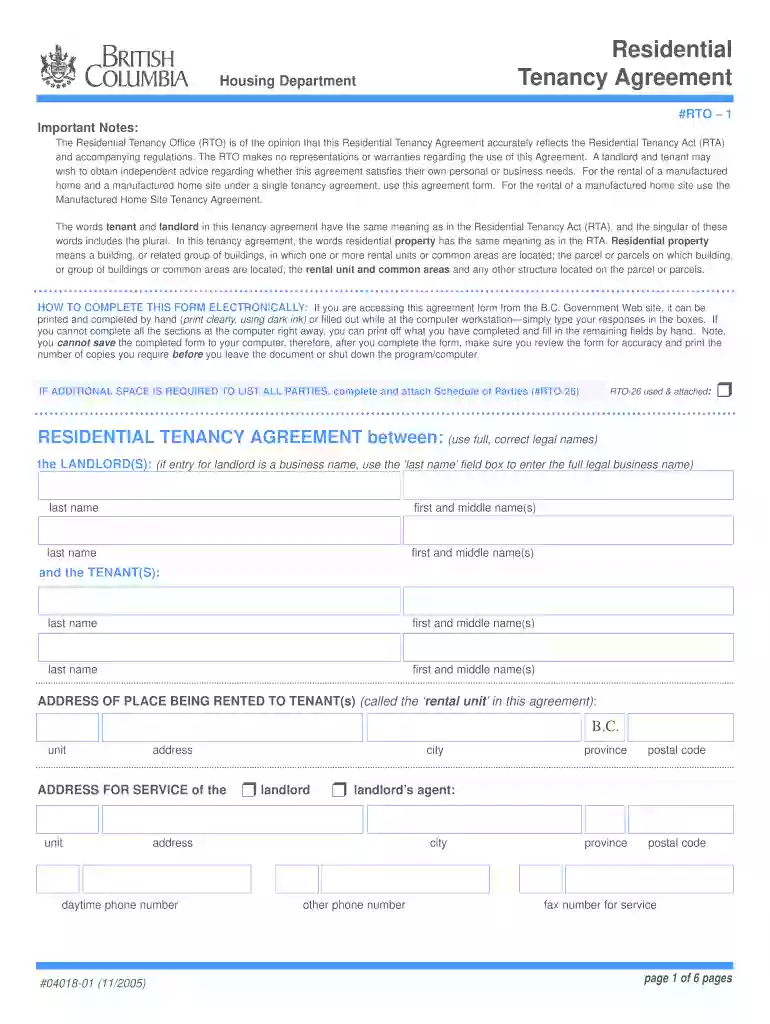
rtb bc forms Preview on Page 1

Rtb forms 2026

Here's how it works

  • 01. Edit your rtb bc forms online

    Type text, add images, blackout confidential details, add comments, highlights and more.

  • 02. Sign it in a few clicks

    Draw your signature, type it, upload its image, or use your mobile device as a signature pad.

  • 03. Share your form with others

    Send residential tenancy branch forms via email, link, or fax. You can also download it, export it or print it out.

How to use or fill out rtb forms with our platform

Form edit decoration
9.5
Ease of Setup
DocHub User Ratings on G2
9.0
Ease of Use
DocHub User Ratings on G2
  1. Click ‘Get Form’ to open the Residential Tenancy Agreement in the editor.
  2. Begin by entering the full legal names of the landlord(s) and tenant(s) in the designated fields. Ensure accuracy as this information is crucial for legal purposes.
  3. Fill in the address of the rental unit, including city, province, and postal code. This identifies the property being rented.
  4. Specify the length of tenancy by selecting whether it is month-to-month or for a fixed term. Fill in the start date and any relevant details regarding renewal or termination.
  5. Complete the rent section by indicating the amount due, payment frequency, and what is included in rent. Be sure to check all applicable boxes.
  6. If applicable, enter details about security deposits and pet damage deposits, ensuring compliance with regulations outlined in the agreement.
  7. Review all entries for accuracy before finalizing. Once completed, print multiple copies for both parties to sign.

Start using our platform today to streamline your form completion process for free!

See more rtb bc forms versions

We've got more versions of the rtb bc forms form. Select the right rtb bc forms version from the list and start editing it straight away!

VersionsForm popularityFillable & printable
20054.8 Satisfied (123 Votes)

be ready to get more

Complete this form in 5 minutes or less

Security and compliance

At DocHub, your data security is our priority. We follow HIPAA, SOC2, GDPR, and other standards, so you can work on your documents with confidence.

rto bc forms

Application for RTB to be Non-Taxable

Course Information A separate form must be submitted for each course. (please print). Semester/Year. Course #. Course Title. Course Description: To theRead more

Learn more
RTB Video

From the Audiovisual Identity Database, the motion graphics museum RTB Video was a home entertainment division of Radio Television of Belgrade.Read more

Learn more
If you believe that this page should be taken down, please follow our DMCA take down process here