




01. Edit your mail from indiana department of revenue online
Type text, add images, blackout confidential details, add comments, highlights and more.

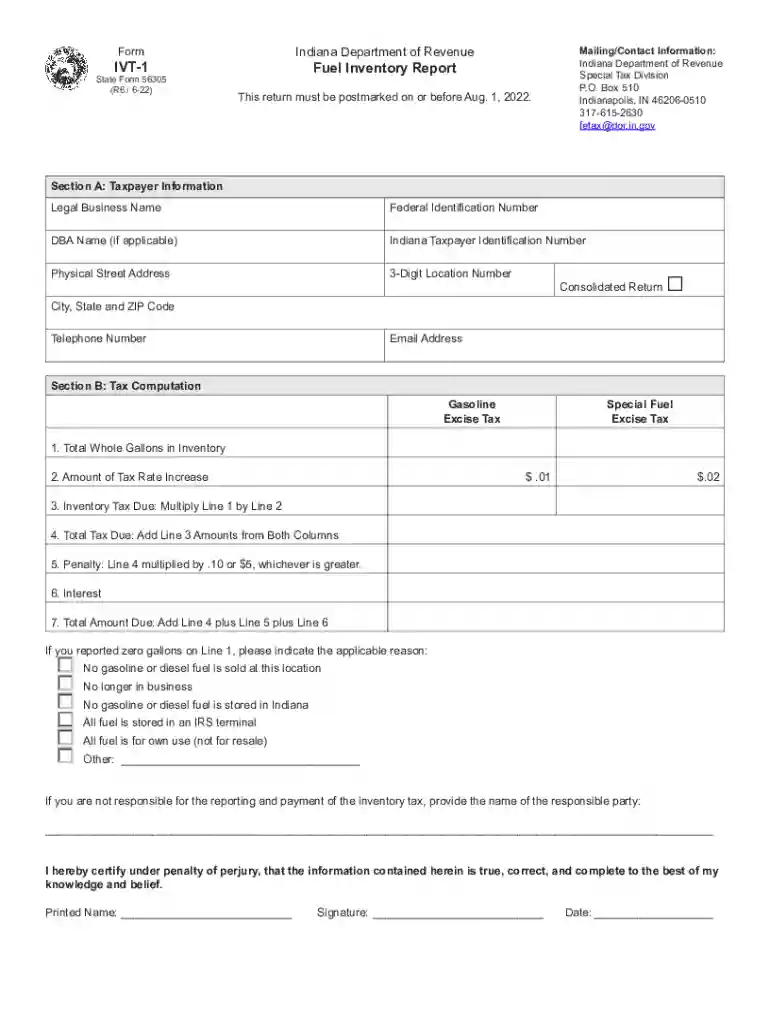
Type text, add images, blackout confidential details, add comments, highlights and more.

Draw your signature, type it, upload its image, or use your mobile device as a signature pad.

Send indiana department of revenue mail via email, link, or fax. You can also download it, export it or print it out.

Start using our platform today to easily complete your IVT-1 form online for free!
We've got more versions of the mail from indiana department of revenue form. Select the right mail from indiana department of revenue version from the list and start editing it straight away!
At DocHub, your data security is our priority. We follow HIPAA, SOC2, GDPR, and other standards, so you can work on your documents with confidence.
Aug 4, 2010 For assistance, call 877-MYVIZIO (877-698-4946) Email: techsupport@VIZIO.com (877) 698-4946 Fax: (949) 585-9563 Hours of operation: Monday -
Your advisors name and contact info can be found in MyIvy on your dashboard in the lower left column and in the My Academic Profile section. You can email orRead more
Mail in Tax Forms ; Form IVT-1, P.O. Box 510, Indianapolis, IN, 46206-0510 ; Form REF-1000, P.O. Box 1971, Indianapolis, IN, 46206-1971.Read more


