




01. Edit your form online
Type text, add images, blackout confidential details, add comments, highlights and more.

Type text, add images, blackout confidential details, add comments, highlights and more.

Draw your signature, type it, upload its image, or use your mobile device as a signature pad.

Send it via email, link, or fax. You can also download it, export it or print it out.
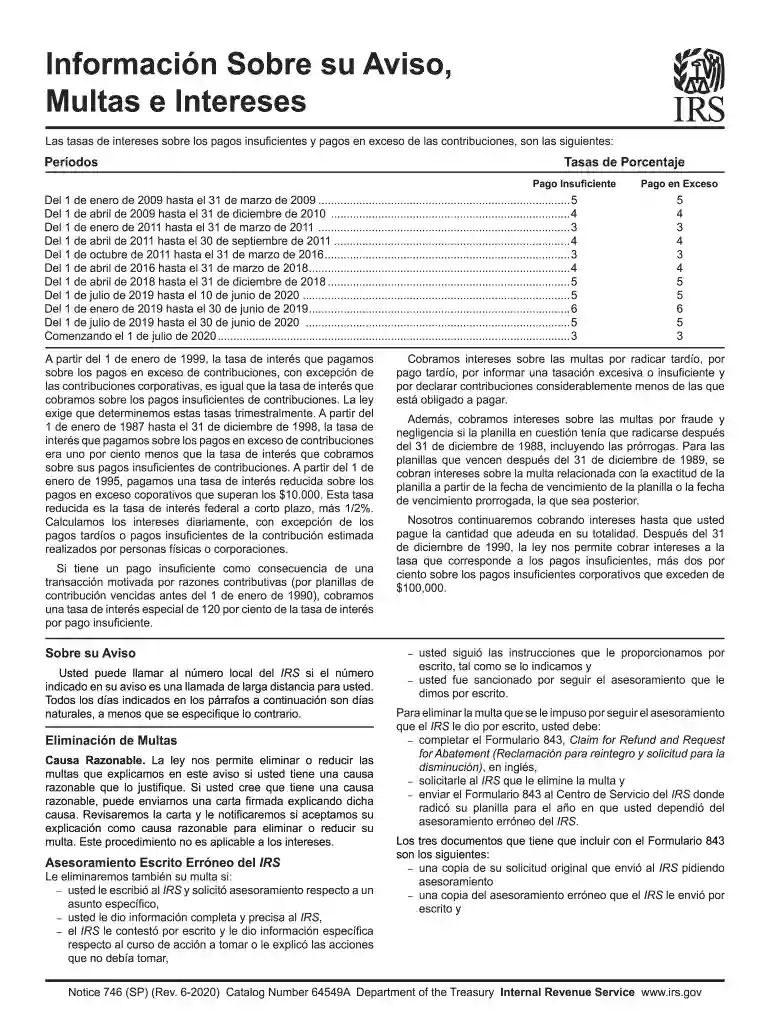
The SP - Internal Revenue Service form is a document used primarily by the IRS for various tax-related purposes. The form is utilized to address matters such as interest rates applicable to under or overpayments, penalties for late filings, and other compliance issues related to tax obligations. It provides specific sections detailing procedures to request penalty abatement under circumstances like erroneous IRS advisory and reasonable cause. This form is essential for understanding and managing tax responsibilities effectively.
Accessing the SP - Internal Revenue Service form involves several straightforward methods. Taxpayers can download it directly from the IRS website, providing a convenient option for those comfortable with online navigation. Alternatively, taxpayers may request the form by calling the IRS or visiting a local IRS office. Another viable option is obtaining the form through tax preparation software that might include a library of IRS forms. Each method ensures the necessary access to facilitate correct and timely tax compliance.
Failing to properly complete and submit the SP - Internal Revenue Service form can result in significant penalties. Common penalties include fines for late submission, misrepresentation, and failure to include all necessary information. Non-compliance may also lead to interest accruing on unpaid taxes. It's crucial for taxpayers to be aware of these consequences to prevent additional financial burdens.
To accurately complete the SP - Internal Revenue Service form, several documents are typically required:
Submission of the SP - Internal Revenue Service form can be accomplished via several channels:
Many taxpayers use tax preparation software such as TurboTax or QuickBooks to manage and submit their tax forms efficiently. These platforms often support IRS forms, such as the SP - Internal Revenue Service form, making it easier to complete and file electronically. Compatibility with such software can streamline the adaptive process, enhance accuracy, and facilitate prompt submissions.
We've got more versions of the SP - Internal Revenue Service form. Select the right SP - Internal Revenue Service version from the list and start editing it straight away!
At DocHub, your data security is our priority. We follow HIPAA, SOC2, GDPR, and other standards, so you can work on your documents with confidence.
Provide complete and accurate information. If you have questions, ask the IRS-certified volunteer preparer. Volunteers are trained to provide high qualityRead more
Pay your taxes. Get your refund status. Find IRS forms and answers to tax questions. We help you understand and meet your federal tax responsibilities.
Apr 15, 1976 Increased section 179 deduction dollar limits. The maximum amount you can elect to deduct for most sec- tion 179 property you placedRead more


