




Here's how it works

01. Edit your ubit examples online
Type text, add images, blackout confidential details, add comments, highlights and more.

02. Sign it in a few clicks
Draw your signature, type it, upload its image, or use your mobile device as a signature pad.

03. Share your form with others
Send unrelated business income tax ubit via email, link, or fax. You can also download it, export it or print it out.
How to use or fill out financialservices.arizona.edutax-servicesubit Unrelated Business Income Tax (UBIT) Financial Services with Our Platform

- Click ‘Get Form’ to open it in the editor.
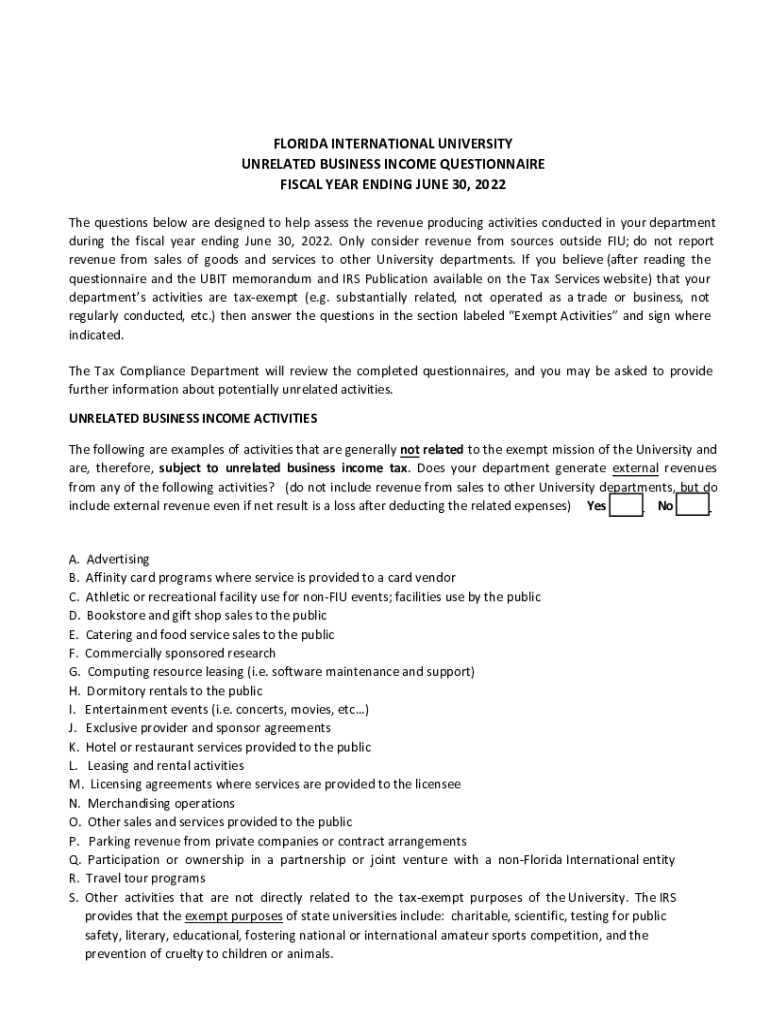
- Begin by reviewing the introductory section, which outlines the purpose of the UBIT questionnaire and its importance for compliance. Ensure you understand the deadlines for submission.
- Fill out Section I by providing a description of any potentially unrelated activities your department engages in. Include details such as frequency, type of customer, and estimated revenue.
- Proceed to Sections II-VI, answering each question thoroughly. Pay special attention to whether activities are regularly conducted and if they relate to the University’s exempt mission.
- If applicable, complete Section VII for Exempt Activities, explaining why certain activities may be considered tax-exempt.
- Finally, sign the certification at the end of the document confirming that all information is accurate before submitting it via email or in person.
Utilize our platform today to streamline your form completion process for free!
Fill out financialservices.arizona.edutax-servicesubitUnrelated Business Income Tax (UBIT)Financial Services online
It's free
See more financialservices.arizona.edutax-servicesubitUnrelated Business Income Tax (UBIT)Financial Services versions
We've got more versions of the financialservices.arizona.edutax-servicesubitUnrelated Business Income Tax (UBIT)Financial Services form. Select the right financialservices.arizona.edutax-servicesubitUnrelated Business Income Tax (UBIT)Financial Services version from the list and start editing it straight away!
Security and compliance
At DocHub, your data security is our priority. We follow HIPAA, SOC2, GDPR, and other standards, so you can work on your documents with confidence.
Learn more


